
Home > About EnPower
Export to PDFAbout EnPower
EnPower provides comprehensive access to organizations for multi-tenant cloud SaaS management, including, but not limited to: reports viewing, cloud service object management, workflows, and security management.
Apart from your tenants in cloud applications, you can also customize your virtual tenants by scanning your cloud application objects into containers in AvePoint Online Services and managing them in EnPower based on the management permissions granted to you. With virtual tenants, cloud application management is not limited to geo locations or your fixed tenant composition in cloud applications. For details about customizing your virtual tenants, refer to Create Scan Profiles.
EnPower also provides detailed role-based access control for users to manage cloud application objects and services in EnPower. The standard EnPower users can be assigned to different permission groups and manage cloud applications based on the permissions granted. For details about adding EnPower users, refer to the Add Users section in the . For details about the permission groups in EnPower, see Permissions.
Note the following:
-
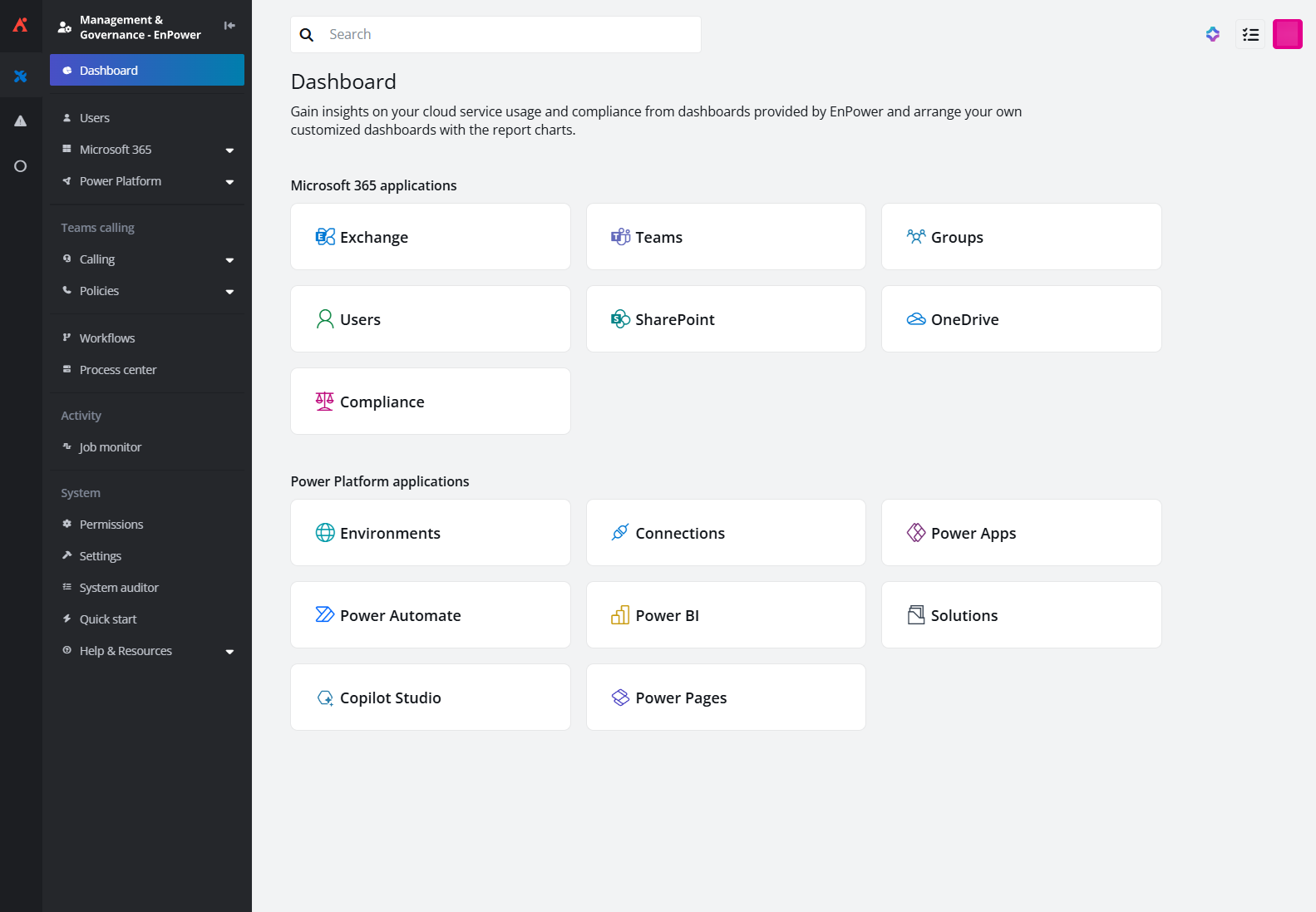
In EnPower, different types of report charts are provided on built-in dashboards to help you gain insights into the usage of your cloud resources and security compliance status. You can also add the report charts to your customized dashboards. For more details, refer to Dashboard.
-
To manage your Microsoft 365 and on-premises users as well as check their activities, go to the Users module where a variety of reports and management approaches are provided.
-
In Power Platform management modules, you can monitor your Power Platform resources and request information updates to assist your management. The manageable resources include. Environments, Connections, Power Automate, Power Apps, Power BI, Solutions, Copilot Studio, Power Pages, and Policies.
-
In Microsoft Azure modules, you can monitor your Azure resources, including Subscriptions, Resource Groups, and Resources.
*Note: AvePoint EnPower for Microsoft Azure is now available in private preview. To sign up for the preview, click .
-
In Azure Entra ID enterprise applications, you can monitor your Azure Entra ID enterprise applications, including App Registrations and Enterprise Applications.
*Note: AvePoint EnPower for Azure Entra ID enterprise applications is now available in private preview.
-
With EnPower, you can carry out Microsoft 365 management, including hybrid/cloud Exchange mailboxes, Teams, on-premises/cloud Groups, SharePoint, OneDrive, and Loop, and view corresponding reports across your tenants on an integrated interface without switching between different portals.
-
With the Calling management module, you can manage your Teams' voice resources, including Users, Resource Accounts, Phone Numbers, Auto Attendants, Call Queues, and Voice Policies.
-
Monitor the management process you have started in Process Center, including but not limited to permission updates, report generation, and Power Platform recourse copy.
-
Under Activity, check EnPower system routine jobs in Job Monitor.
-
In System, apart from the basic Permissions and Settings, check the user activities in EnPower in System Auditor, manage your prerequisite settings, and access help center.
Supported Browsers
The following table lists the browsers supported by EnPower:
| Browser | Version |
|---|---|
| Google Chrome | The latest version |
| Microsoft Edge based on Chromium (.png "('image2', 'Icon: Microsoft Edge based on Chromium logo')")) | The latest version |
Supported Data Centers
EnPower is available in the following data centers:
*Note: Due to API limitations, part of the license and activity data cannot be retrieved for tenants in the GCC High environment. Refer to the table below for the details.
| EnPower feature | Unavailable charts | Unavailable columns and filters |
|---|---|---|
| Dashboard > User > User activity and office activation | All charts | - |
| Dashboard > User > Group activity and usage | All charts | - |
| Microsoft 365 > Groups > Groups | - | Last activity date |
| Microsoft 365 > Groups > Groups activity | - | All columns and filters |
| User > User | - | Last Exchange activity dateLast OneDrive activity dateLast SharePoint activity dateLast Viva Engage activity dateLast Microsoft Teams activity dateSharePoint licensesViva Engage licensesMicrosoft Teams licensesExchange licensesOneDrive licenses |
| Users > User activity | - | All columns and filters |
| Users > User activation | - | All columns and filters |
| Users > Microsoft 365 Apps activity | - | All columns and filters |
Language Support
EnPower supports English and Japanese.