
Home > Dashboard > Solution Dashboard
Download this articleSolution Dashboard
The Solution Overview dashboard provides a comprehensive view of solution usage and lifecycle through various cards and charts. Refer to the sections below for detailed insights.
Total Solutions

The Total Solutions card displays the current total number of solutions and the change compared to the previous month.
Created This Month
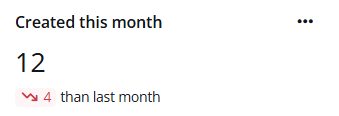
The Created this month card shows the number of solutions created in the current month and the change compared to the previous month.
Solution Creators
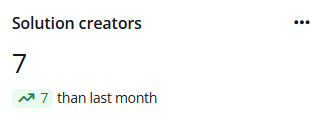
The Solution creators card indicates the number of users who have created solutions in the current month and the change compared to the previous month.
Solution Creation Trend
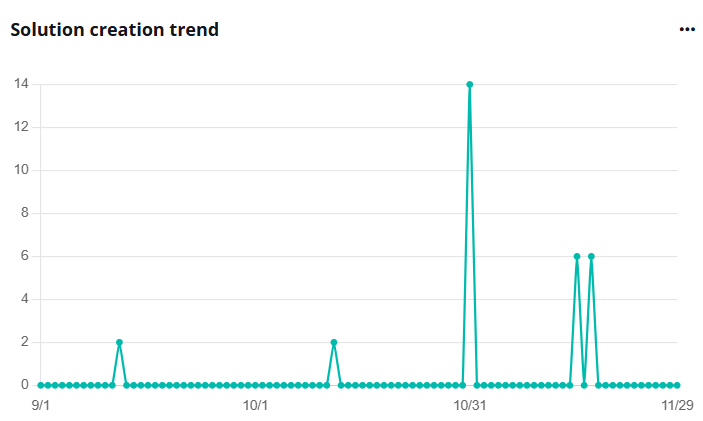
The Solution creation trend chart illustrates the daily changes in the number of solutions created.
To see the data of a specific date, hover your mouse over the line.
Expand the action list in the upper-right corner of the chart. Then click View more to go to the Solutions page to view the list of solutions.
Package Type

The Package type chart shows the percentages and numbers of managed and unmanaged solutions.
To view the detailed number, hover your mouse over the pie chart.
Top Solution Creators
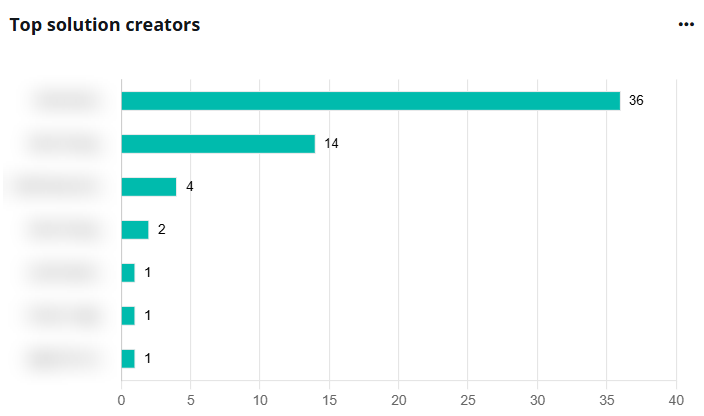
The Top solution creators chart ranks users by the number of solutions they have created.
To view the detailed number, hover your mouse over the bar.
Solution Dependencies Overview

The Solution dependencies overview chart displays the percentages and numbers of solutions with or without dependencies.
To view the detailed number, hover your mouse over the pie chart.
Solution Lifecycle
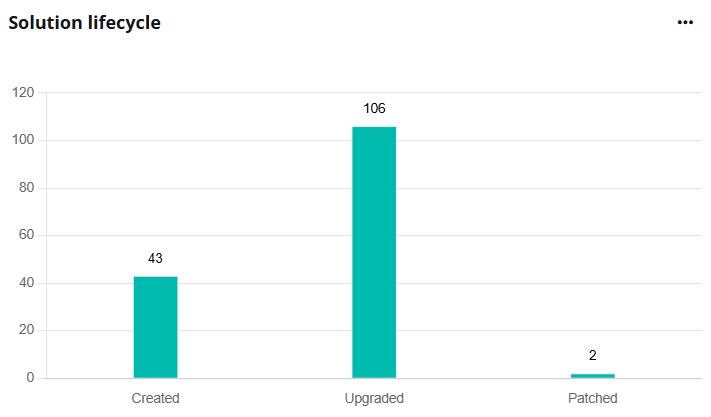
The Solution lifecycle chart shows the number of solutions by their lifecycle statuses.
To view the detailed number, hover your mouse over the columns.
Environment ranking by solutions
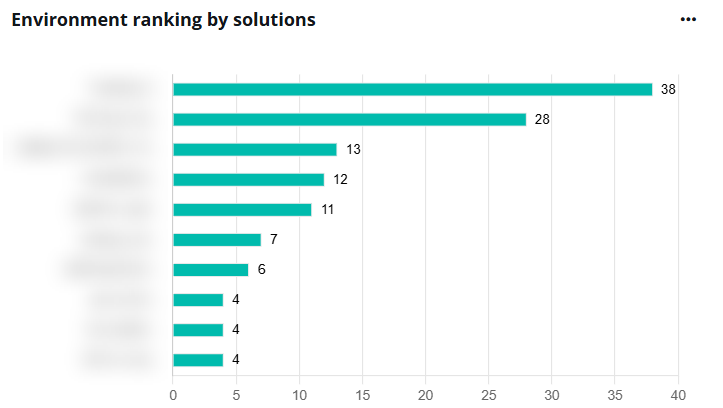
The Environment ranking by solutions chart ranks environments by the number of solutions they contain.
To view the environment full name and solution number, hover your mouse over the bar.