
Home > Microsoft 365 Management > Teams > Call Quality Report
Download this articleCall Quality Report
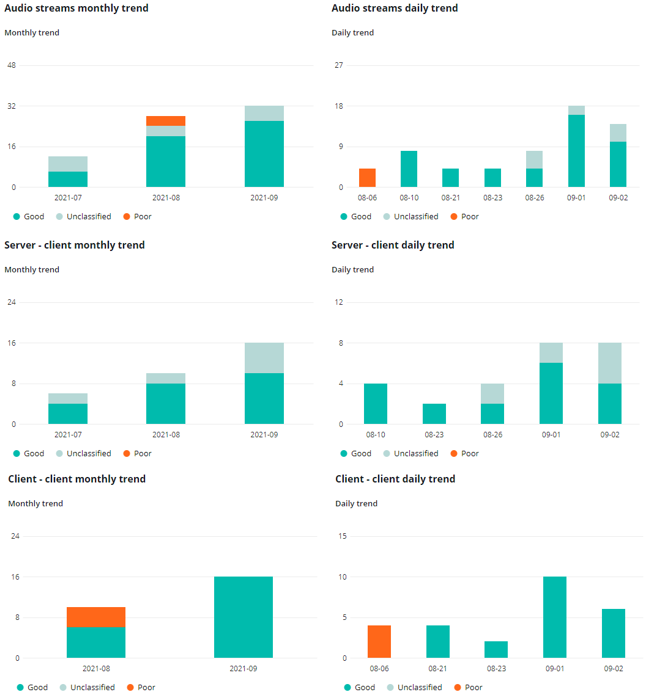
In the Call quality tab, you can view six charts for your overall call quality, including:
-
Audio streams monthly trend – Shows the overall call quality on a monthly basis.
-
Audio streams daily trend – Shows the overall call quality on a daily basis.
-
Server – client monthly trend – Shows the monthly call quality details of the streams between server and client endpoints.
-
Server – client daily trend – Shows the daily call quality details of the streams between server and client endpoints.
-
Client – client monthly trend – Shows the monthly call quality details of the streams between two client endpoints.
-
Client – client daily trend – Shows the daily call quality details of the streams between two client endpoints.
Streams are classified into three groups: Good, Poor, and Unclassified.
On the charts, the X-axis depicts the date range for the report. The Y-axis depicts the total number of calls over the time range. Each bar on the chart can be divided into the three classifications. You can hover your mouse over the bars to view the detailed number of calls under each quality classification each day.