
Home > Dashboard > Power Pages Dashboard
Download this articlePower Pages Dashboard
EnPower provides a container-level default dashboard for Power Pages sites’ monitoring and analysis, with the following report charts as gadgets.
Total Sites
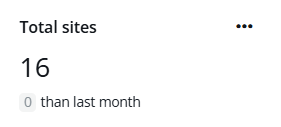
The Total sites card shows the current total number of sites and the difference with the data of the last month in the specified containers.
Created This Month

The Created this month card shows the number of sites created in this month and the difference with the data of the last month in the specified containers.
Site Creators
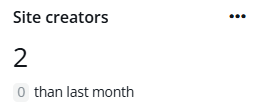
The Site creators card shows the current total number of users who have created sites and difference with the data of the last month in the specified containers.
Site Creation Trend
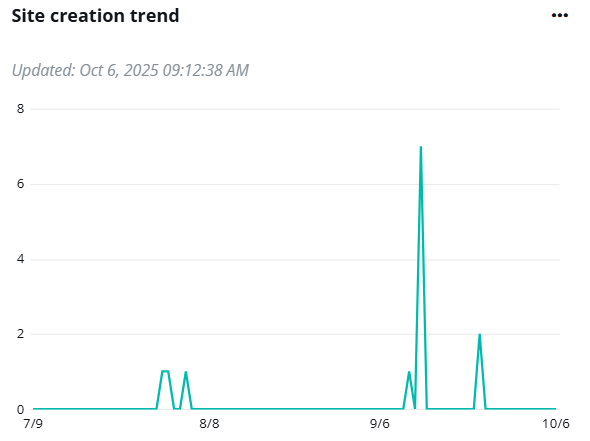
The Site creation trend chart shows the changes of the number of sites created on each day in the defined time range.
Hover your mouse over the line to view the detailed number of sites created on a specific date.
Expand the action list in the upper-right corner of the chart. Then click View more to go to the Power Pages page to view the list of sites.
Sites Created in Last 12 Months
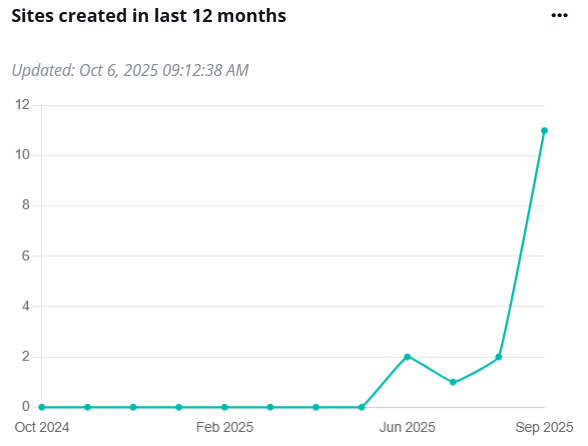
The Sites created in last 12 month chart shows the changes of the number of sites created in the last 12 months.
Hover your mouse over the line to view the detailed number of sites created on a specific date.
Top Creators

The Top creators chart ranks the site creators by the number of sites they created.
Hover your mouse over the bar to view the detailed numbers of sites.
Site Creation Ranking by Creator’s Departments
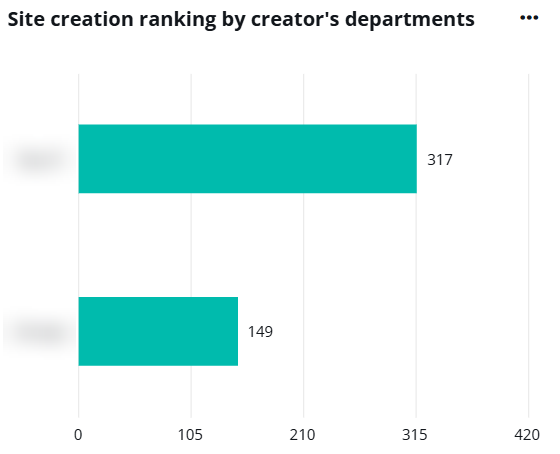
The Site creation ranking by creator’s departments chart ranks the creator’s departments by the number of sites created. The X-axis depicts the number of sites, and the Y-axis depicts the departments.
Hover your mouse over the bars to view the detailed number of sites created in each department.
Expand the action list in the upper-right corner of the chart. Then click View more to go to the Copilot Studio page to view the list of sites.
Site Creation Ranking by Creator’s Offices

The Site creation ranking by creator’s offices ranks the creator’s offices by the number of sites created. The X-axis depicts the number of sites created and the Y-axis depicts the offices.
Hover your mouse over the bars to view the detailed number of sites created.
Expand the action list in the upper-right corner of the chart. Then click View more to go to the Power Pages page to view the list of sites.