
Home > tyGraph Web Part > tyGraph Pages Web Parts URL Parameter Listing > Viewing Tenant Configuration and License Information
Download this articleViewing Tenant Configuration and License Information
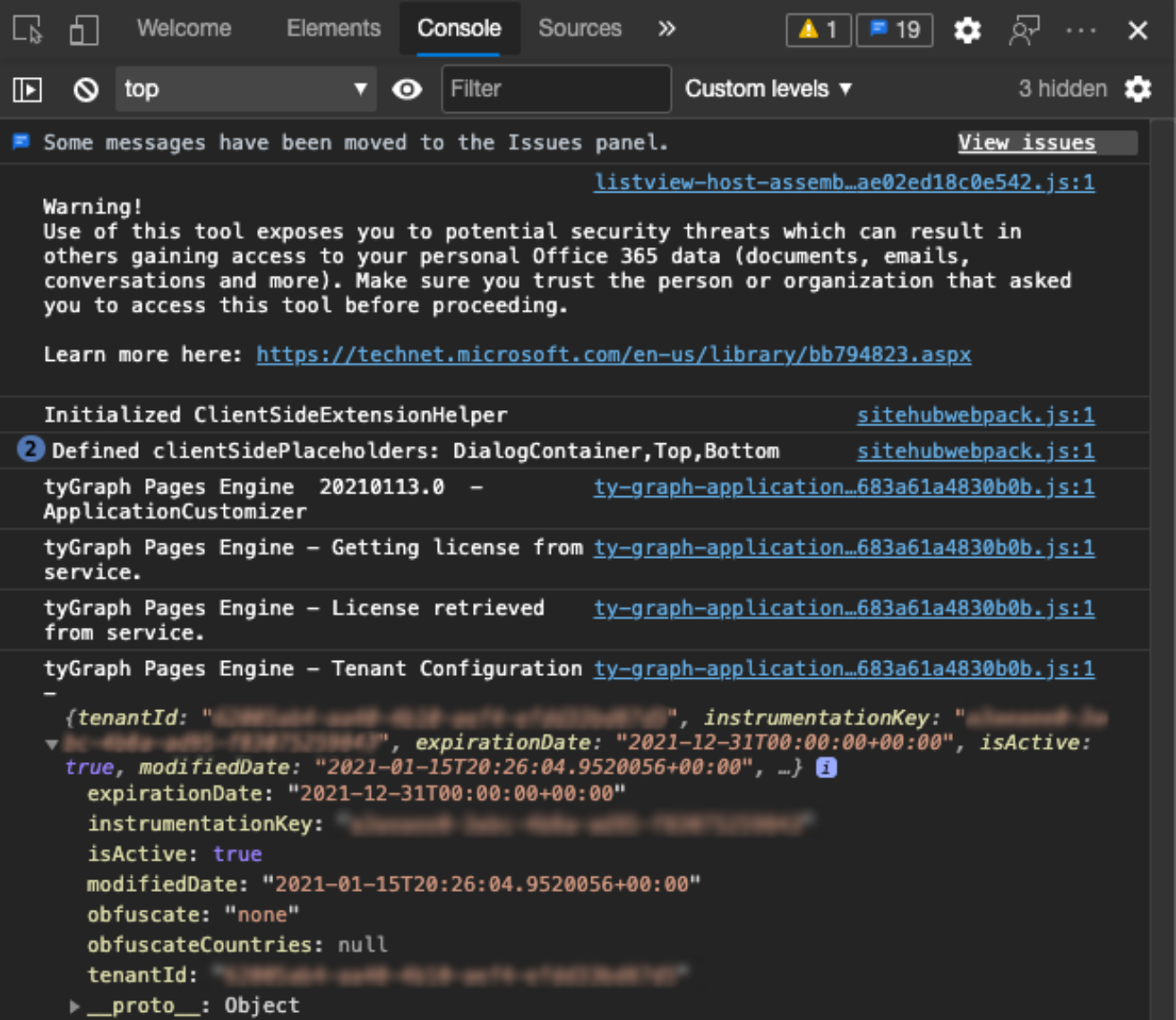
You can review your tenant configuration and license information from any SharePoint page. This lets you review your license expiration date or obfuscation settings. You can view the tenant configuration by appending the query string parameters ?tyGraphShowTenantInfo=true to any SharePoint page. If your pages has query string parameters replace "?" with "&".

Viewing the tenant configuration
Follow these steps to view the debug information in the browser's developer console. Support may ask you to provide them a copy of this information or screenshots.
-
In Google Chrome or Chrome-based versions of Microsoft Edge, click the (...) button in the top-right corner.
-
Click More Tools and click Developer Tools.
-
Click the Console tab.
-
Look for the text "tyGraph Pages Engine – Tenant Configuration".
Changing tenant configuration
Please file a support ticket if you would like to modify your tenant configuration such as your obfuscation settings.