
Home > Power BI (RLS)
Download this articlePower BI (RLS)
Row-Level Security (RLS) is a Power BI feature that allows you to manage data visibility for users based on specific rules. With RLS model, you can share a Power BI report that exclusively displays user activity for individuals with matching user properties. This customization will enable users to view adoption metrics specifically relevant to their functional area.
To customize the RLS in your reports, refer to the following instructions:
-
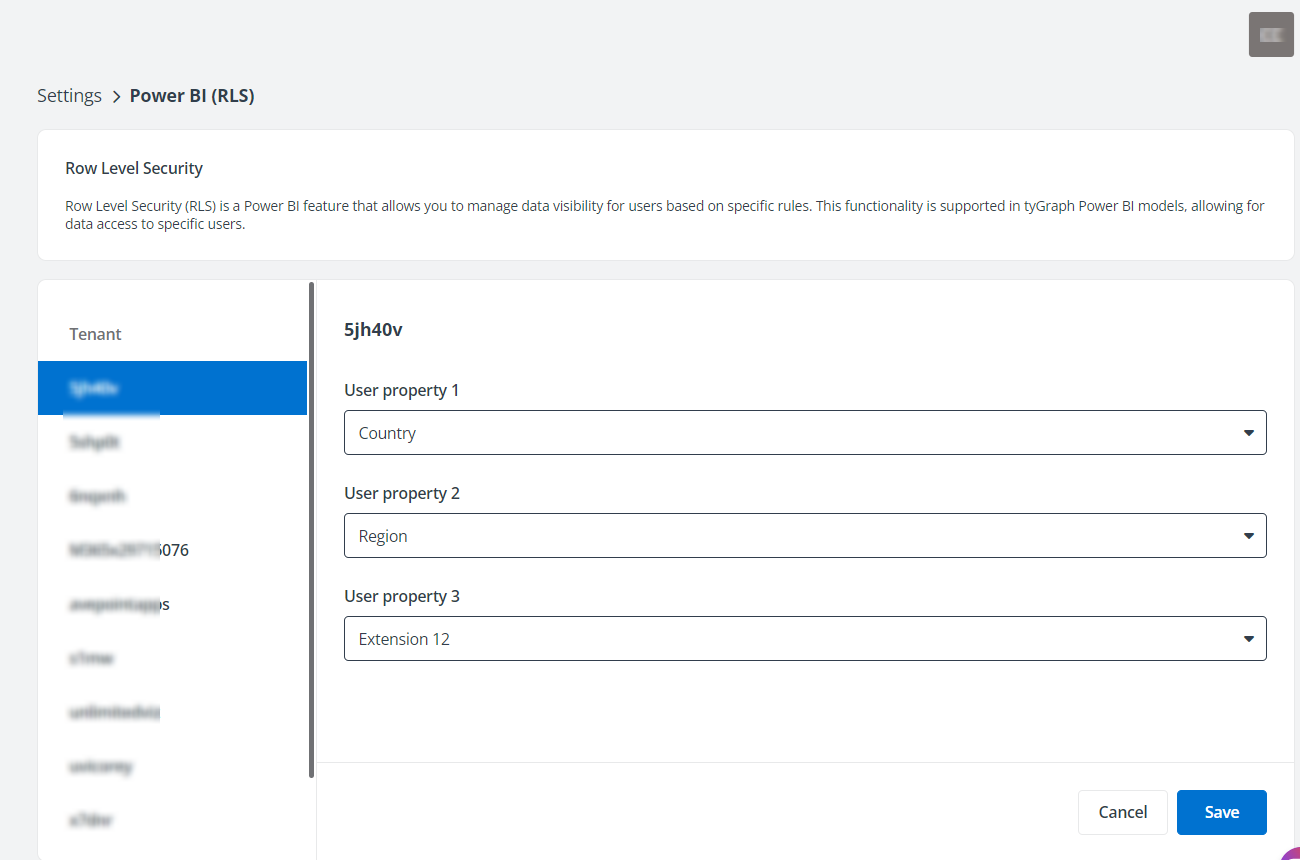
Navigate to Settings > Power BI (RLS).
-
Select a tenant to configure the RLS for.
-
Click Edit.
-
Specify one or more user properties, and the tyGraph report will display data exclusively for users who match those specified user properties.
-
Click Save to save the configurations.
After you complete the configuration of Row-Level Security (RLS), you can navigate to Settings > Scan > Report status and define RLS access permissions for each module of your Power BI embedded reports. For information about defining RLS access permission, refer to Scan Job Status.