
Home > Perform Active Directory Migrations > View and Understand Mappings
Download this articleView and Understand Mappings
Besides the actions above you can perform on mappings within an Active Directory migration project, you can also view the following on the Project mappings page.
View Action Stage and Stage Status
You can view the latest action stage and the current stage status of each mapping. Refer to the following action stages of mappings:
-
New mapping – The mapping is newly added.
-
Migration – The current action on the mapping is Migration. (Full migration, incremental migration, and Stop migration all use Migration to show the current action.)
-
Sync user passwords – The current action on the mapping is Sync user passwords.
-
Migrate object managers – The current action on the mapping is Migrate object managers.
-
Migrate group membership – The current action on the mapping is Migrate group membership.
-
Sync objects OU changes – The current action on the mapping is Sync objects OU changes.
Each action stage has the following stage statuses:
-
Waiting for destination agent – The current action on the mapping is waiting for the destination agent to import data from Fly.
-
In progress – The current action on the mapping is in progress.
-
Finished – The current action on the mapping has finished without errors.
-
Exceptions – The current action on the mapping has finished with errors. You can click the error number to view the error details and resolve the issue based on the comment.
-
Failed – The current action on the mapping has failed. You can click the error number to view the error details and resolve the issue based on the comment.
-
Stopped – The current action on the mapping has been stopped.
View Mapping Report
Clicking the source object of a mapping will take you to the View mapping report page, and you can view the migration history of the object.
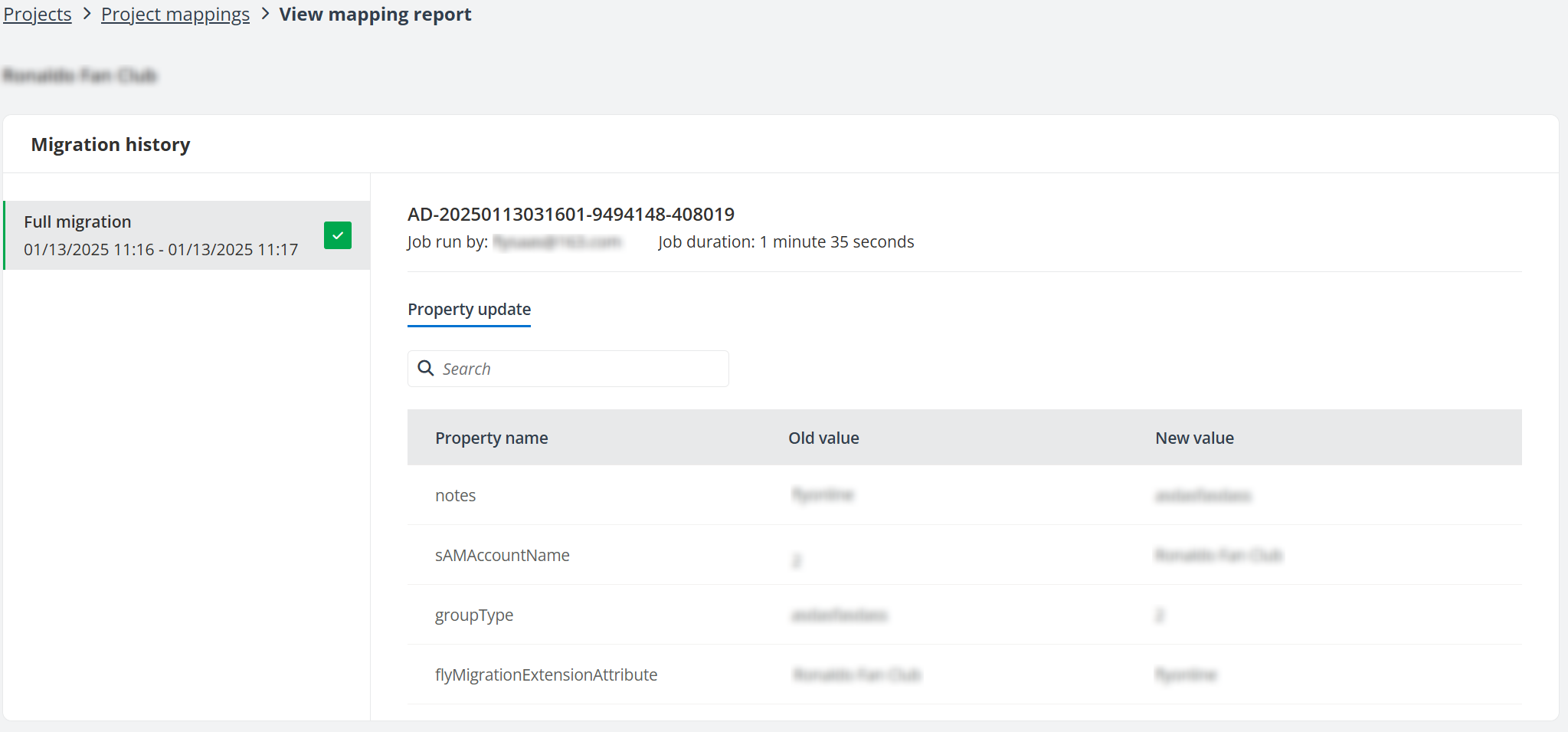
This report shows the user who runs the mapping, job duration, and the history of all actions on the mapping. You can click an action on the left to view the property update and membership information of the action.
Under the Property update tab, you can view the names, old values, and new values of properties for the object.
If you select the Add members to the destination Active Directory groups checkbox in the migration policy to migrate the memberships of Active Directory groups, there will be a Member tab displayed next to the Property update tab, and the number of total members, failed members, and successful members will be displayed on the top of the Migration history section.
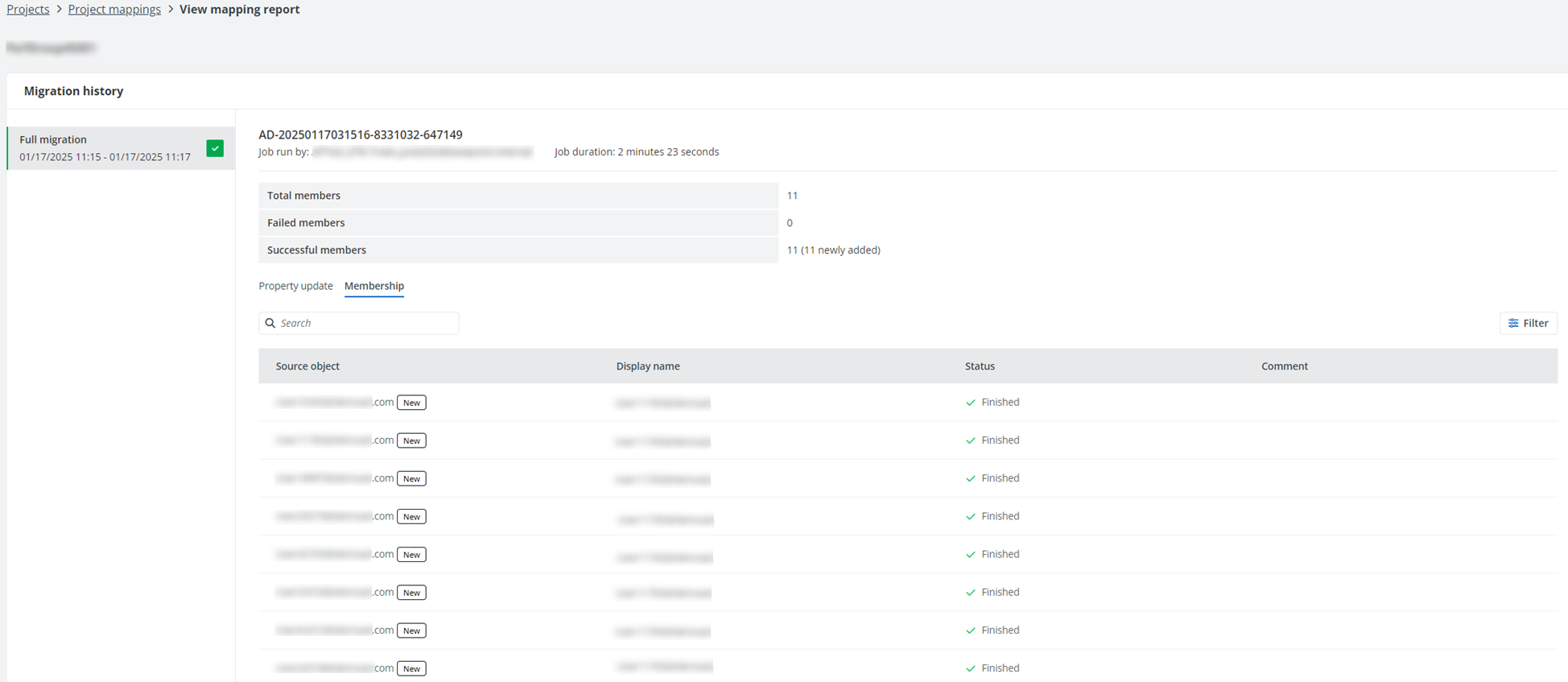
Under the Membership tab, you can view the source object, object display name, migration status, and comment of the object.
The comment will be empty when the object is successfully migrated.
Refer to the table below to view the supported attributes in the migration report:
| Property type | Display name | Attribute name |
|---|---|---|
| General | First Name | givenName |
| General | Initials | initials |
| General | Last Name | sn |
| General | Display Name | displayName |
| General | Description | description |
| General | Office | physicalDeliveryOfficeName |
| General | Telephone Number | telephoneNumber |
| General | Telephone Number (Other) | otherTelephone |
| General | ||
| General | Web Page | wWWHomePage |
| General | Web Page (Other) | url |
| General | Common Name | CN |
| Address | Street | streetAddress |
| Address | P.O.Box | postOfficeBox |
| Address | City | l |
| Address | State/Province | st |
| Address | Zip/Postal Code | postalCode |
| Address | Country/region | c |
| Telephones | Home | homePhone |
| Telephones | Home (Other) | otherHomePhone |
| Telephones | Pager | pager |
| Telephones | Pager (Other) | otherPager |
| Telephones | Mobile | mobile |
| Telephones | Mobile (Other) | otherMobile |
| Telephones | Fax | facsimileTelephoneNumber |
| Telephones | Fax (Other) | otherFacsimile |
| Telephones | Telephone Number | telephoneNumber |
| Telephones | IP Phone | ipPhone |
| Telephones | IP Phone (Other) | otherIpPhone |
| Telephones | Notes | info |
| Organization | Job Title | title |
| Organization | Department | department |
| Organization | Company | company |
| Organization | Manager | manager |
| Organization | Direct reports | directReports |