
Home > Get Started > Enable Backup for Azure Virtual Machines, Azure Storage, Azure SQL, VMware, and Azure PostgreSQL > Create an App Profile and Grant Consent
Download this articleCreate an App Profile and Grant Consent
To use backup and restore services for Azure VM, Azure Storage, Azure SQL, or VMware (Azure VMware), it is necessary to create a delegated app or a custom Azure app with delegated permissions. This app must connect to your tenant and receive consent for the requested permissions.
Creating a delegated app profile requires a Microsoft 365 Global Administrator account to consent. However, to re-authorize an app with delegated permission, you can choose to end-user consent. For details, refer to Re-authorize an App Profile.
To back up Azure VMs with Data access authentication mode enabled, the app profile you use must have the Data Operator for Managed Disks role.
Follow the steps below to create the delegated app:
-
On the Management > App management page, click Create on the action bar.
-
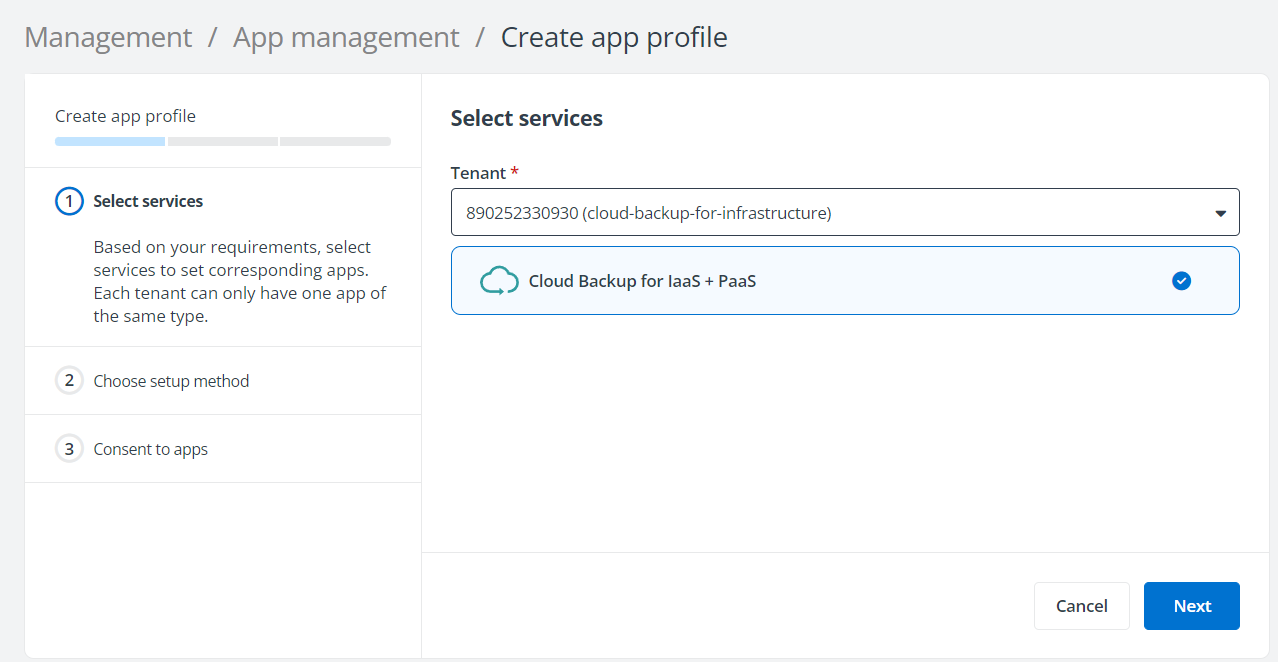
In the Select services step, select Cloud Backup for IaaS + PaaS.
-
In the Choose setup method step, select Modern mode if you want to consent a delegated app directly. You can also select Custom mode if you want to manually create and maintain a custom app with delegated permissions in your tenant. For details on creating a custom app with delegated permissions for Cloud Backup for IaaS + PaaS, refer to Create a Custom Azure App.
-
Click Next.
-
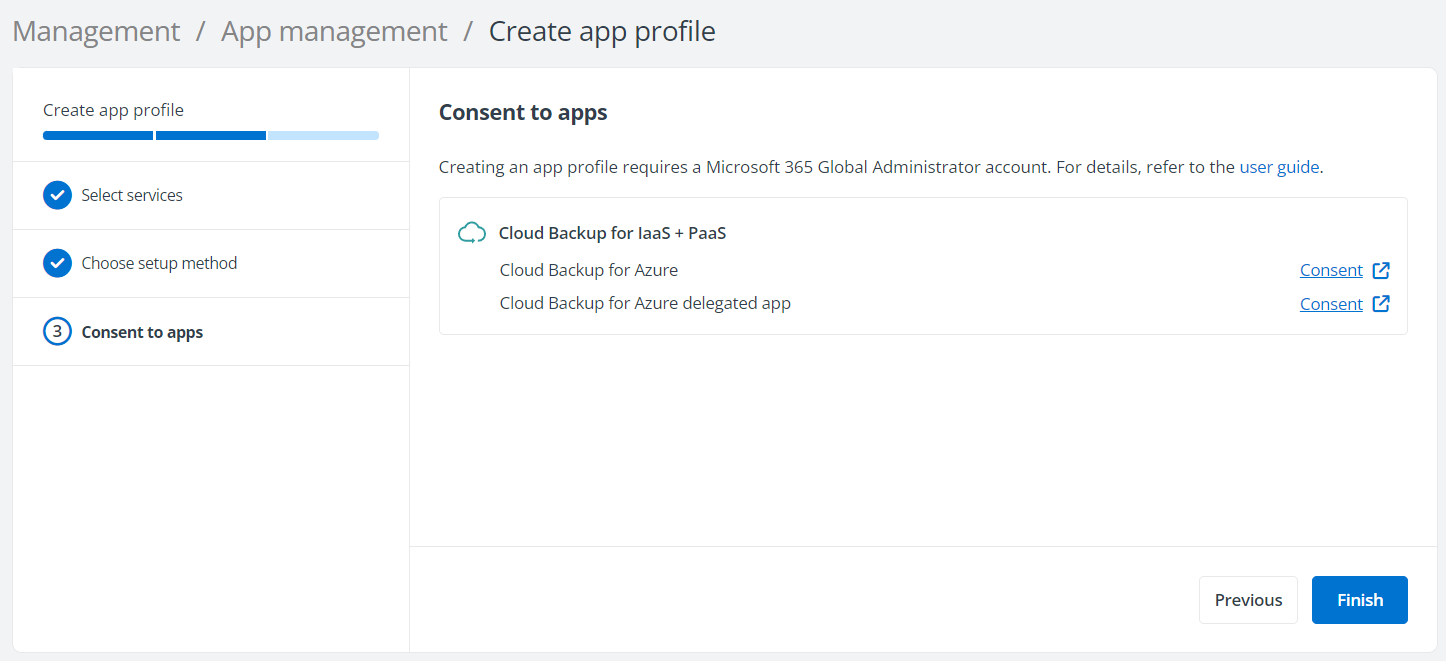
In the Consent to apps step for a Microsoft tenant, click Consent next to the Cloud Backup for Azure delegated app.
-
On the Microsoft 365 sign-in page, sign in with a Microsoft 365 Global Administrator account.
-
On the Permissions required page, review the permissions required and click Accept to continue. This delegated app must have the following Microsoft Azure API permissions:
-
Access Azure Service Management as you (Preview) – Allows the application to access Azure Service Management as you.
-
View your basic profile – Allows the app to see your basic profile (name, picture, username)
-
Maintain access to data you have given it access to – Allows the app to see and update the data you gave it access to, even when you are not currently using the app. This does not give the app any additional permissions. For example, for the functioning of Cloud Backup for IaaS + PaaS, you also need to add this app to the subscription where the VMs you want to protect are running as Contributor. The Contributor role in subscription allows the app to access and manage resources. This permission allows Cloud Backup for IaaS + PaaS to access and manage the resources via this app.
-
-
The app profile you created will be displayed on the App management page, and the AvePoint Online Services – Delegated App will be added to your Azure enterprise applications.