Home > Reports > View Backup Analysis Report
Download this articleView Backup Analysis Report
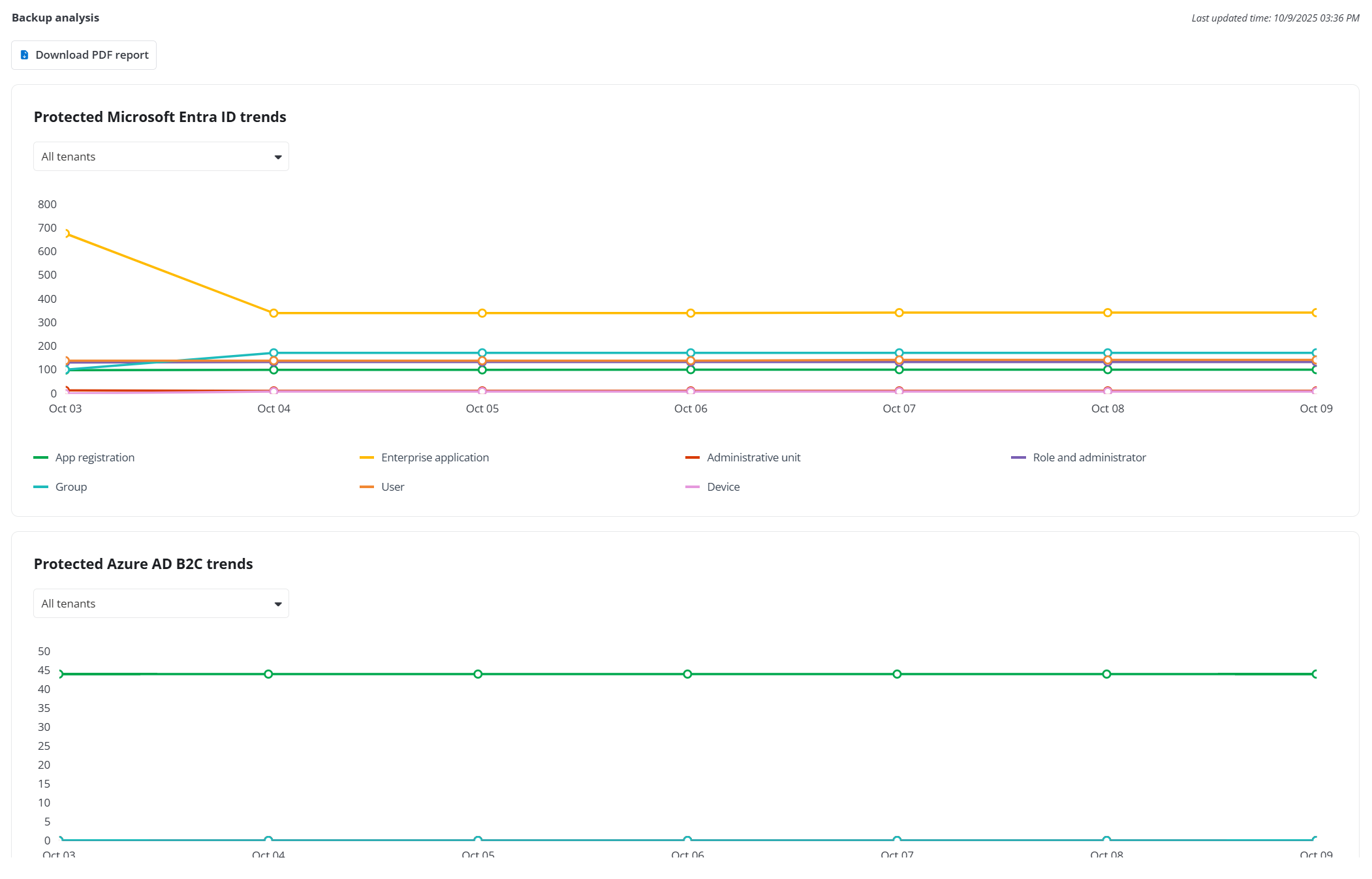
Click Backup analysis on the left navigation to view the backup analysis report. On the Backup analysis page, you can view the backup statistics and analysis for the Microsoft Entra ID, Azure AD B2C, Amazon EC2, Azure VM, Azure Storage, Azure DevOps, Azure SQL databases, SQL Server (including Microsoft SQL Server in Azure VM and Self-managed SQL Server), VMware, Google Cloud Storage, Azure PostgreSQL, Cosmos DB and the used space in total and in each storage profile of the top 4.
-
The Protected Microsoft Entra ID trends section displays the trend of the objects in the Microsoft Entra tenant getting protected. You can hover over the dot in the chart to view the number of App Registrations, Enterprise Applications, Administrative Units, Roles and Administrators, Groups, and Users being protected on a specific backup date.
-
The Protected Azure AD B2C trends section displays the trend of the objects in the Microsoft Entra tenant getting protected. You can hover over the dot in the chart to view the number of App Registrations, Identity Providers, User Attributes, User Flows, and Users being protected on a specific backup date.
-
The Protected virtual machines section displays the protected percentage and the total number of Azure VMs/Amazon EC2 instances/Google VM instances that are available for protection, as well as the number of Azure VMs/Amazon EC2 instances/Google VM instances currently being protected or out of protection. It also shows the protected percentage and the number of accounts, tenants, subscriptions, and resource groups associated with these protected or unprotected Azure VMs/Amazon EC2 instances/Google VM instances.
-
The Protected Azure Storage section displays the protected percentage and the total number of the blob containers and file shares available for protection, as well as the number of these blob containers and file shares currently being protected or out of protection. It also shows the protected percentage and the number of storage accounts associated with these protected or unprotected blob containers and file shares.
-
The Protected Azure DevOps section displays the protected percentage the total number of organizations and projects available for protection, as well as the number of organizations and projects currently being protected or out of protection.
-
The Protected Azure SQL databases section displays the following data of Native Azure SQL backup monitoring service and Azure SQL backup service: the protected percentage and the total number of databases available for protection, as well as the number of databases currently being protected or out of policy. It also shows the protected percentage and the number of tenants associated with these protected or unprotected databases.
-
The Protected VMware solutions section displays the protected percentage and the total number of VMware Solutions, clusters, and virtual machines available for protection, as well as the number of tenants, VMware Solutions, clusters, and virtual machines currently being protected or out of protection. It also shows the protected percentage and the number of tenants associated with these protected or unprotected VMware Solutions, clusters, and virtual machines.
-
The Protected SQL Server section displays the following data of Microsoft SQL Server in Azure VM and Self-managed SQL Server: the protected percentage and the total number of databases available for protection, as well as the number of databases currently being protected or out of policy. It also shows the protected percentage and the number of tenants related to these protected or unprotected databases.
-
The Protected Google Cloud Storage buckets section displays the protected percentage and the total number of buckets available for protection, as well as the number of buckets that are currently protected or out of policy. It also shows the protected percentage and the number of service accounts associated with these protected or unprotected buckets.
-
The Protected Azure PostgreSQL servers section displays the protected percentage and the total number of servers available for protection, as well as the number of servers that are currently protected or out of policy. It also shows the protected percentage and the number of tenants associated with these protected or unprotected servers.
-
The Protected Cosmos databases section displays the protected percentage and the total number of databases available for protection, as well as the number of databases that are currently protected or out of policy. It also shows the protected percentage and the number of tenants associated with these protected or unprotected databases.
You can also click Download PDF report to download the PDF of the backup analysis report.