
Home > Reports > View System Auditor Report
Download this articleView System Auditor Report
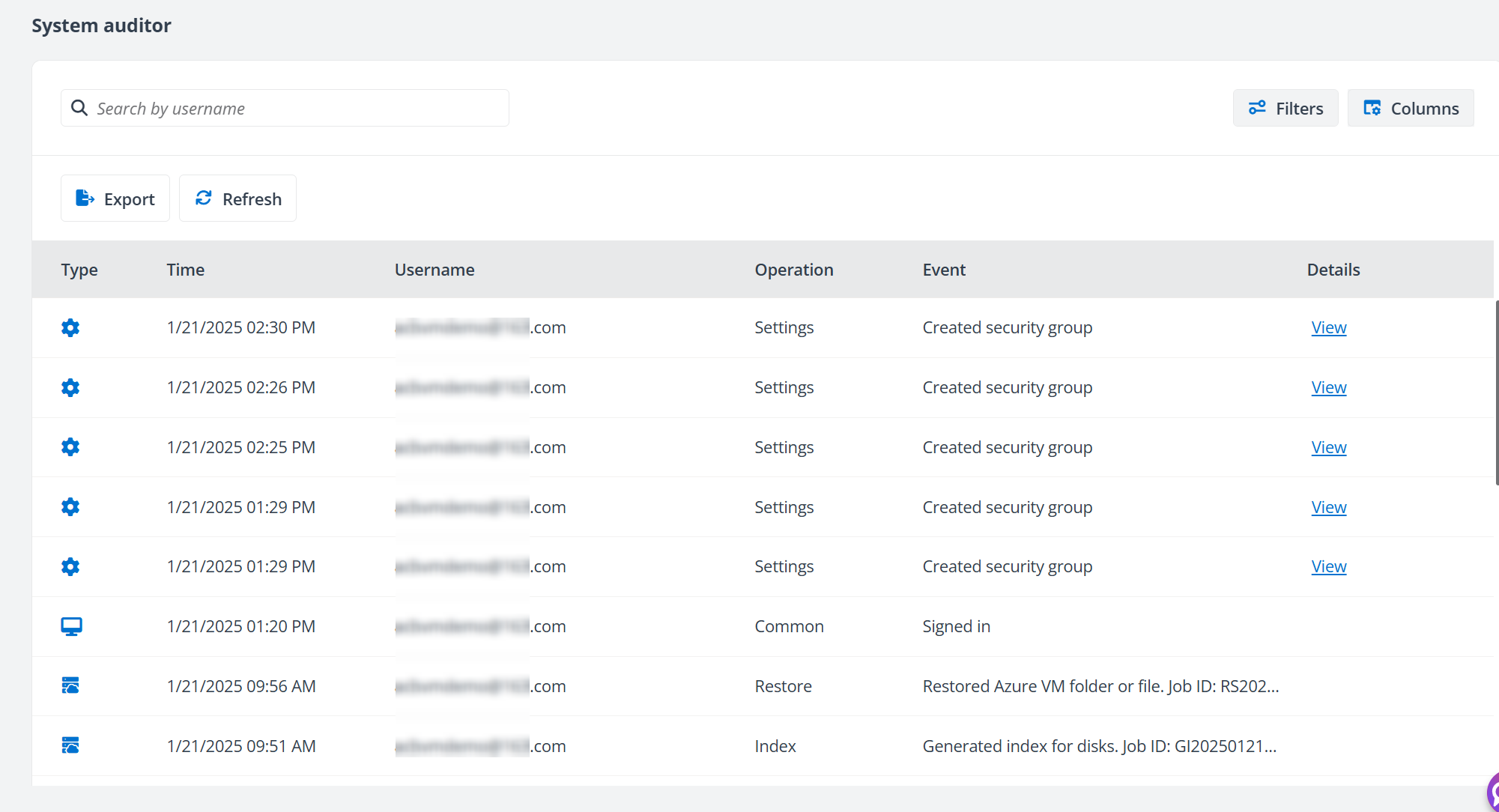
Click System auditor on the left navigation to view the user activities in AvePoint Cloud Backup for IaaS + PaaS.
You can perform the following actions on the records of user activities:
-
Use the Filters (such as Operation, Object type, and Date range) to filter the records.
-
Use the Columns (such as Type, Username, IP address, Operation, and Event) to customize the view of System auditor records.
-
Use the Search box to search for the activities by username.
NOTESearching only supports entering the full username.
-
Click the View link next to an event to go to the View details panel to view the changes. The changes will be highlighted for easy reference.
-
Export the System auditor records. Follow the steps below:
-
Click Export. The Export window appears.
-
You can select the Last 7 days option or the Last 30 Days option as the time range for the export.
-
Click Export. The audit report will be exported to your browser’s download location. Click Cancel to cancel the export.
-