
Home > Replication (Private Preview) > Manage Recovery Points
Download this articleManage Recovery Points
After replication policies are created, scheduled replication jobs will run based on the policy configurations. Each replication record serves as a recovery point. During failovers, the failover job operates based on your latest recovery point or your specified recovery point. By monitoring the replication jobs and recovery points, you can ensure the stability of your replicated resources. This vigilance helps detect any unwanted resource deletions or changes, thereby maintaining your cloud infrastructure compliance.
Apart from checking the recovery points and relevant replication job details, you can also manually run replication jobs to perform immediate data synchronization, test the replication job results, and check data integrity.
For details on viewing the existing recovery points and manually running replication jobs to create new recovery points, refer to the following sections.
Check All Recovery Points
To view all recovery points of a replication policy, go to the Replication page, and click the policy name. Policies whose latest replication job was failed are in the Failed protection status.
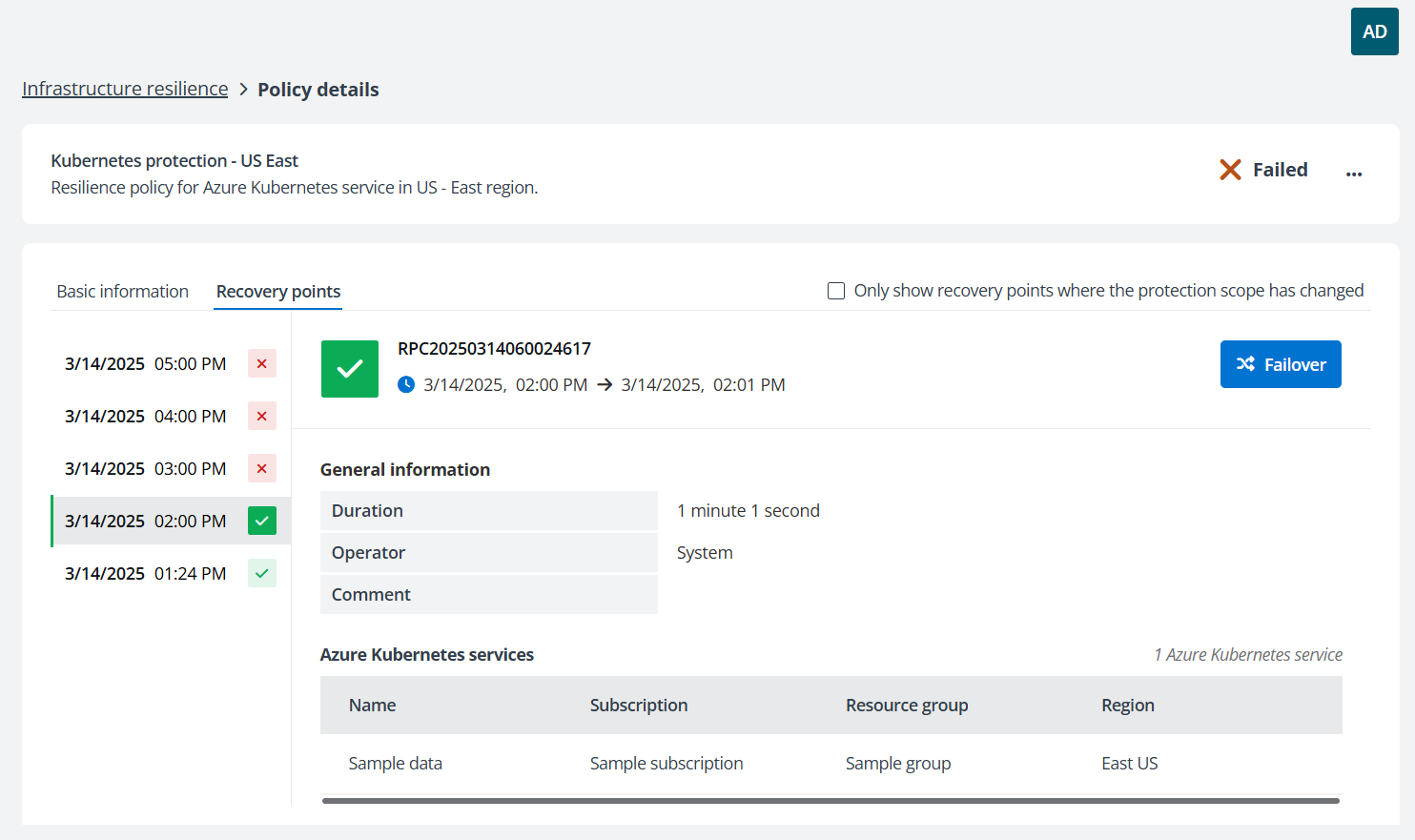
On the Policy details page, information is displayed in the Basic information and Recovery points tabs. Go to the Recovery points tab to check all recovery points generated.
-
Click the recovery point’s generation time in the left section to switch among the recovery points. In the right section, the recovery point generation time, job duration, operator, as well as replicated resources can be checked. If the job failed, hover your mouse over the comment to view the error details.
-
If you have changed the policy’s protection scope and want to check the protection status after that, or if you want to check whether the protection scope of this policy has been changed, select Only show recovery point where the protection scope has changed option on the upper-right.
Manually Run a Replication Job
To manually run a replication job on the Replication page, complete the following steps:
-
On the Replication page, select a policy.
-
Click Replicate now above the policy table.
-
In the confirmation window, click OK. If there is already a replication job running for this policy, upon clicking, the new job will be skipped.
Replication job can also be run from the Policy details page by completing the steps below:
-
On the Replication page, click the name of a policy to go to the Policy details page.
-
Click the action list icon on the upper-right and click Replicate now.
-
In the confirmation window, click OK. If there is already a replication job running for this policy, upon clicking, the new job will be skipped.