Home > Reports > View Subscription Consumption Report
Download this articleView Subscription Consumption Report
Click Subscription on the left navigation to view the subscription consumption report. The Subscription consumption report shows your subscription details, status, storage consumption statistics, and utilization of your enabled services. You can also click Download PDF report to download the PDF of the subscription consumption report.
You can check the following sections in the subscription consumption report:
-
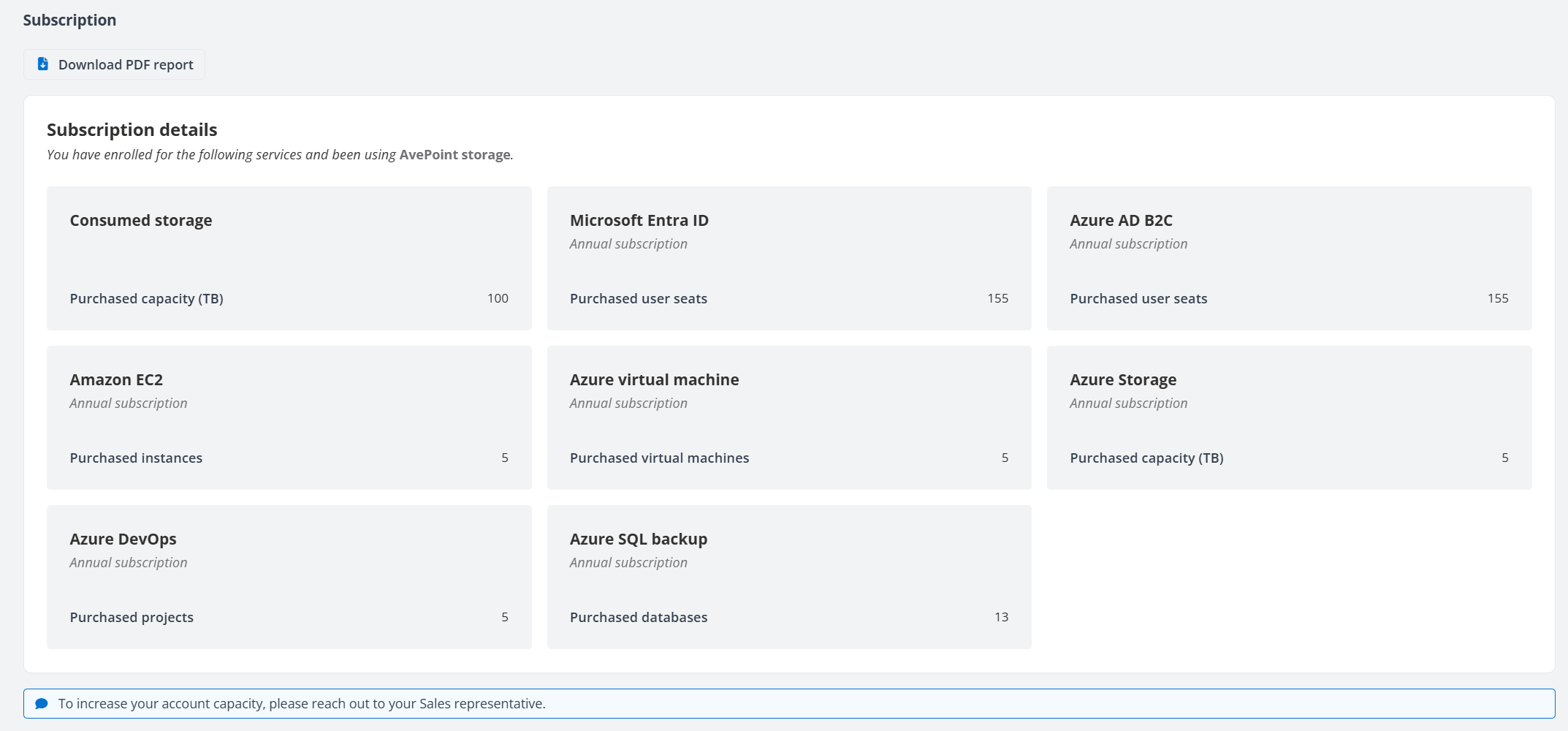
The Subscription details section displays the subscription information of enabled services and the amount of purchased capacity (TB)/user seats/instances/virtual machines/projects/databases.
-
The Storage consumption overview section displays the total amount of purchased capacity and the consumed capacity of each service.
-
The subscription utilization section displays comprehensive information on the utilization of each service, including the amount of purchased/used/available capacity (TB)/user seats/instances/virtual machines/projects/databases.
NOTEFor Azure Storage service, the amount of used capacity is counted by the protected size.
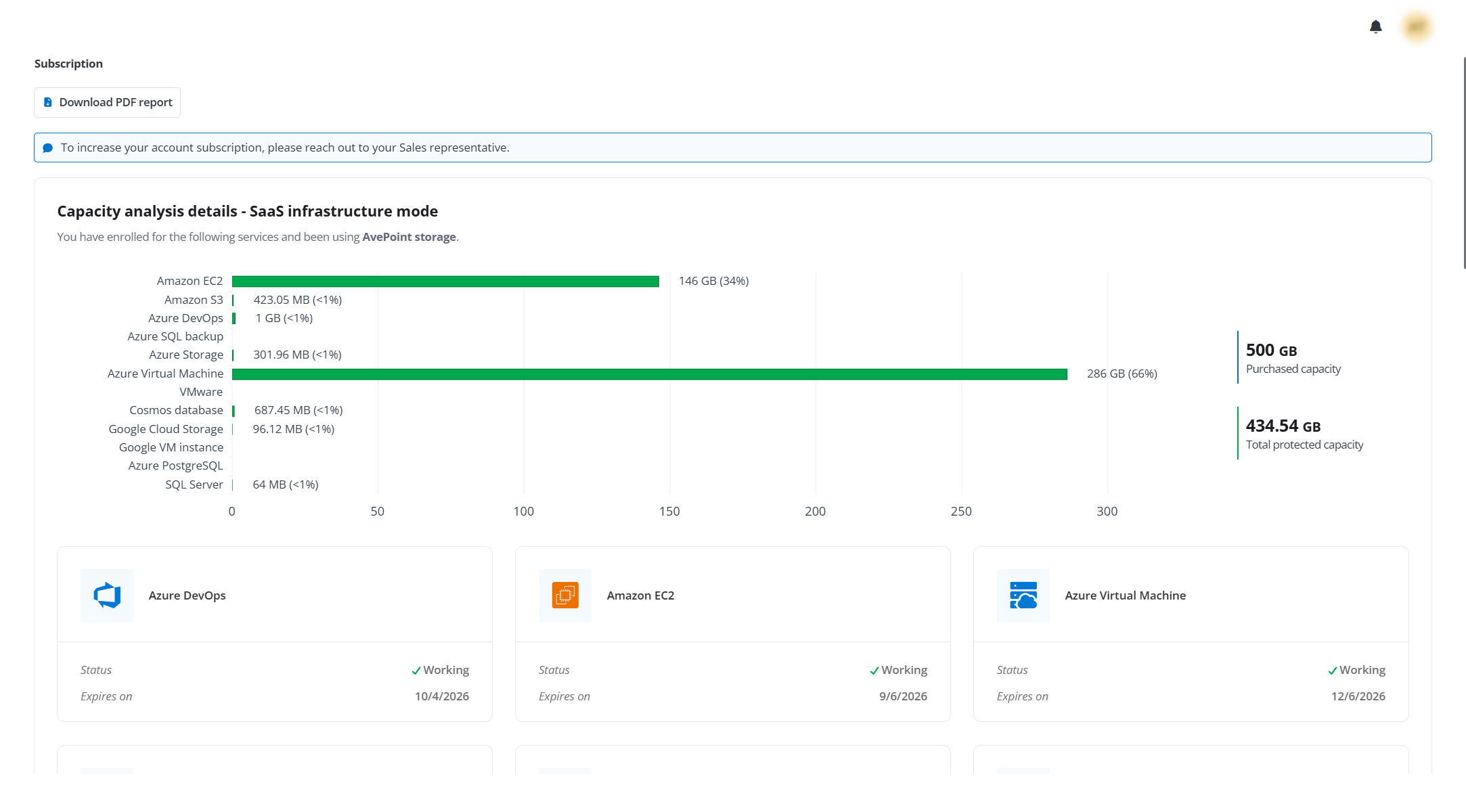
Starting with the June 2025 release, Cloud Backup for IaaS + PaaS introduces a new subscription model. Customers who onboard from June 2025 onward or migrate from the legacy model can check the following sections in the subscription consumption report:
- The Capacity analysis details section displays the amount of purchased capacity and protected capacity of each service (GB).
-
The Capacity analysis details – CAP Gateway mode section displays the capacity details for services using the CAP Gateway mode.
-
If you are using the AvePoint default storage, this section displays the amount of purchased capacity and protected capacity of each service.
-
If you are using the BYOS storage, this section displays the amount of purchased units and protected units of each service.
-
- The User seat analysis section displays the total amount of purchased user seats, consumed user seats and available user seats of enabled services.