Home > Get Started > Enable Backup for Azure Virtual Machines, Azure Storage, Azure SQL, VMware, and Azure PostgreSQL > Grant a SQL Server Admin Role
Download this articleGrant a SQL Server Admin Role
To enable Azure SQL backup service, the SQL server admin role is required to grant to the delegated app. Follow the steps below to add a SQL server admin role for the app you want to use to protect Azure SQL databases.
-
Go to Azure portal > Azure SQL.
-
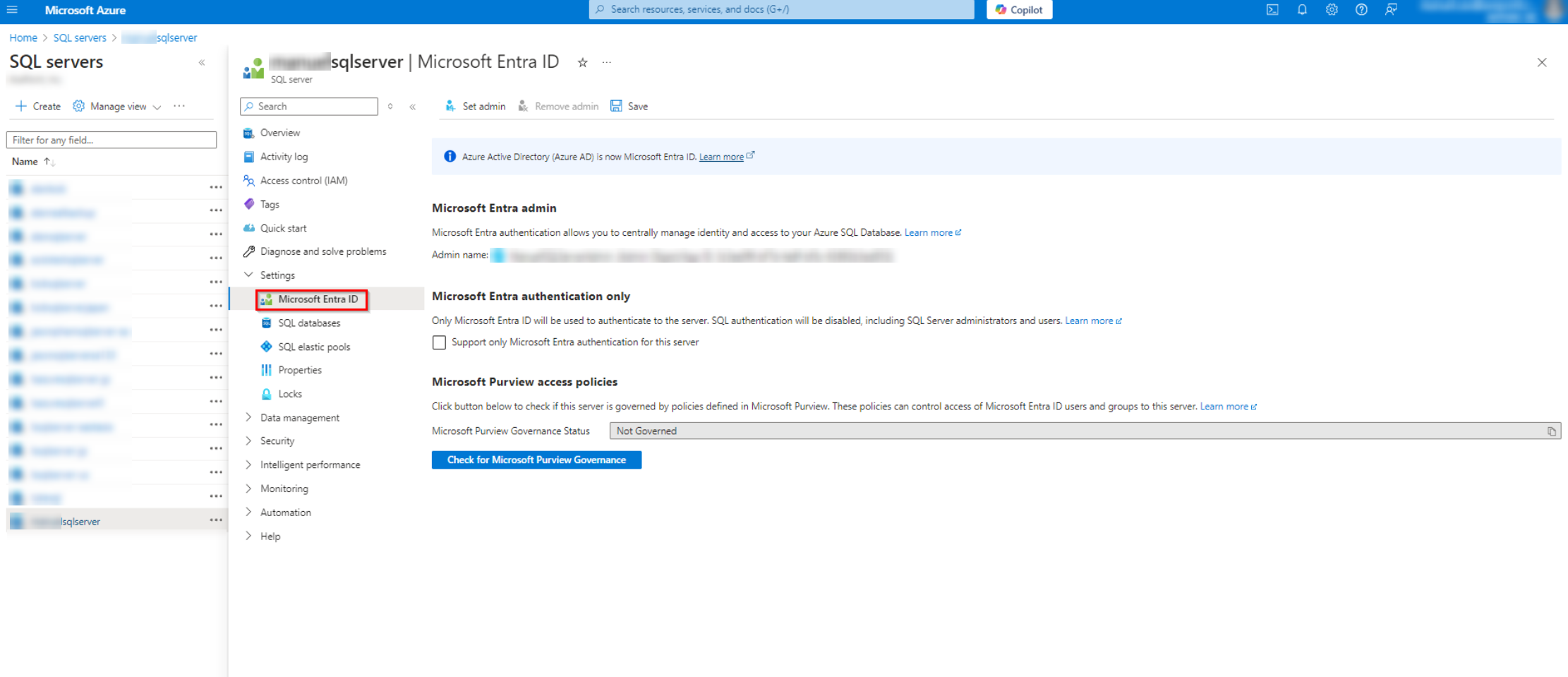
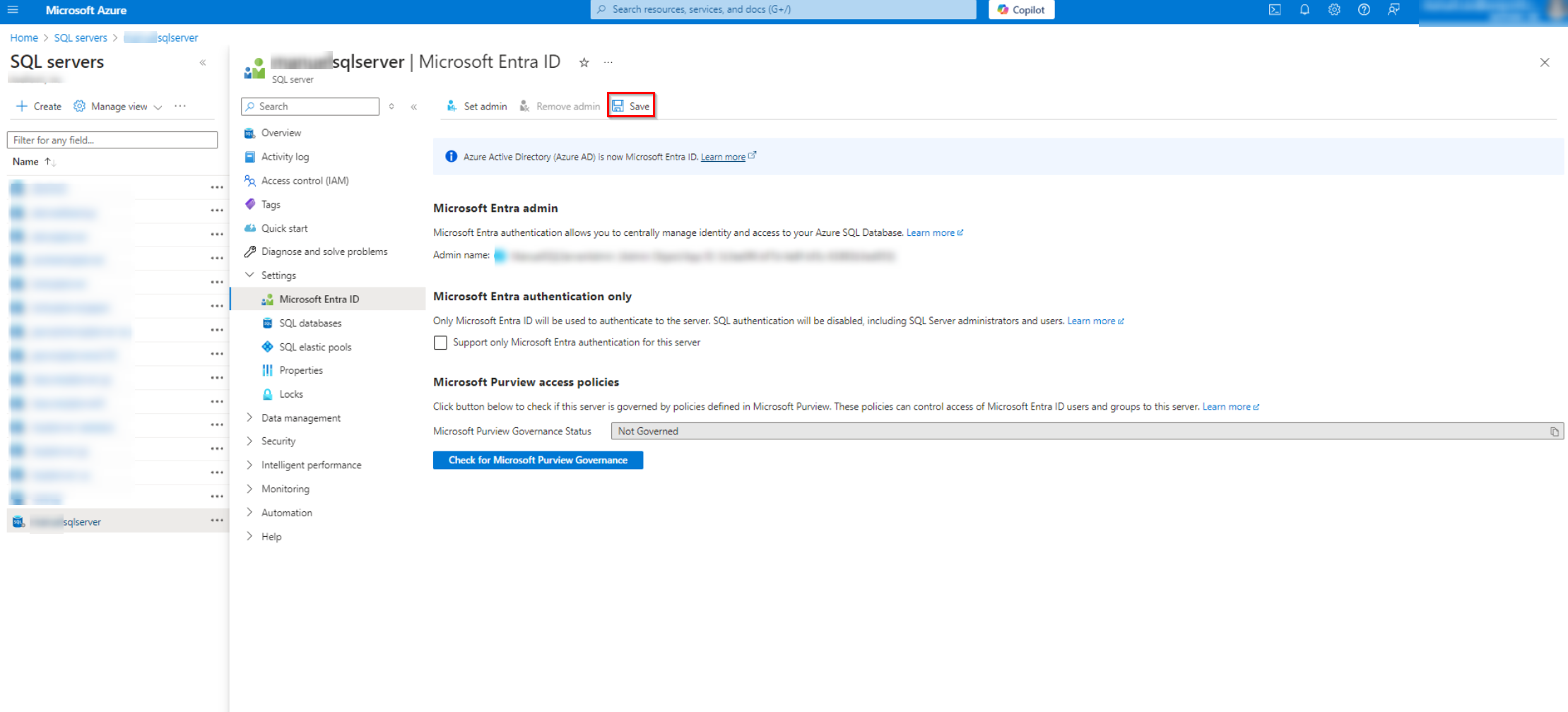
Click your app name and navigate to Settings > Microsoft Entra ID.
-
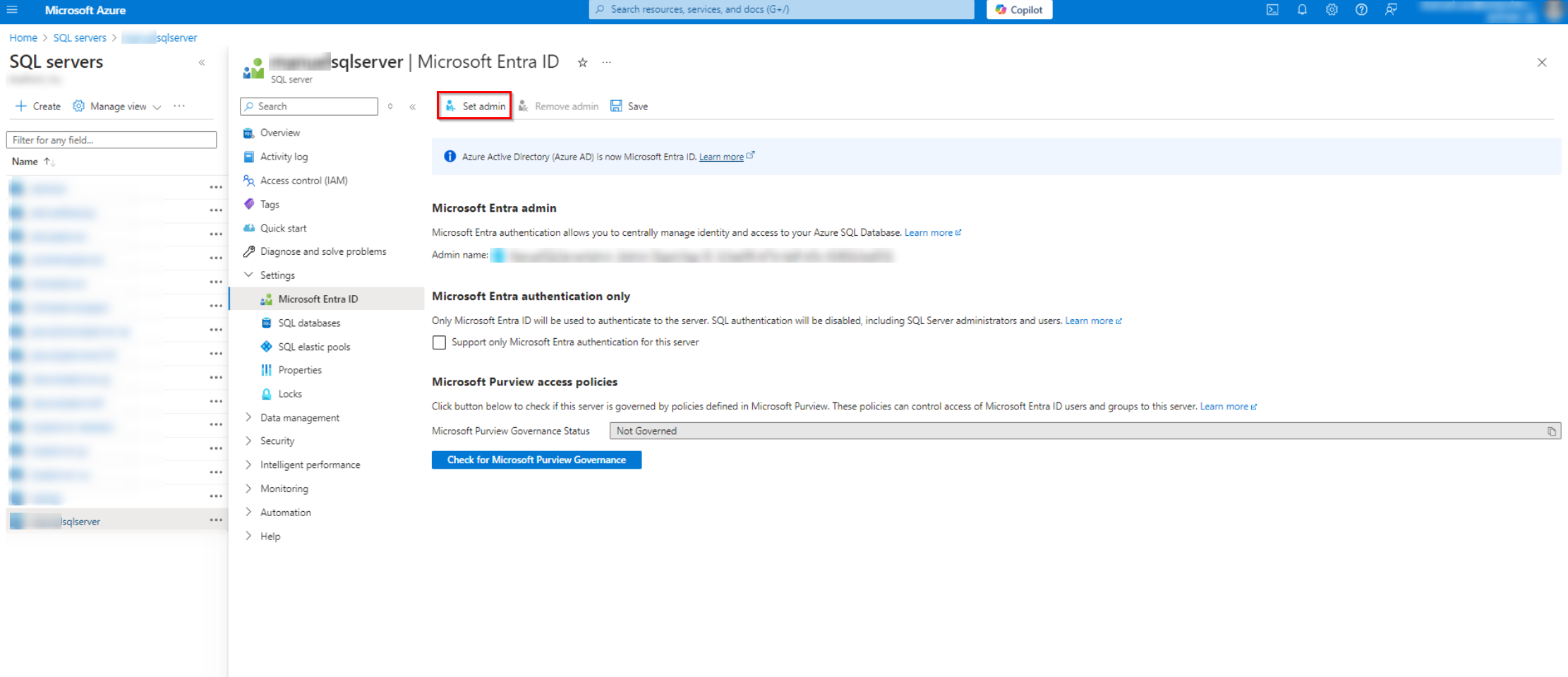
In the Microsoft Entra ID page, click Set admin.
-
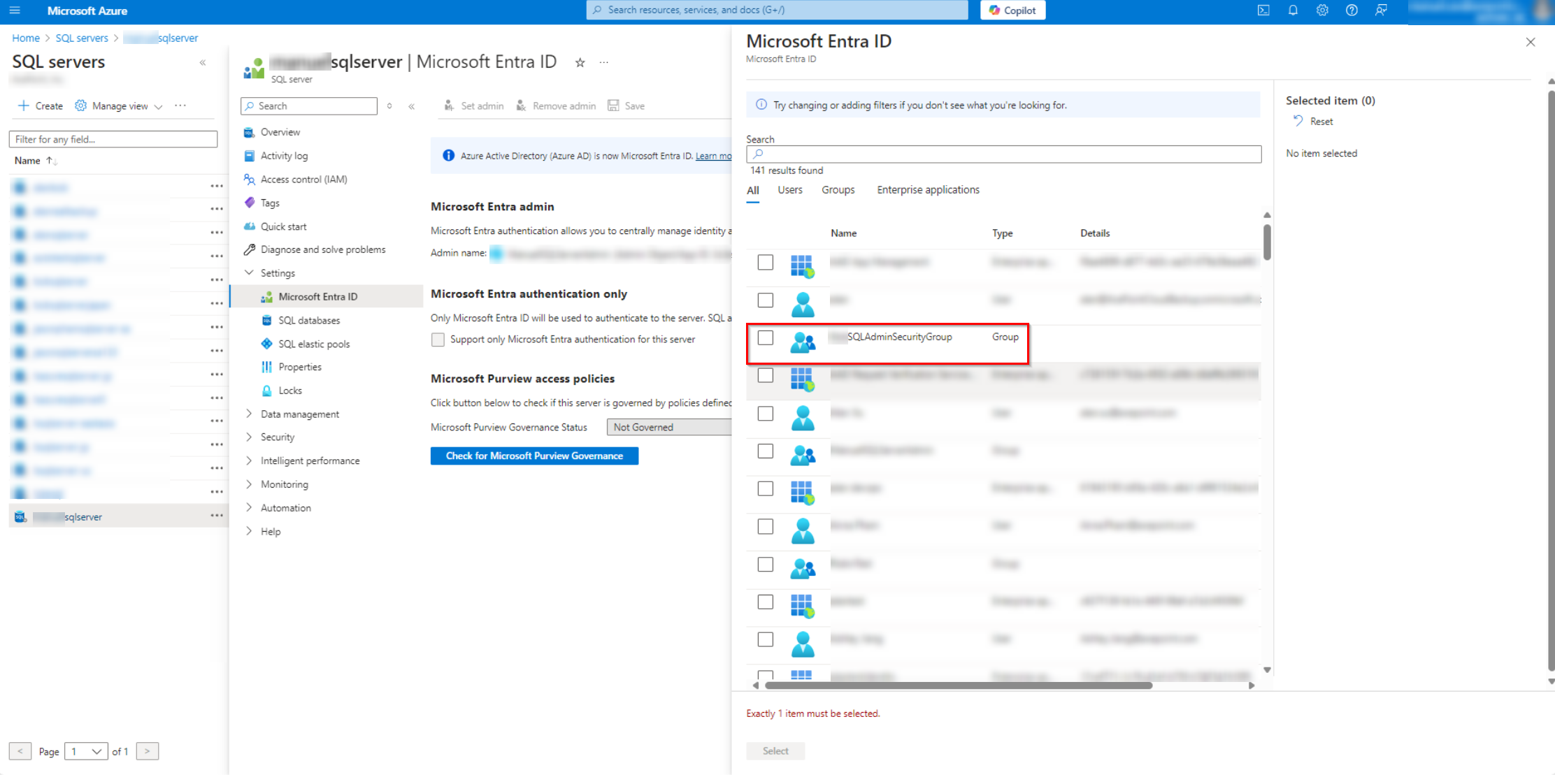
Select your admin group and then click Select.
-
After selecting, click Save to save changes.
-
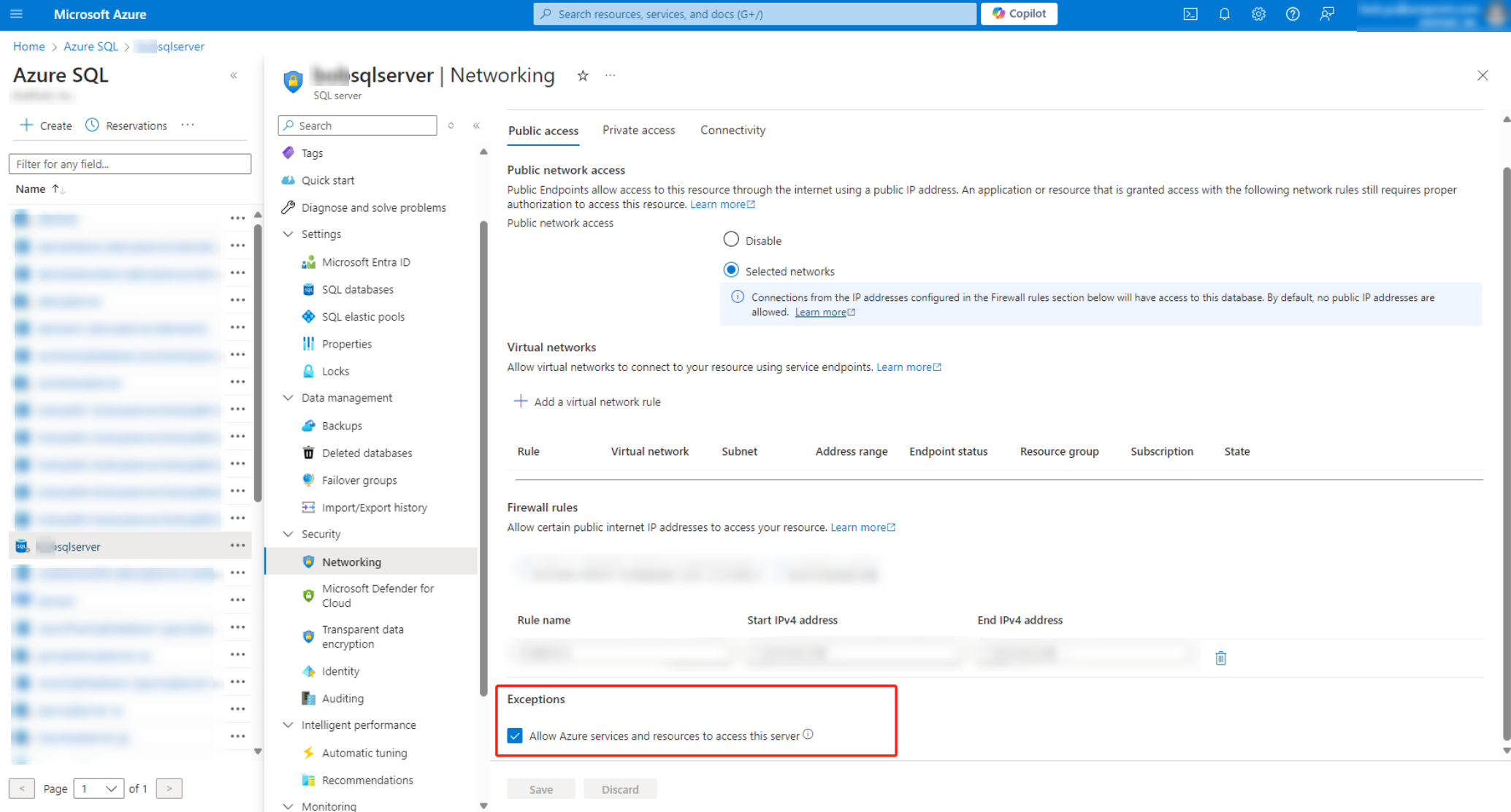
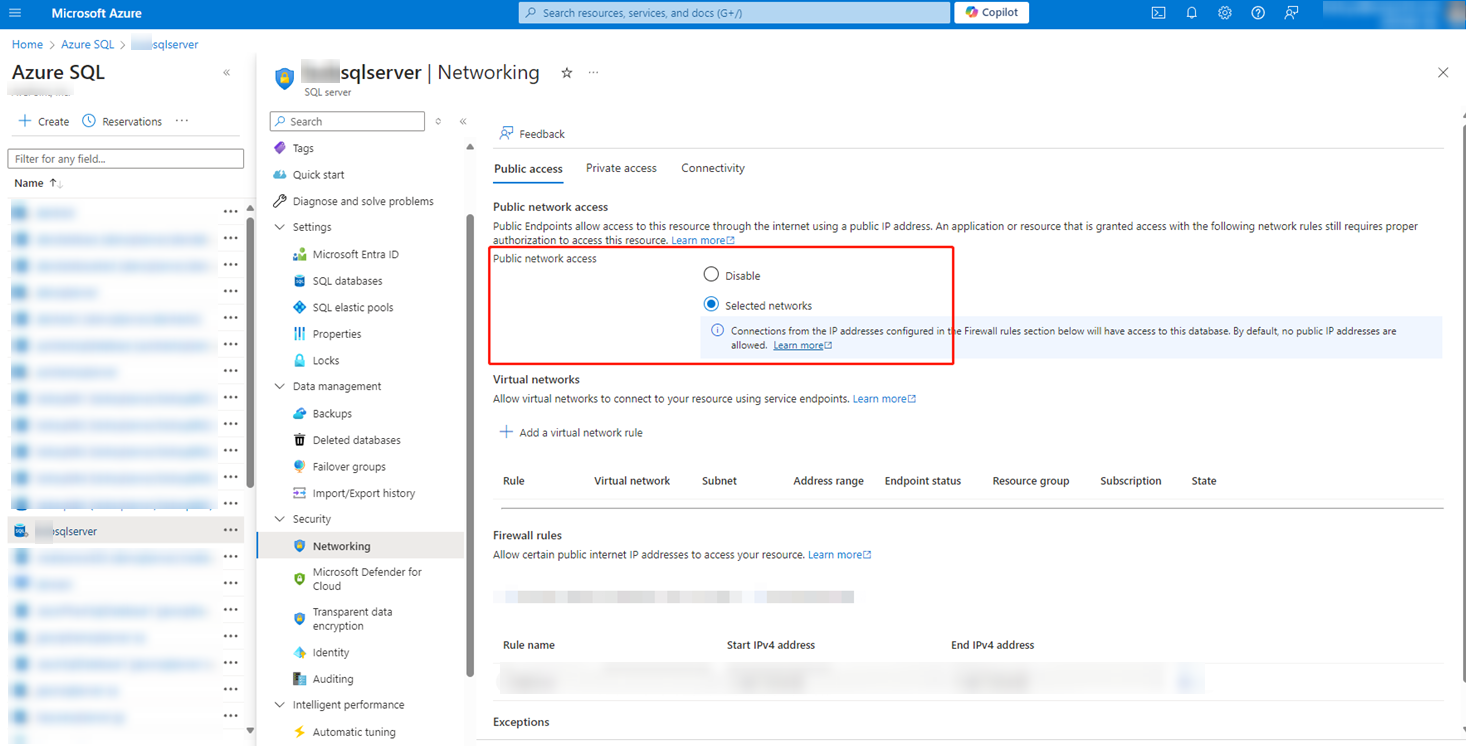
Navigate to Security > Networking > Public access tab.
-
In the Public network access field, select Selected networks to enable public network access.
NOTEIn SaaS infrastructure mode, public network access must be enabled to connect to the Azure SQL database; In CAP Gateway mode, the CAP Gateway VM uses private access to connect to the Azure SQL database, allowing connectivity without exposing it to the public network.
-
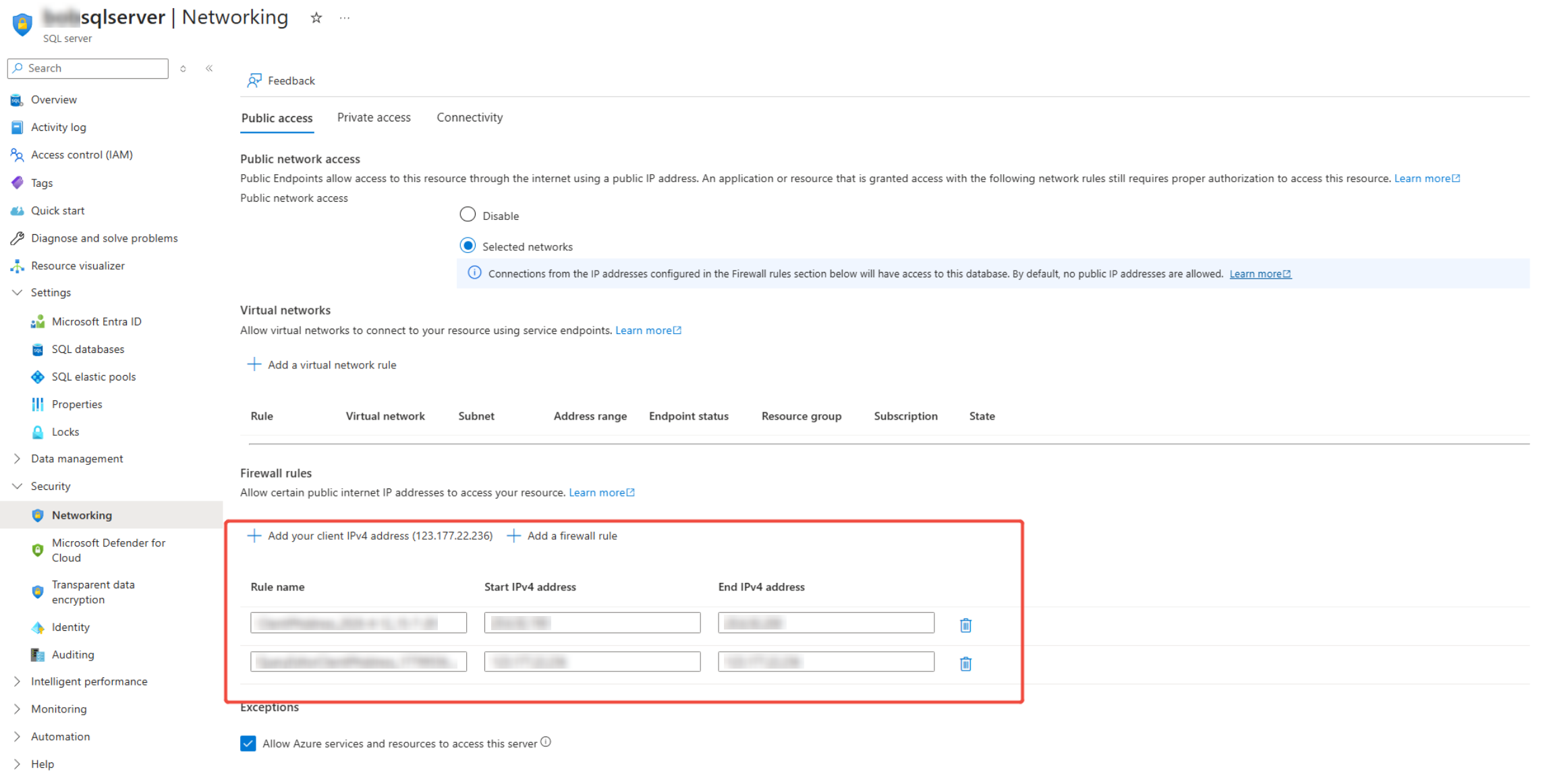
In the Firewall rules field, follow the steps below to add the downloaded reserved IP addresses of AvePoint Online Services to allow certain public internet IP address to access your resource.
-
Download the reserved IP addresses. For details, refer to Download a List of Reserved IP Addresses.
-
Open the downloaded IP address list and locate the IP addresses for Cloud Backup for IaaS + PaaS. Based on the CIDR suffix (for example, /28), calculate the subnet range and determine the values to enter.
Each subnet includes two reserved addresses that cannot be used:
-
The first address: Network Address
-
The last address: Broadcast Address
When entering the IP address range, use the following rules:
-
Start IP address: Use the second address in the subnet
-
End IP address: Use the second-to-last address in the subnet
Example (20.54.151.208/28)
Subnet range: 20.54.151.208 – 20.54.151.223
Reserved addresses:
-
20.54.151.208 (Network Address, do not use)
-
20.54.151.223 (Broadcast Address, do not use)
Values to enter:
-
Start IP address: 20.54.151.209
-
End IP address: 20.54.151.222
-
-
-
In the Exceptions field, select the Allow Azure services and resources to access this server option.