
Home > Monitor Your Backup
Download this articleMonitor Your Backup
To view backup job details and generate a backup job report, follow the steps below:
-
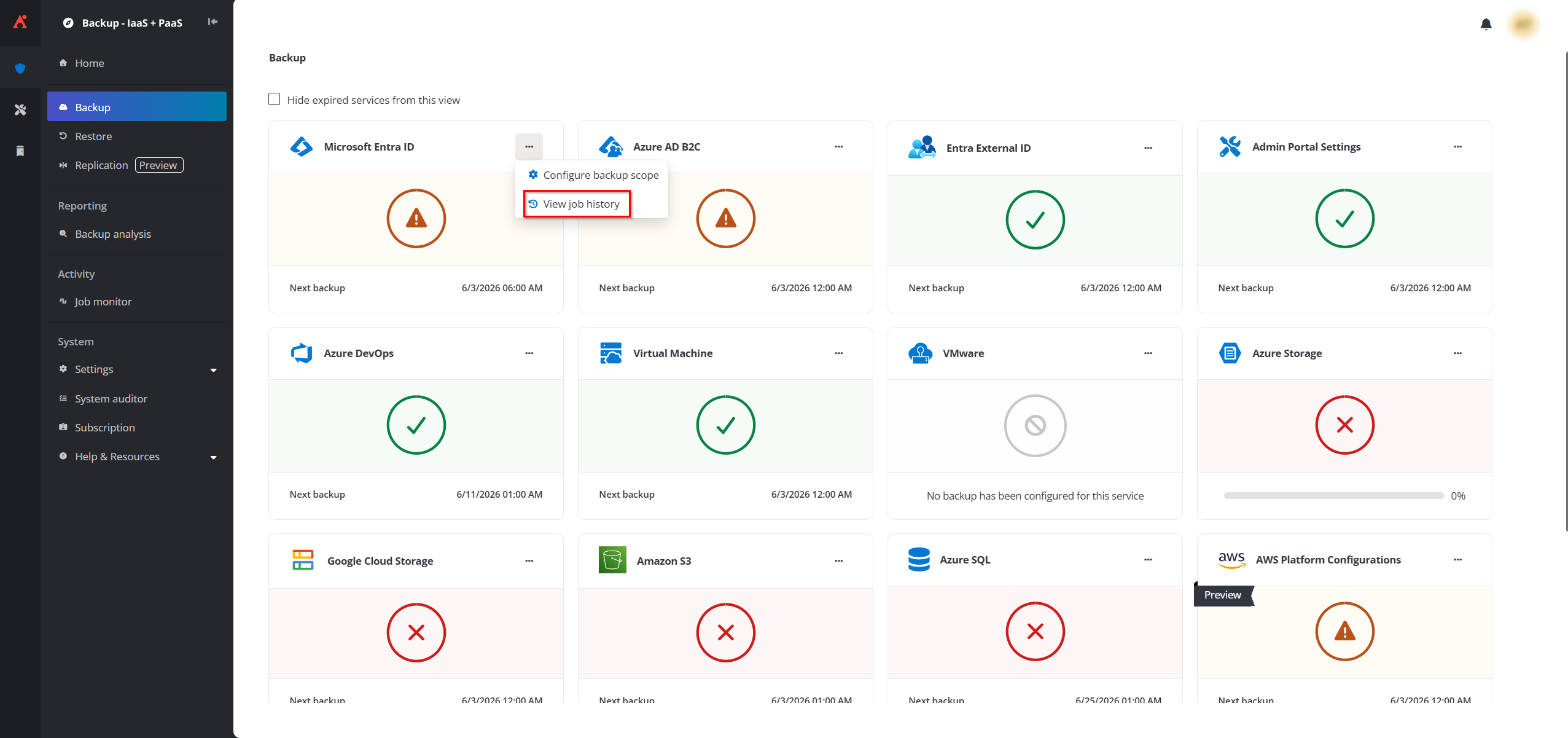
On the Backup page, click the More actions button on a service tile and click View job history from the list.
-
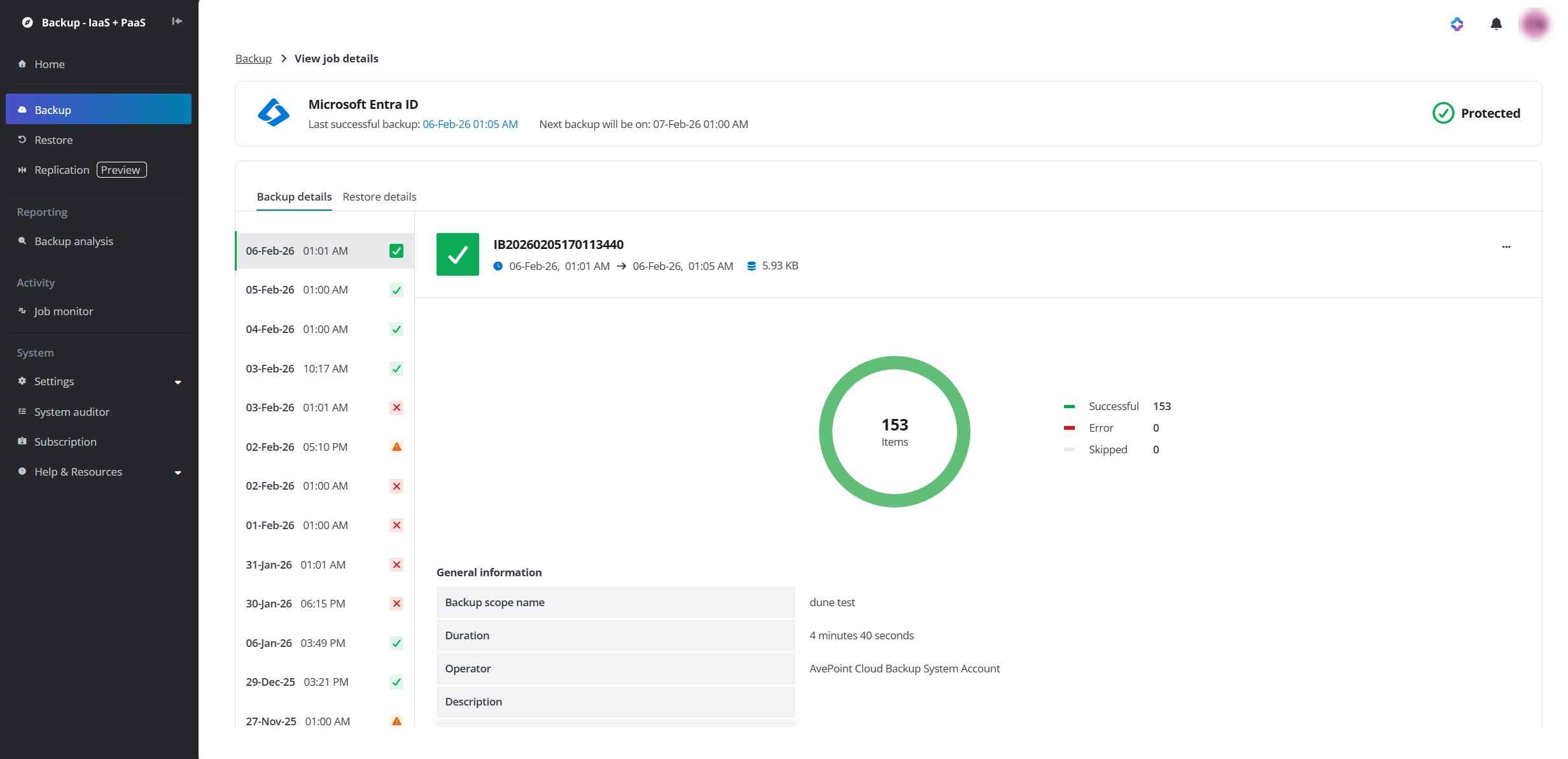
In the View job details page, you will find the Backup details tab and the Restore details tab. In the Backup details tab, the backup jobs are listed in descending.
-
Click a backup job to view its summary on the right panel including the job ID, job start time and finish time, the backup data size, the total number of objects that are backed up in this job, and the number of successful, skipped, and failed objects. You can also click the More actions button to generate and download job report.
NOTEThe failed objects in the backup job will be included in the subsequent backup jobs until they are successfully backed up.