
Home > Export and Download Your Data > Download the Exported Data
Download this articleDownload the Exported Data
Follow the steps below to download the exported data:
-
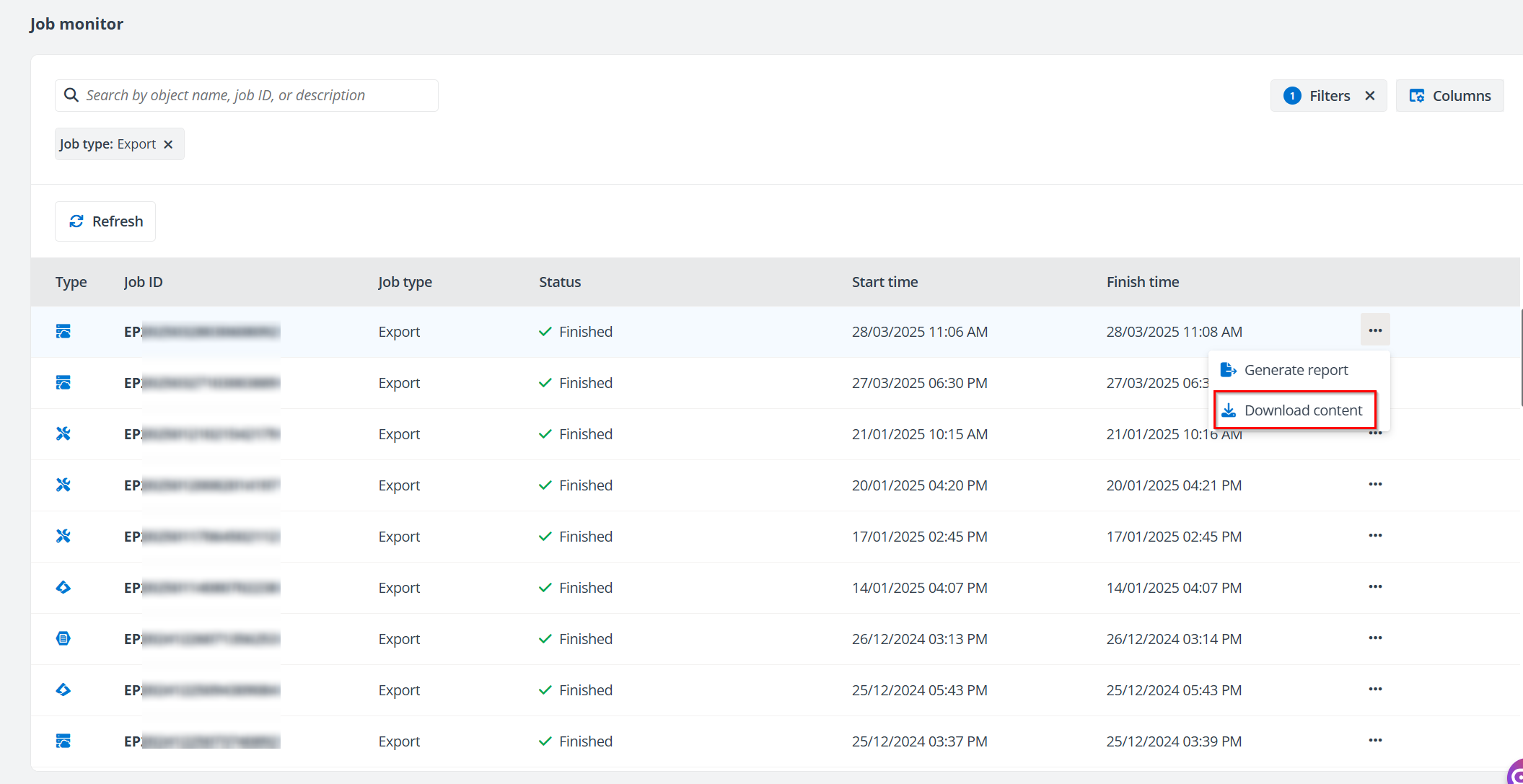
Go to Job monitor and use the Filters or the Search box to find the export job record.
-
Click the More actions button next to the job record and click Download content.
-
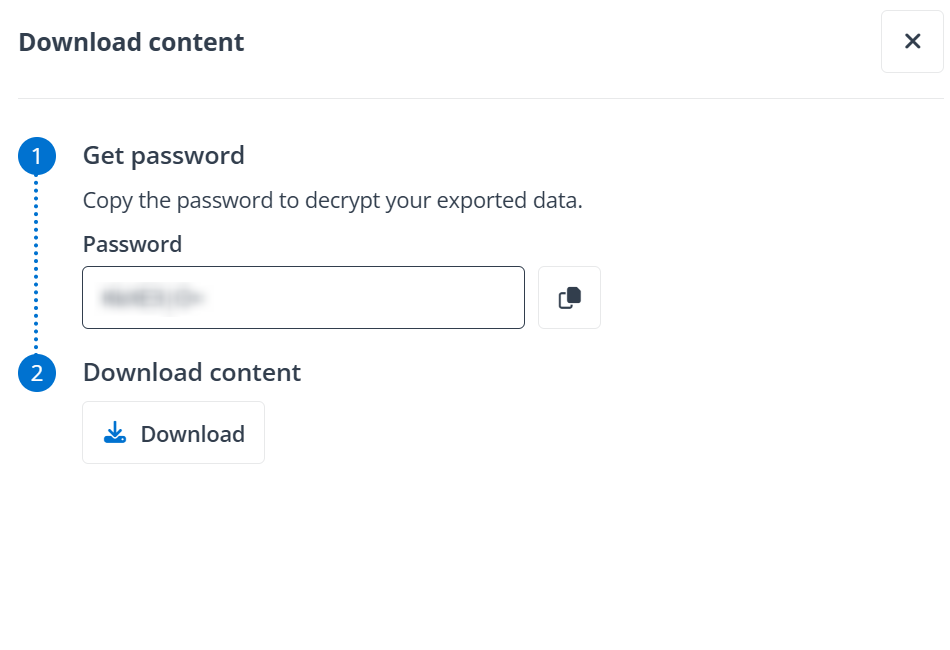
In the Download content panel, click the Copy button next to the password to copy it to your clipboard for decrypting your exported data.
-
Click Download button in the Download content step.
-
Save the exported data to your desired location.
On this page