Home > Restore and Recover Your Data > Amazon EC2 > Required Configurations for Snapshot-Based Restore
Download this articleRequired Configurations for Snapshot-Based Restore
To restore instances or devices to a different region within the same account:
-
If restoring unencrypted volumes, you need to go to AWS to add the "ec2:DescribeSnapshotAttribute" permission for the Cloud Backup for IaaS + PaaS backup role "AWSBackupAdminRole".
-
If restoring volumes encrypted with KMS, you need to go to AWS to add the following permissions for the Cloud Backup for IaaS + PaaS backup role "AWSBackupAdminRole":
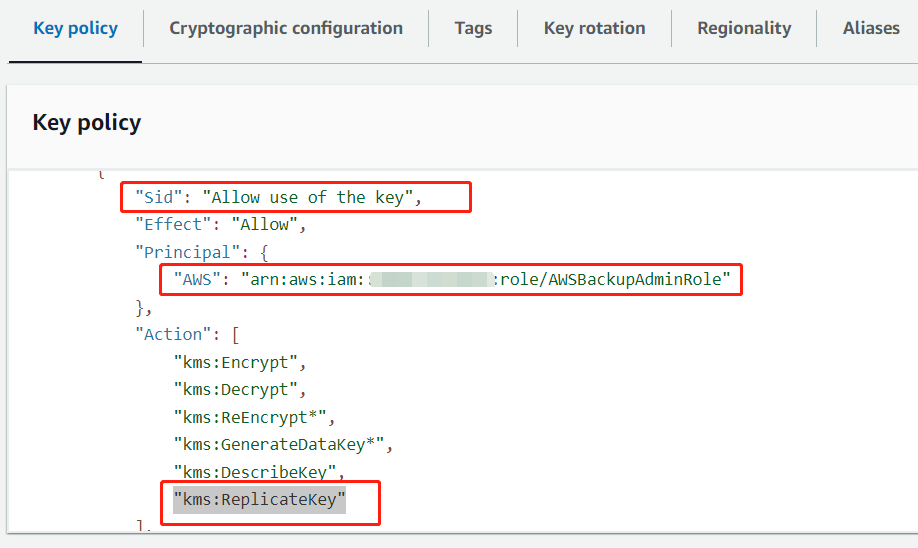
Note that if the KMS key is a multi-region key and does not exist in the destination region, the key will be duplicated to the destination region during the restore job. Additionally, the duplicated key will be used to encrypt the new volume. To ensure the restore job is working, the "AWSBackupAdminRole" must be added as a key user and have the "kms:ReplicateKey" permission, as shown below:
To restore instances or devices to different accounts:
-
If restoring unencrypted volumes, you need to go to AWS to add the "ec2:\DescribeSnapshotAttribute" permission for the Cloud Backup for IaaS + PaaS backup role "AWSBackupAdminRole" in the source account.
-
If restoring volumes encrypted with KMS, you need to go to AWS to add the following permissions for the Cloud Backup for IaaS + PaaS backup role "AWSBackupAdminRole" in the source account:
Additionally, you need to add the following permissions for the Cloud Backup for IaaS + PaaS backup role "AWSBackupAdminRole" in the destination account:
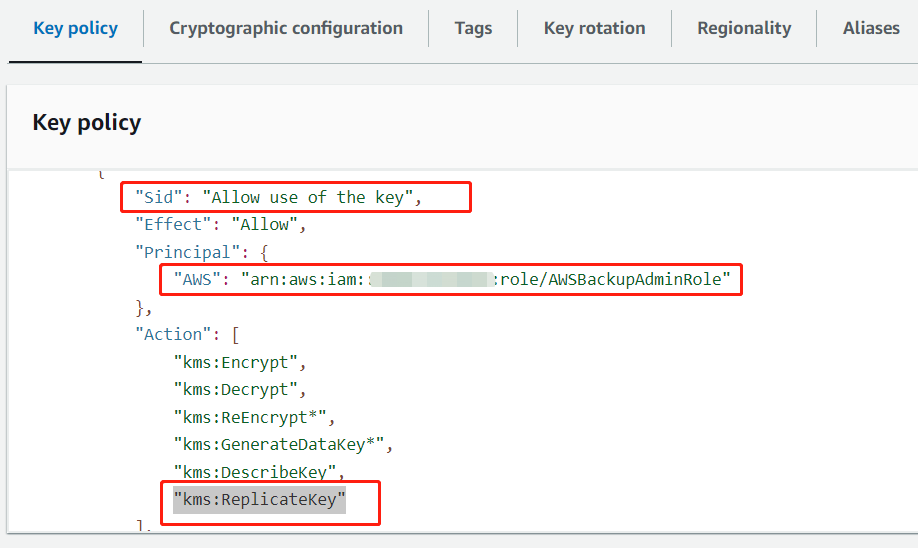
Note that if the KMS key is a customer managed key, to ensure the restore job is working, the "AWSBackupAdminRole" must be added as a key user in the source account and have the "kms:ReplicateKey" permission, as shown below: