
Home > Get Started > Enable Backup for Cosmos DB > Enable All Versions and Deletes Change Feed Mode
Download this articleEnable All Versions and Deletes Change Feed Mode
Follow the steps below to enable the "All versions and deletes change feed mode" for your Cosmos DB account:
-
Go to Azure portal > Azure Cosmos DB and select your account.
-
Navigate to Settings > Features and click All versions and deletes change feed mode.
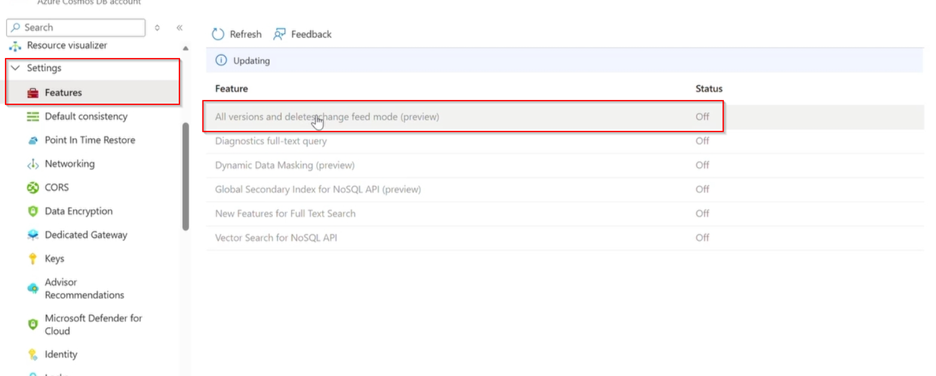
-
Click Enable on the pop-up panel.
On this page