
FAQs
What is dynamic membership for Microsoft 365 Groups, Microsoft Teams, and Viva Engage Communities?
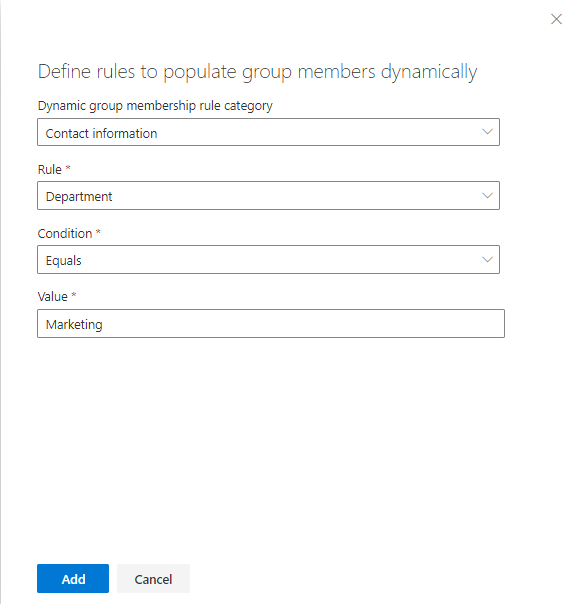
AvePoint Cloud Governance provides the dynamic membership method to use property-based rules to determine the members of Microsoft 365 Groups, Microsoft Teams, and Viva Engage communities. When you configure a Create Group/Team/Community service and allow business users to define rules to get members dynamically, business users will be able to configure rules in the request form. Microsoft 365 users who meet the rules will be automatically added to the group, team, or community.
For example, in a Create Group request, the dynamic membership rule is: Department equals to Marketing. When Cloud Governance creates the group, Cloud Governance will find all users in the Marketing department and add them to the group.
The dynamic membership feature was built by Cloud Governance. Cloud Governance did not leverage the dynamic membership feature of Microsoft Entra. Therefore, after a group with dynamic membership is created via a Cloud Governance request, the group membership type shown in the Microsoft Entra and Microsoft 365 admin center is Assigned, rather than Dynamic.
The table below lists the supported dynamic membership rules in Cloud Governance requests.
| Category | Rule |
|---|---|
| Contact Information | Display name |
| Contact Information | Location |
| Contact Information | Job title |
| Contact Information | First name |
| Contact Information | Last name |
| Contact Information | Username |
| Contact Information | Department |
| Contact Information | Office |
| Contact Information | Office phone |
| Contact Information | Mobile phone |
| Contact Information | Street address |
| Contact Information | City |
| Contact Information | State or province |
| Contact Information | ZIP or postal code |
| Contact Information | Country or region |
| License | Assignment |
| Organization | Manager of Microsoft 365 user |
| Organization | Group assignment |
Why must the groups that are specified as approvers be added as AvePoint Online Services users?
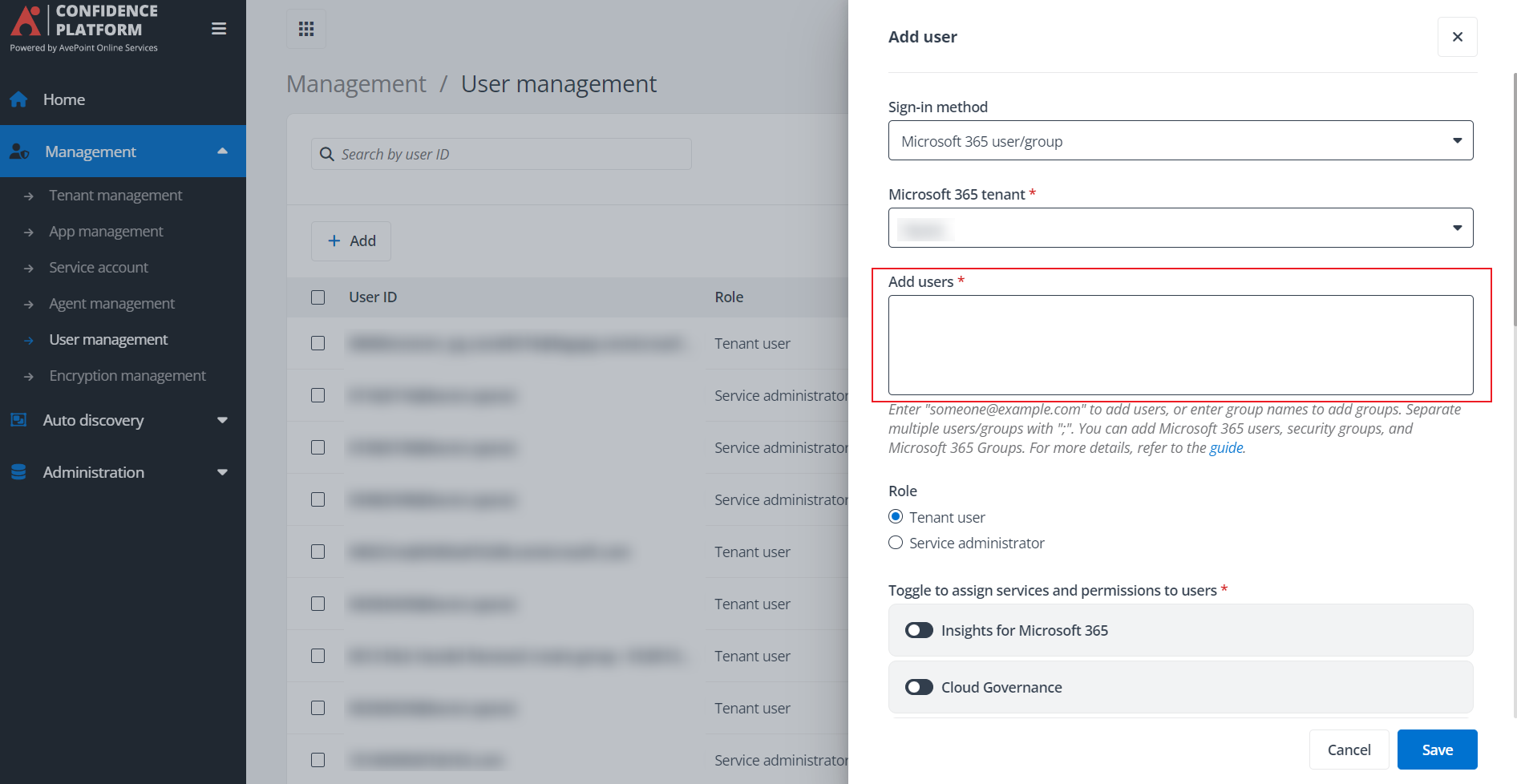
When you configure an approval process in AvePoint Cloud Governance and specify a group as the approver, make sure the group has already been added into AvePoint Online Services. Otherwise, users in the group cannot see the approval task assigned to them.
How can I find the classic features in the modern Cloud Governance admin center?
The modern admin center is now available in AvePoint Cloud Governance. Some features in the classic admin center have moved to the modern admin center, while some features now offer enhanced capabilities in the modern admin center. To better transition to the modern admin center and know what features are now available in the modern admin center, refer to the following table for details:
The Status column includes:
-
Moved – The feature has been moved to the modern admin center and is no longer available in the classic admin center.
-
Mapped to new feature – The feature has been redesigned for new workspace management in the modern admin center. Classic workspace management can still use the features in the classic admin center.
| Type | Features in Classic Cloud Governance Admin Center | Status | Where is it in Modern Cloud Governance Admin Center? | Comment |
|---|---|---|---|---|
| Microsoft Team | Profile > Automated Escalation Profile for Microsoft Teams | Moved | Profiles & templates > Automated escalation profiles > Automated escalation profile for team | |
| Microsoft Team | Profile > Recertification or Renewal Management > Renewal Profile | Mapped to new feature | Profiles & templates > Renewal profiles > Team renewal profile | |
| Microsoft Team | Profile > Microsoft Teams Archiving Profile Management > Microsoft Teams Archiving Profile Management | Moved | Profiles & templates > Team archiving profiles > Team archiving profiles | |
| Microsoft Team | Policy > Group/Team/Community Policy | Mapped to new feature | Profiles & templates > Storage management profiles > Team storage management profile | The policy is split into four profiles. |
| Microsoft Team | Policy > Group/Team/Community Policy | Mapped to new feature | Profiles & templates > External sharing profiles > Team external sharing profile | The policy is split into four profiles. |
| Microsoft Team | Policy > Group/Team/Community Policy | Mapped to new feature | Profiles & templates > Renewal profiles > Team renewal profile | The policy is split into four profiles. |
| Microsoft Team | Policy > Group/Team/Community Policy | Mapped to new feature | Profiles & templates > Contact election profiles > Team contact election profile | The policy is split into four profiles. |
| Microsoft Team | Service > Create Group/Team/Community | Mapped to new feature | Dynamic services > Services > Create team | |
| Microsoft Team | Service > Group/Team/Community Lifecycle Management | Mapped to new feature | Dynamic services > Services > Team lifecycle management | |
| Microsoft Team | Service > Change Group/Team/Community Settings | Mapped to new feature | Dynamic services > Services > Change team settings | The Change Group/Team/Community Settings service is split into multiple service types. |
| Microsoft Team | Service > Change Group/Team/Community Settings | Mapped to new feature | Dynamic services > Services > Change ownership or membership | The Change Group/Team/Community Settings service is split into multiple service types. |
| Microsoft Team | Service > Change Group/Team/Community Settings | Mapped to new feature | Dynamic services > Services > Change site settings | The Change Group/Team/Community Settings service is split into multiple service types. |
| Microsoft Team | Administration > Import Existing Microsoft 365 Objects | Mapped to new feature | Profiles & templates > Manual import > Manual import | |
| Microsoft Team | Administration > Import Existing Microsoft 365 Objects > Automatic Import Profile | Mapped to new feature | Profiles & templates > Automatic import profiles > Team automatic import profile | |
| Microsoft Team | Administration > Team, Group, and Community Report | Mapped to new feature | Directory > Workspace report | |
| Microsoft 365 Group | Profile > Automated Escalation Profile for Microsoft 365 Groups > Automated Escalation Profile for Microsoft 365 Groups | Moved | Profiles & templates | Automated escalation profiles |
| Microsoft 365 Group | Profile > Recertification or Renewal Management > Renewal Profile | Mapped to new feature | Profiles & templates > Renewal profiles > Microsoft 365 Group renewal profile | |
| Microsoft 365 Group | Policy > Group/Team/Community Policy | Mapped to new feature | Profiles & templates > Storage management profiles > Microsoft 365 Group storage management profile | The policy is split into four profiles. |
| Microsoft 365 Group | Policy > Group/Team/Community Policy | Mapped to new feature | Profiles & templates > External sharing profiles > Microsoft 365 Group external sharing profile | The policy is split into four profiles. |
| Microsoft 365 Group | Policy > Group/Team/Community Policy | Mapped to new feature | Profiles & templates > Renewal profiles > Microsoft 365 Group renewal profile | The policy is split into four profiles. |
| Microsoft 365 Group | Policy > Group/Team/Community Policy | Mapped to new feature | Profiles & templates > Contact election profiles > Microsoft 365 Group contact election profile | The policy is split into four profiles. |
| Microsoft 365 Group | Service > Create Group/Team/Community | Mapped to new feature | Dynamic services > Services > Create group > Create Microsoft 365 Group | |
| Microsoft 365 Group | Service > Group/Team/Community Lifecycle Management | Mapped to new feature | Dynamic services > Services > Microsoft 365 Group lifecycle management | |
| Microsoft 365 Group | Service > Change Group/Team/Community Settings | Mapped to new feature | Dynamic services > Services > Change ownership or membership | |
| Microsoft 365 Group | Service > Change Group/Team/Community Settings | Mapped to new feature | Dynamic services > Services > Change site settings | |
| Microsoft 365 Group | Service > Change Group/Team/Community Settings | Mapped to new feature | Dynamic services > Services > Convert Microsoft 365 Group to team | |
| Microsoft 365 Group | Administration > Import Existing Microsoft 365 Objects > Manual Export & Import | Mapped to new feature | Profiles & templates > Manual import | |
| Microsoft 365 Group | Administration > Import Existing Microsoft 365 Objects > Automatic Import Profile | Mapped to new feature | Profiles & templates > Automatic import profiles > Microsoft 365 Group automatic import profile | |
| Microsoft 365 Group | Administration > Team, Group, and Community Report | Mapped to new feature | Directory > Workspace report | |
| Site collection | Profile > Site Collection Automated Locking Profile | Mapped to new feature | Profiles & templates > Automated escalation profiles > Automated escalation profile for site collection | |
| Site collection | Profile > Recertification or Renewal Management > Renewal Profile | Mapped to new feature | Profiles & templates > Renewal profiles > Site collection renewal profile | |
| Site collection | Policy > Site Collection Policy | Mapped to new feature | Profiles & templates > Storage management profiles > Site collection storage management profile | The policy is split into four profiles. |
| Site collection | Policy > Site Collection Policy | Mapped to new feature | Profiles & templates > External sharing profiles > Site collection external sharing profile | The policy is split into four profiles. |
| Site collection | Policy > Site Collection Policy | Mapped to new feature | Profiles & templates > Renewal profiles > Site collection renewal profile | The policy is split into four profiles. |
| Site collection | Policy > Site Collection Policy | Mapped to new feature | Profiles & templates > Contact election profiles > Site collection contact election profile | The policy is split into four profiles. |
| Site collection | Policy > Site Collection Policy | Mapped to new feature | Dynamic services > Services > Create site collection | Site Maximum Depth Limit and Site Collection Policy Icon settings are available in the Create site collection service in the dynamic service. Note that the Site Maximum Depth Limit setting is only available to existing customers who registered before April 2026. |
| Site collection | Service > Create Site Collection | Mapped to new feature | Dynamic services > Services > Create site collection | |
| Site collection | Service > Change Site Collection Settings | Mapped to new feature | Dynamic services > Services > Change site settings | |
| Site collection | Service > Site Collection Lifecycle Management | Mapped to new feature | Dynamic services > Services > Site collection lifecycle management | |
| Site collection | Administration > Import Existing Microsoft 365 Objects > Manual Export & Import | Mapped to new feature | Profiles & templates > Manual import | |
| Site collection | Administration > Import Existing Microsoft 365 Objects > Automatic Import Profile | Mapped to new feature | Profiles & templates > Automatic import profiles > Site collection automatic import profile | |
| Site collection | Administration > Site Collection Report | Mapped to new feature | Directory > Workspace report | |
| Viva Engage community | Profile > Automatic Import Profile for Viva Engage Communities | Moved | Profiles & templates > Automatic import profiles | |
| Common | Profile > Metadata | Moved | Profiles & templates > Metadata | |
| Common | Profile > SharePoint Permission Level Management | Moved | Profiles & templates > Permission level profiles | |
| Common | Profile > Text Validation Rule Management | Moved | Profiles & templates > Text validation rules | |
| Common | Profile > Email Templates | Moved | Profiles & templates > Email templates | |
| Common | Profile > Approval Process | Mapped to new feature | Profiles & templates > Approval process | |
| Common | Profile > Reminder Profile for Upcoming Expiration | Mapped to new feature | Profiles & templates > Reminder profiles | |
| Common | Service > Change Permissions | Mapped to new feature | Dynamic services > Services > Manage permissions | The Change Permissions, Grant Permissions, and Manage Permissions services are integrated into the Manage permissions service in the dynamic service. |
| Common | Service > Grant Permissions | Mapped to new feature | Dynamic services > Services > Manage permissions | The Change Permissions, Grant Permissions, and Manage Permissions services are integrated into the Manage permissions service in the dynamic service. |
| Common | Service > Manage Permissions | Mapped to new feature | Dynamic services > Services > Manage permissions | The Change Permissions, Grant Permissions, and Manage Permissions services are integrated into the Manage permissions service in the dynamic service. |
Using Dynamic Metadata Profiles for Auto-assignment
Dynamic metadata branching is designed to enhance the automation of metadata assignment by allowing IT administrators to create profiles that define how metadata should be assigned based on specific conditions or previous metadata values. Currently, these profiles can be used in the Change metadata service, renewal profiles, and automatic import profiles.
To use a dynamic metadata profile to enhance the automation of metadata assignment, you can follow the steps below:
-
Create a dynamic metadata profile first and set the conditions or branches for metadata assignment based on existing values. For details on dynamic metadata creation, refer to Configure Dynamic Metadata Profiles.
-
Once the profile is created, you can apply the profile to the following services and profiles:
-
In the Change metadata service settings, select Dynamic assignment as the metadata changing mode and select a dynamic metadata profile you’ve created. For details on service configuration, refer to Change Metadata Service.
-
In the renew profiles, select Dynamic in Renewal details > Metadata renewal and select a dynamic metadata profile you’ve created. The metadata that can be reviewed and updated in the renewal tasks will be loaded based on the conditions or branches defined in the selected profile.
-
In automatic import profiles, select Dynamic in the Metadata field and select a dynamic metadata profile you’ve created. The metadata that will be applied to the imported objects in the confirm governance details tasks will be loaded based on the conditions or branches defined in the selected profile.
NOTEIn automatic profiles for site collections, teams, Microsoft 365 Groups, communities, and Power BI workspaces, make sure to select Require end user confirmation automatic import method before you can use the dynamic metadata assignment.
-
How do I update actionable message settings to support Microsoft’s new token authentication?
Microsoft is transitioning actionable messages (AM) from External Access Token (EAT) authentication to Microsoft Entra ID–based token authentication. Tenants currently using EAT tokens must update their integration to support AAD tokens for AM service requests.
To avoid any service disruption, we recommend completing the updates below before March 31, 2026. After this date, actionable messages will continue to work only if the required settings have been updated.
-
Register a Microsoft Entra app.
Create a new app registration in Microsoft Entra. For instructions, see Register an app in Azure.
NOTEIf you already have an existing Microsoft Entra app registration, you can skip this step.
-
Register an actionable messages provider
Register a new provider using the Actionable Messages Developer Dashboard or click Migrate to MSEntra on your existing provider information page to create a migrated copy.
Make sure to fill in the MsEntra Application Id in the MsEntra Auth section.
For details, see Appendix D - Register an Actionable Email Provider.
-
Update email settings in Cloud Governance
Navigate to System settings > Email settings > Actionable messages, and update both the MsEntra application ID and provider ID. Then, save your settings.