
Home > Use Insights for Google > Risk Analysis > View Shadow Users and Groups Access Report
Download this articleView Shadow Users and Groups Access Report
On the Access report of shadow users andgroups page, the shared drive name is displayed on the top. All shadow users and groups in the drive are listed in the left pane. You can hover your mouse over the icon on the left of each user or group to view their type. You can click a user or group to view the objects to which the user or group has permissions in the drive together with the permission details.
Only the objects with unique permissions to which the user or group has permissions will be listed on the right pane.
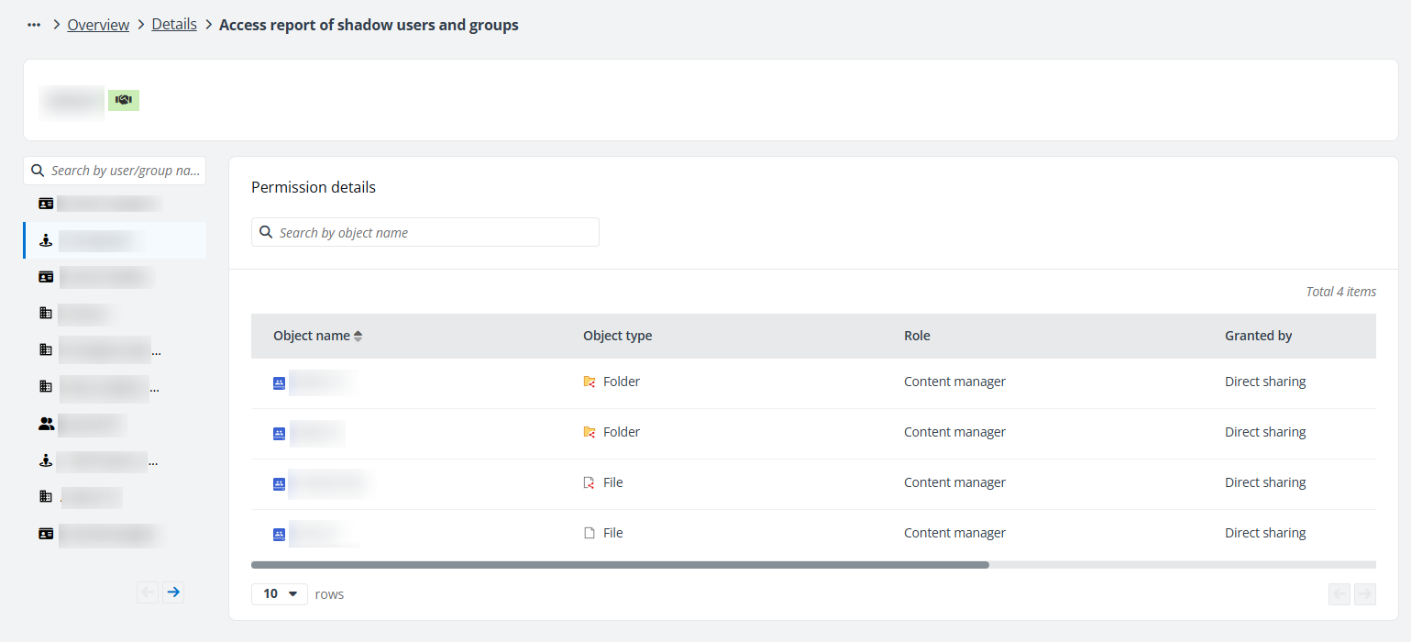
Click or hover your mouse over the object rows, the ellipsis button is displayed on the right of each row. Click the ellipsis button, and the following actions are available from the action drop-down list:
-
View permissions – Select this option to access the View Permissions page in a new tab.
-
View activities – Select this option to access the View Activities page in a new tab.
Click a shadow group in the left pane, and the Group members tab appears where all members in the group are listed with their types.