
Home > User Guide > Integrate with Tableau and Power BI > Connect to Tableau > Overview
Export to PDFConnect to Tableau
The following two endpoints are provided to connect to Tableau:
SQL Server
To connect Tableau to SQL Server, complete the following steps:
-
Launch Tableau Desktop on your computer.
-
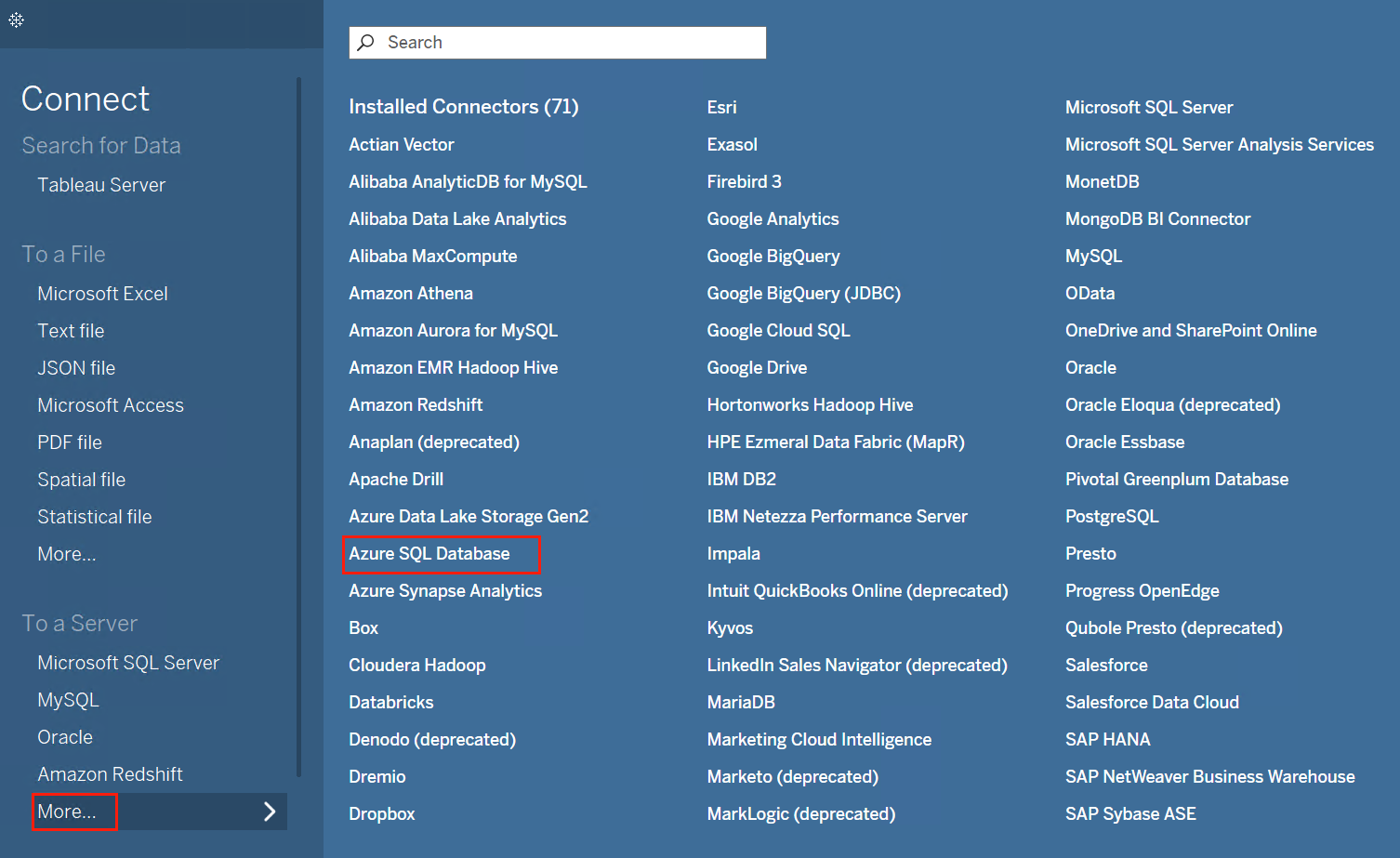
In the Connect pane, click More in the To a Server section and select Azure SQL Database.
-
-
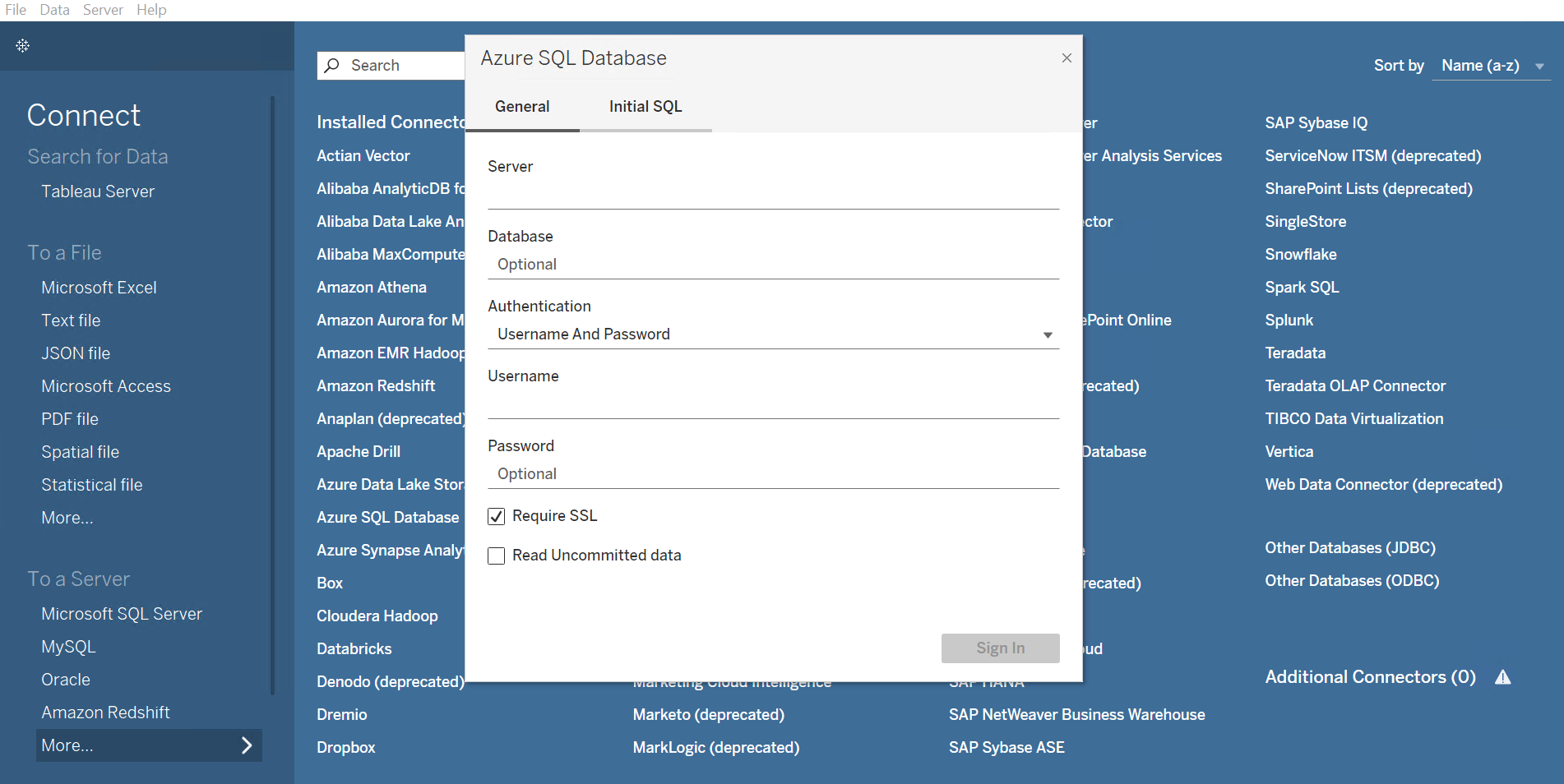
In the Azure SQL Database window, enter the Server and Database. In the Authentication field, select Username And Password, and then enter the Username and Password.
-
-
To get the Server and Database, complete the following steps:
-
Navigate to the Cloud Backup for Salesforce® interface.
-
Click Data service.
-
On the Data service page, click the More commands button on the upper right corner of the corresponding data service tile. Then select Get connection details.
-
In the Connection details page, you can click the Copy icon to copy the Server host name and Database of the SQL endpoint directly.
-
-
To grant access to users to the SQL Server database, refer to Manage Users.
-
-
Click Sign in. Then refer to Generate a Data Report in Tableau to generate and publish a data report in Tableau.
OData Feed
To connect Tableau to OData, complete the following steps:
-
Launch Tableau Desktop on your computer.
-
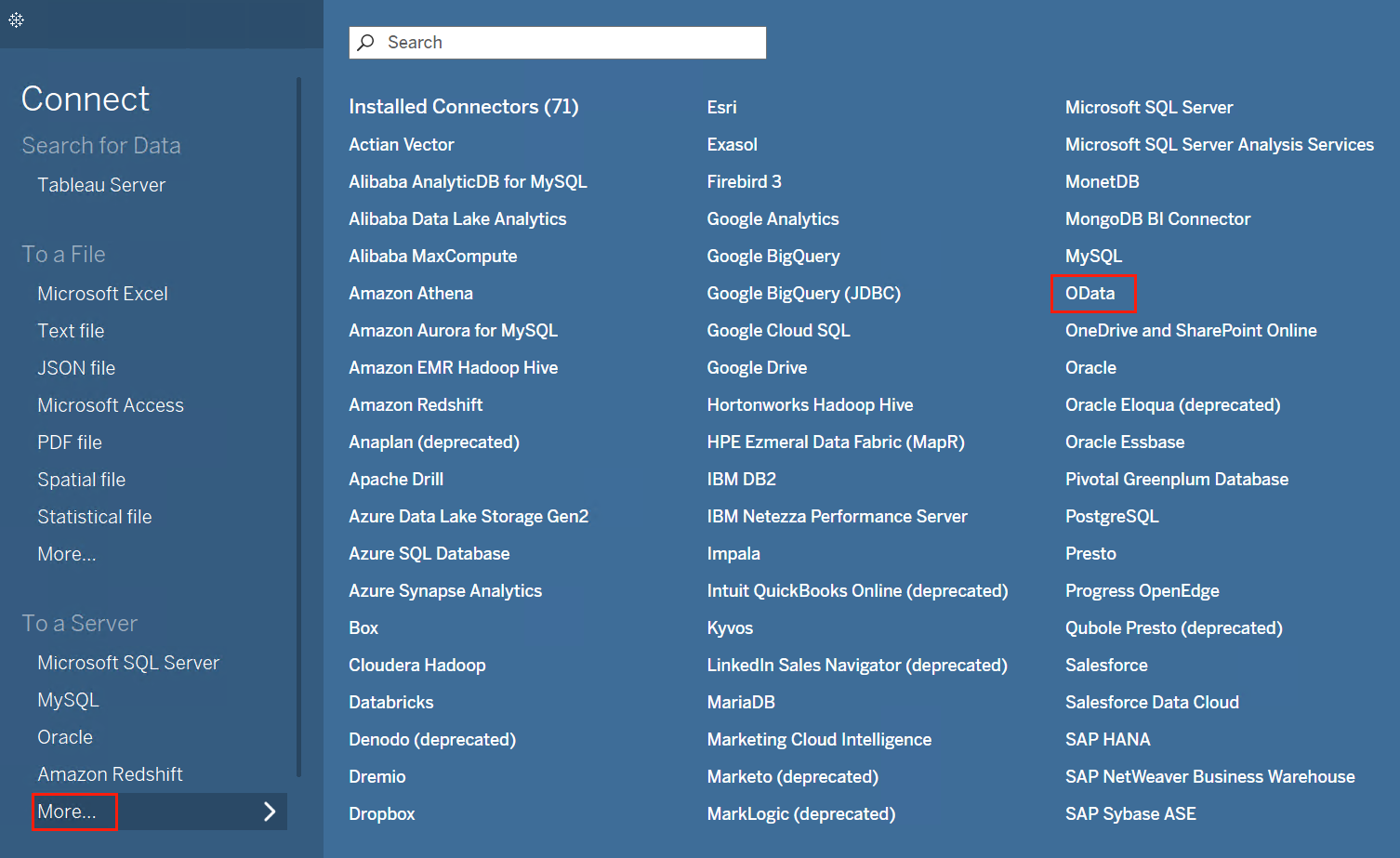
In the Connect pane, click More in the To a Server section and select OData.
-
-
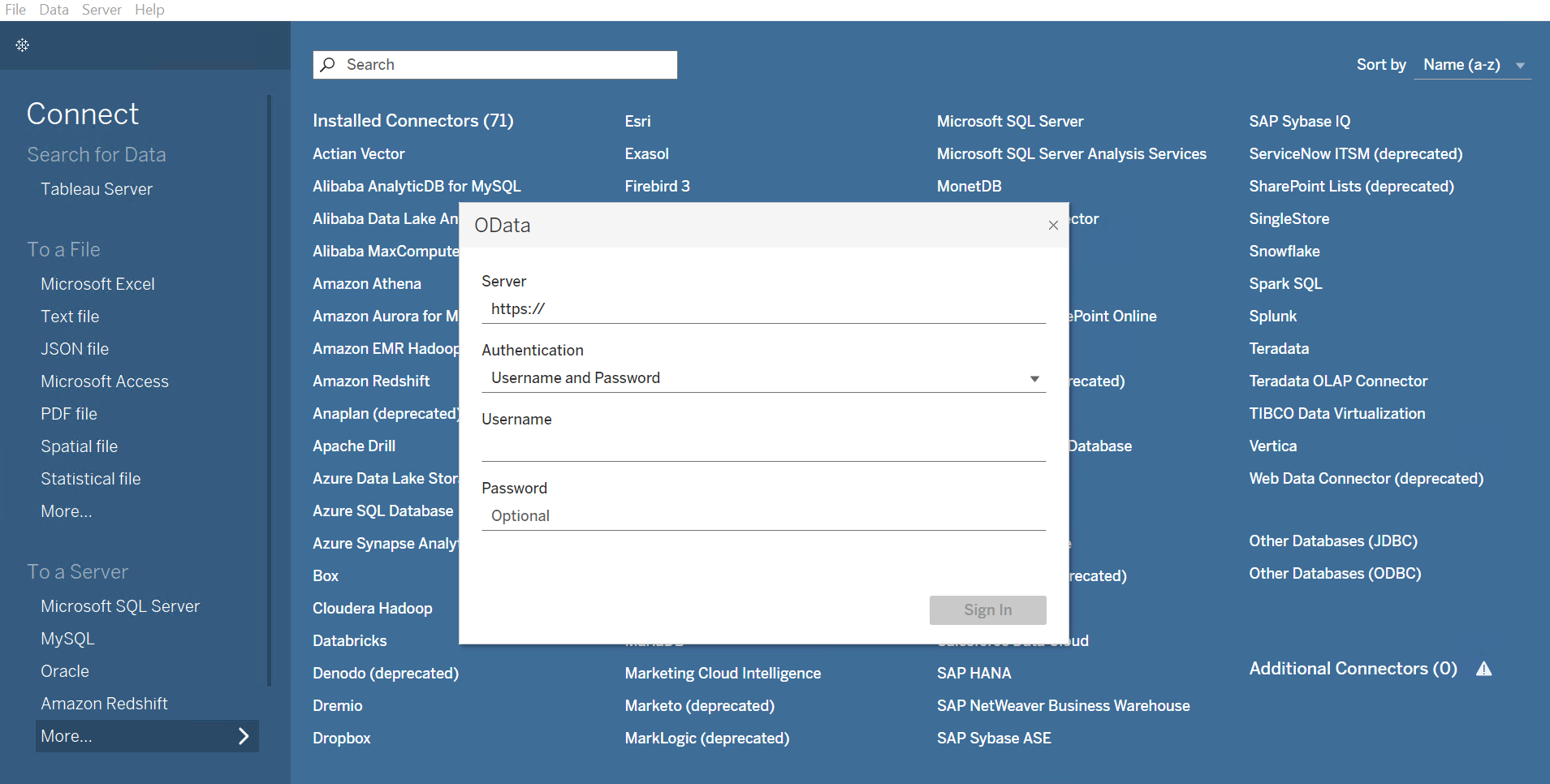
In the OData window, enter the URL in the Server field. In the Authentication field, select Username and Password, and then enter the Username and Password.
-
-
To get the URL, complete the following steps:
-
Navigate to the Cloud Backup for Salesforce® interface.
-
Click Data service.
-
On the Data service page, click the More commands button on the upper right corner of the corresponding data service tile. Then select Get connection details.
-
In the Connection details page, you can click the Copy icon to copy the URL of the OData endpoint directly.
-
-
To grant access to users to the OData feed, refer to Manage Users.
-
-
Click Sign in. Then refer to Generate a Data Report in Tableau to generate and publish a data report in Tableau.