
Home > Troubleshooting > InvalidEmailAddress
Export to PDFInvalidEmailAddress
Issue:
Some records encountered exceptions in the restore with the following error code:
Details:
Due to your email settings in the destination Salesforce environment, Cloud Backup for Salesforce® will validate the email address in the restore process. The email address is invalid.
Solution:
Follow the steps to update the settings in the destination Salesforce environment and perform the restore again.
-
Click your avatar in the destination organization, then select Settings in the dropdown menu.
-
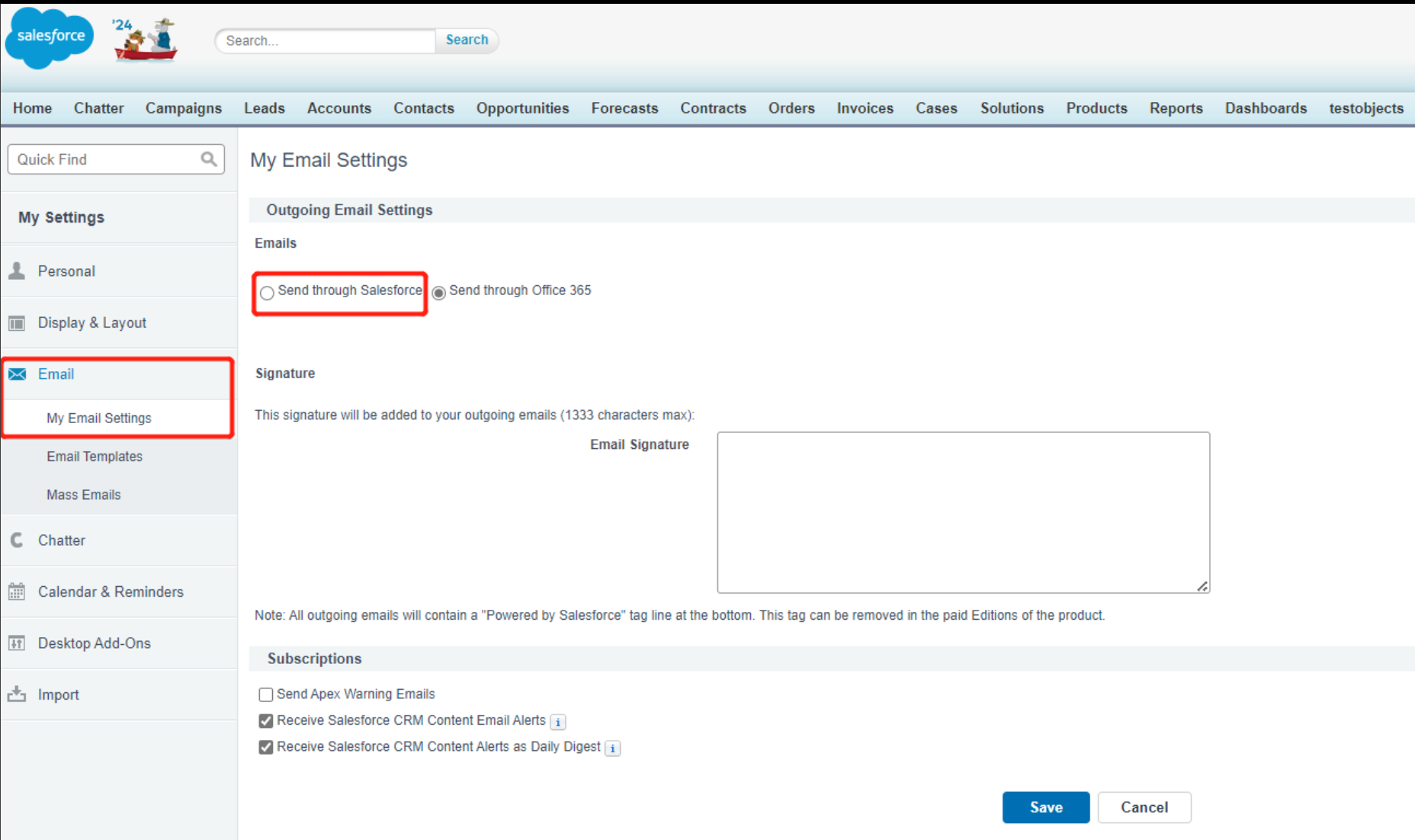
In the left sidebar, select Email > My Email Settings.
-
Select Send through Salesforce, and save the updates.
-
On this page