
Home > Troubleshooting > NotEnabledForFeed
Export to PDFNotEnabledForFeed
Issue:
Some records of an object encountered exceptions in the restore with the following error code:
Details:
Solution:
Follow the steps to update the settings for the object in the destination Salesforce environment and perform the restore again.
-
Click Setup on the upper right corner of your destination organization, then search and select Chatter.
-

-
Click Customize field tracking in your feeds.
-
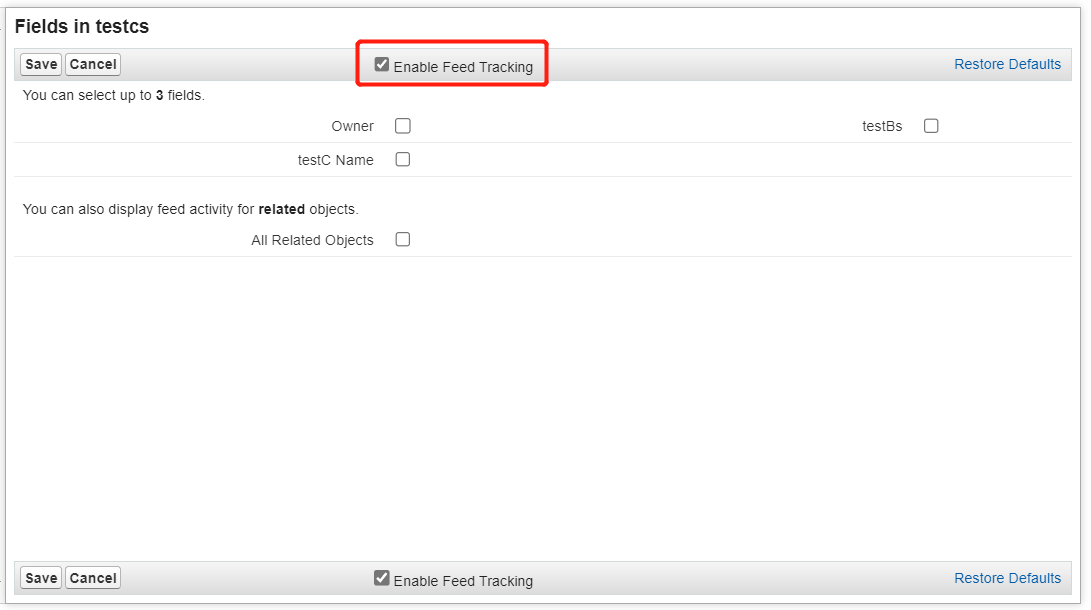
Select the corresponding object and enable feed tracking for its fields.
On this page