Home > Troubleshooting > GlobalPicklistNotExist
Export to PDFGlobalPicklistNotExist
Issue:
Some records encountered exceptions in the restore with the following error code:
Details:
The field of the records is a picklist.
If you restore the data to the original organization, the picklist field uses the values from a global picklist, but the global picklist does not exist in your Salesforce environment now.
If you restore the data to another organization, the picklist field uses the values from a global picklist in the source organization, but the global picklist does not exist in the destination organization.
The field name is provided in the Comment column of the job report.

Solution:
If you restore the data to the original organization, create the global picklist first in your Salesforce environment before the restore.
If you restore the data to another organization, create the global picklist first in the destination organization before the restore.
You can also create the global picklist by restoring metadata in AvePoint Cloud Backup for Salesforce®. Follow the steps below:
-
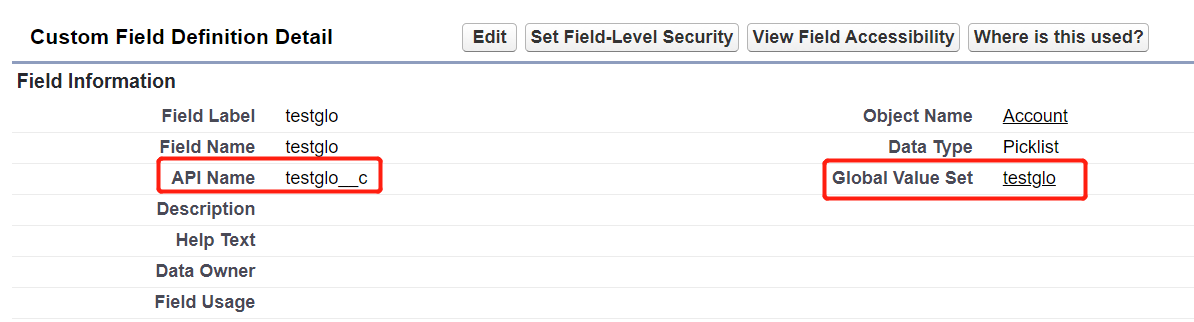
Get the Global Value Set of the global picklist in the Salesforce environment.
-
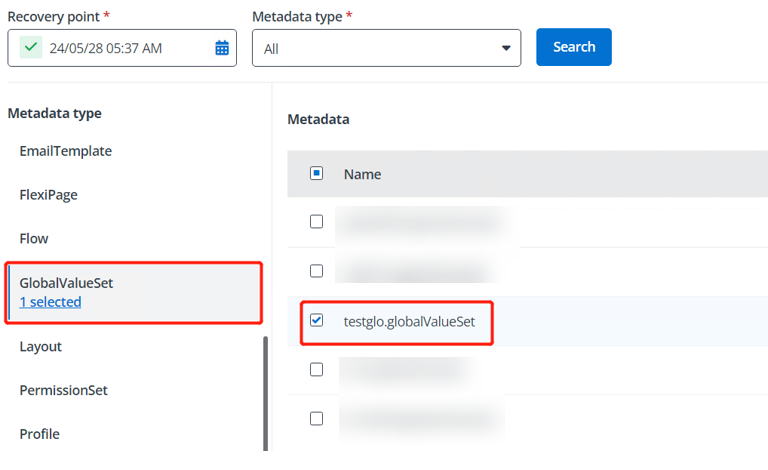
Follow the steps in the to find the Global Value Set in AvePoint Cloud Backup for Salesforce® and restore it to the Salesforce environment.
-