
Home > Manage App Profiles > Create Custom Apps > Create a Custom Google App > Step 2: Turn off Policies and Create a Service Account > Create a Service Account
Export to PDFCreate a Service Account
Refer to the steps below to create a service account and a client ID:
-
Go to the .
-
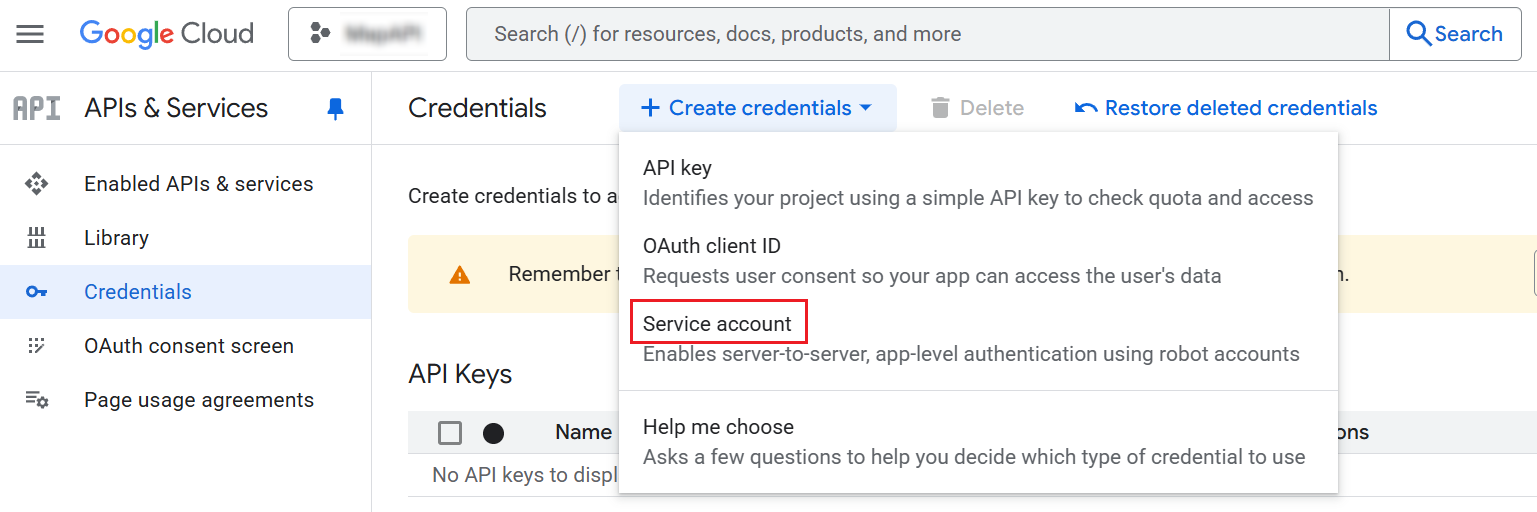
Navigate to APIs & Services > Credentials.
-
Click Create credentials and select Service account.
-
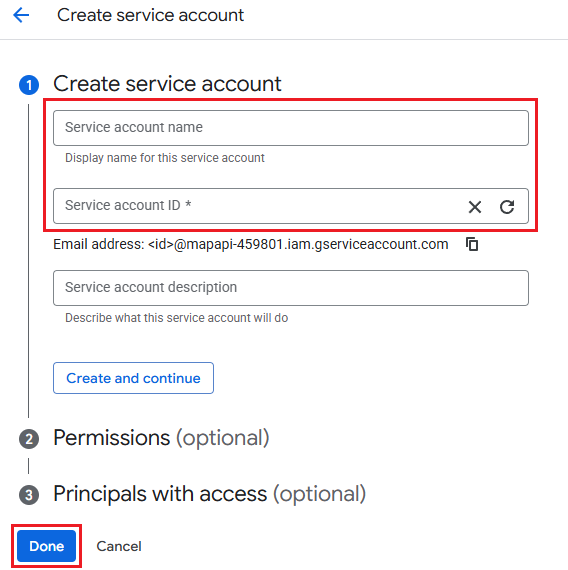
Enter a service account name and a service account ID. Then, click Done.
-
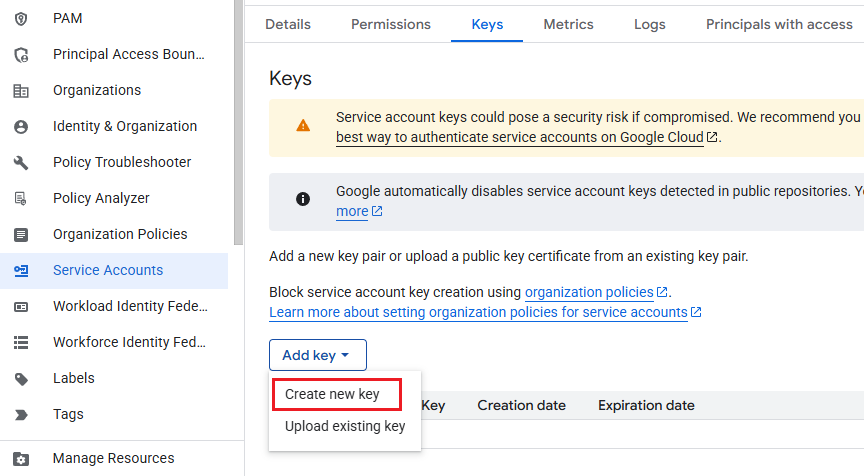
Click the service account, and then click the Keys tab.
-
Click Add Key, and then click Create new key.
-
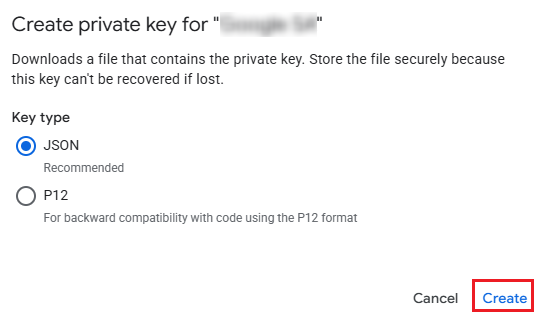
Select the JSON key type and click Create. The downloaded file contains important information for the configuration in the following steps, and you must store the file securely as it can’t be recovered if lost.
On this page