
Home > アプリ プロファイルの管理 > カスタム アプリの作成 > カスタム Google アプリの作成 > ステップ 2: ポリシーの無効化とサービス アカウントの作成 > サービス アカウントの作成
Export to PDFサービス アカウントの作成
サービス アカウントおよびクライアント ID の作成方法については、以下の説明を参照してください。
-
Go to the .
-
API とサービス > 認証情報 に移動します。
-
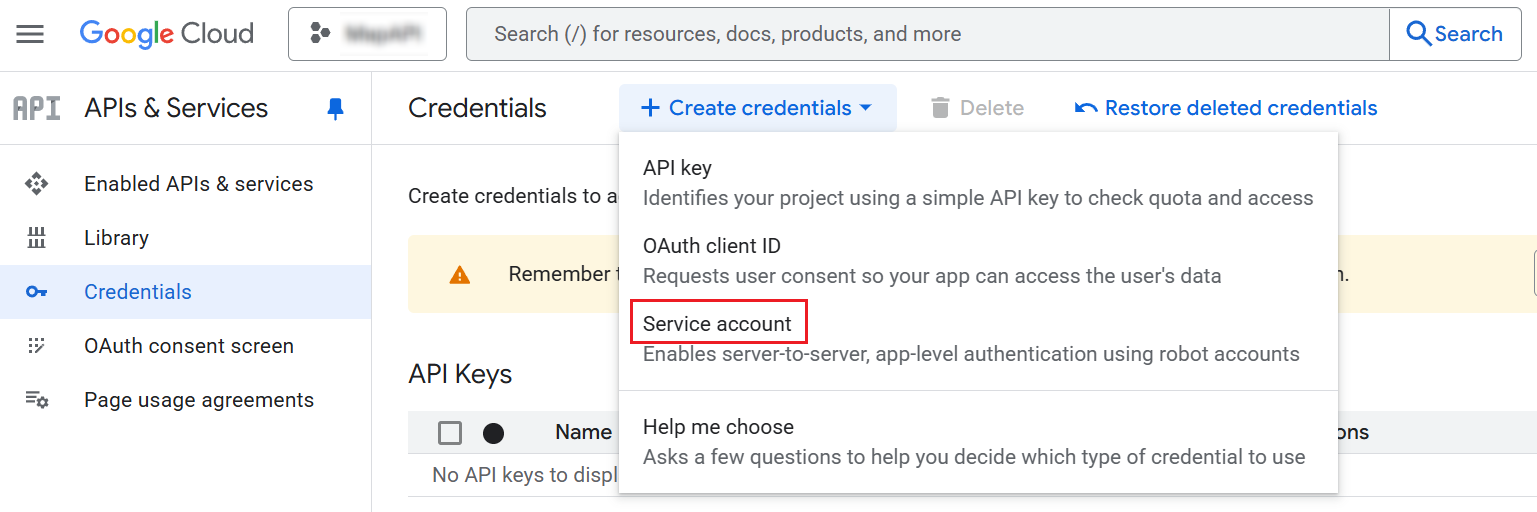
Click Create credentials and select Service account.
-
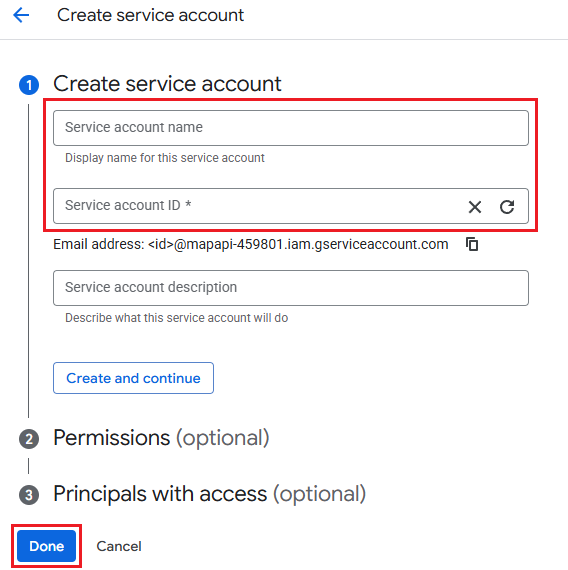
サービス アカウント名とサービス アカウント ID を入力します。[完了] をクリックします。
-
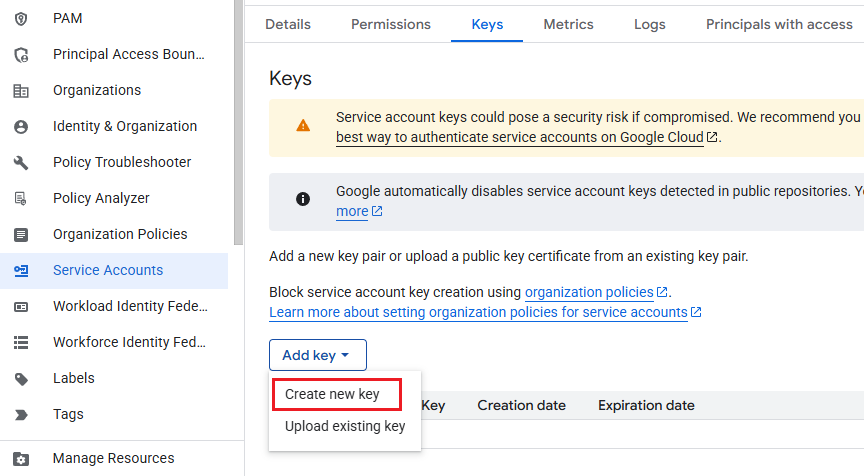
サービス アカウントをクリックして、鍵 タブをクリックします。
-
Click Add Key, and then click Create new key.
-
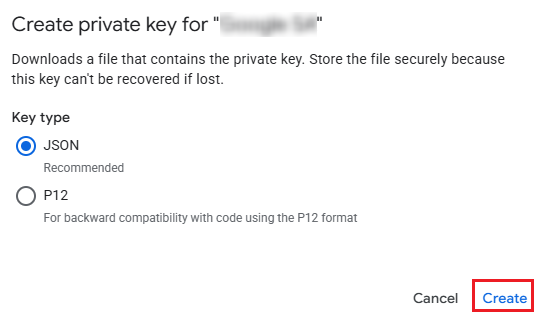
Select the JSON key type and click Create. ダウンロードしたファイルに以下の説明に従って構成する重要な情報が含まれており、紛失すると復元できなくなるため、ファイルは大切に保管してください。
このページの内容