
Home > アプリ プロファイルの管理 > カスタム アプリの作成 > カスタム Google アプリの作成 > ステップ 2: ポリシーの無効化とサービス アカウントの作成 > Turn off the Policies that Disable Service Account Creation
Export to PDFTurn off the Policies that Disable Service Account Creation
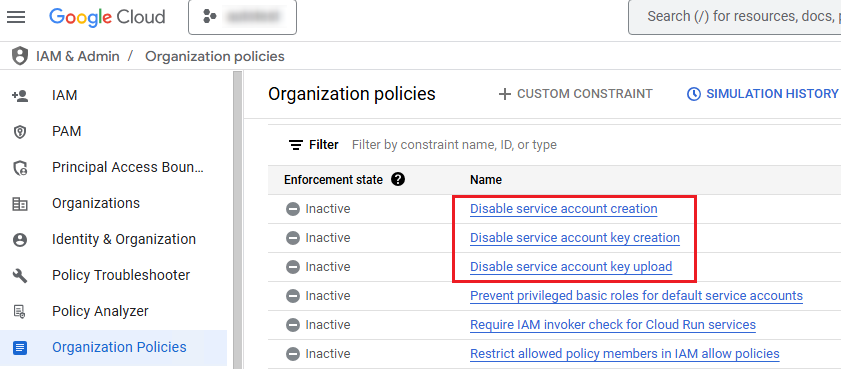
Before creating a service account, make sure the Disable service account creation, Disable service account key creation, and Disable service account key upload policies are turned off. ポリシーをオフにするには、以下の説明を参照してください。
-
If you are required to have the Organization Policy Administrator role to Manage policy, refer to the instructions below to add the Organization Policy Administrator role:
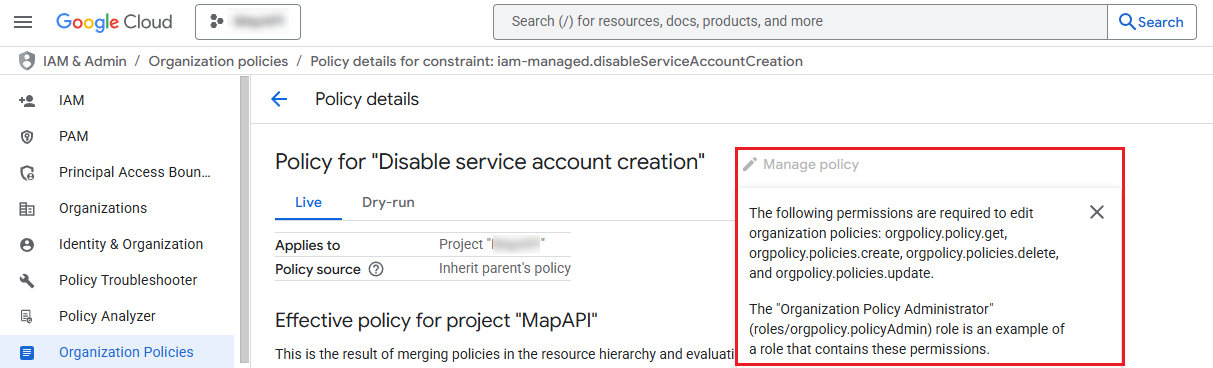
-
Go to .
-
リソース リストで、サービス アカウントを作成するプロジェクトの組織を選択します。
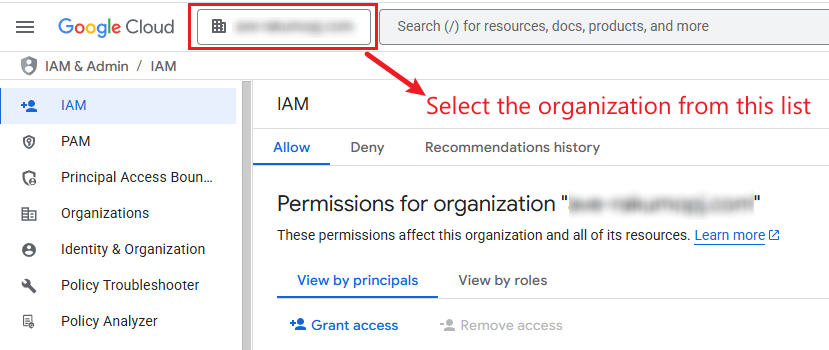
-
シナリオに基づいて、以下の説明を参照してください。
-
If you want to add a new principal, click Grant access. アクセス権を付与するパネルで、新しいプリンシパル フィールドでアカウントを入力し、ロール ドロップダウン リストから 組織ポリシー管理者 ロールを選択して、[保存] をクリックします。
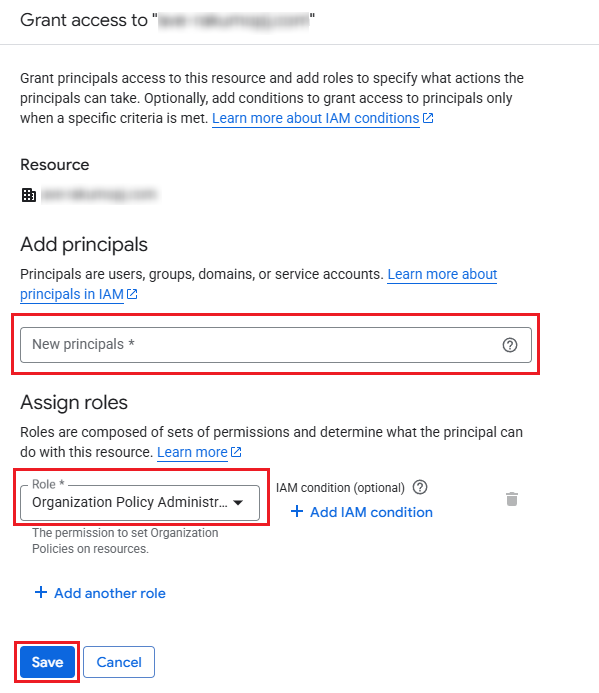
-
既存のプリンシパルを編集するには、プリンシパルの横にある プリンシパルを編集します (
 ) ボタンをクリックします。 In the panel of editing access, click Add another role, select the Organization Policy Administrator role from the Role drop-down list, and click Save.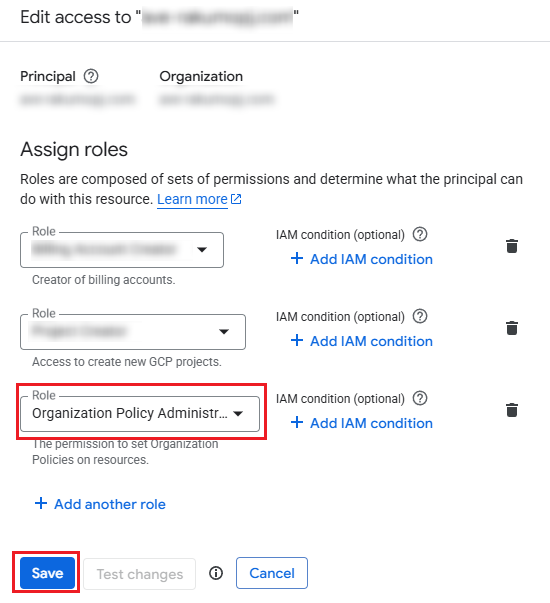
-
-
-
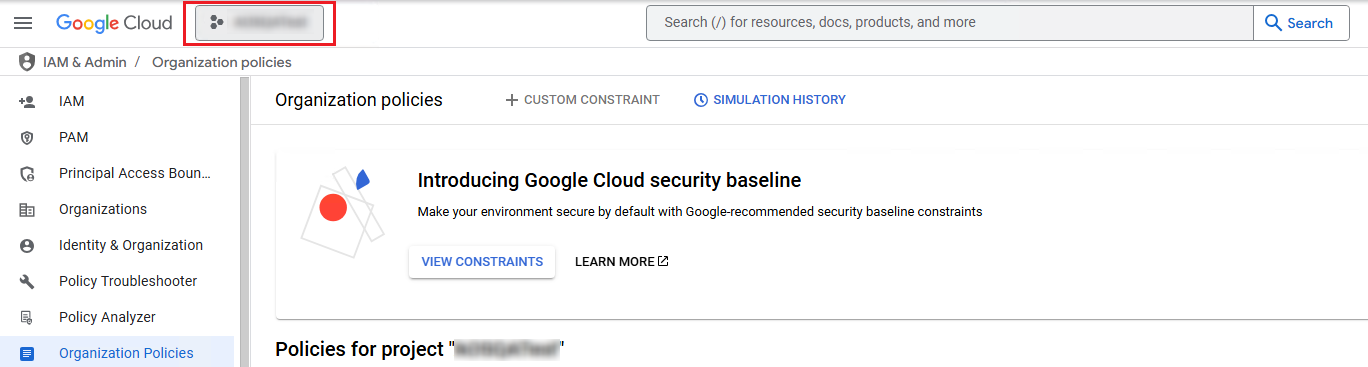
Go to .
-
リソース リストで、サービス アカウントを作成するプロジェクトを選択します。
-
From Disable service account creation, Disable service account key creation, and Disable service account key upload policies, click the policy that you want to turn off.
-
ポリシーのクリック後、ポリシーの詳細ページが表示されます。以下の説明を参照して、ポリシーをオフにすることができます。
-
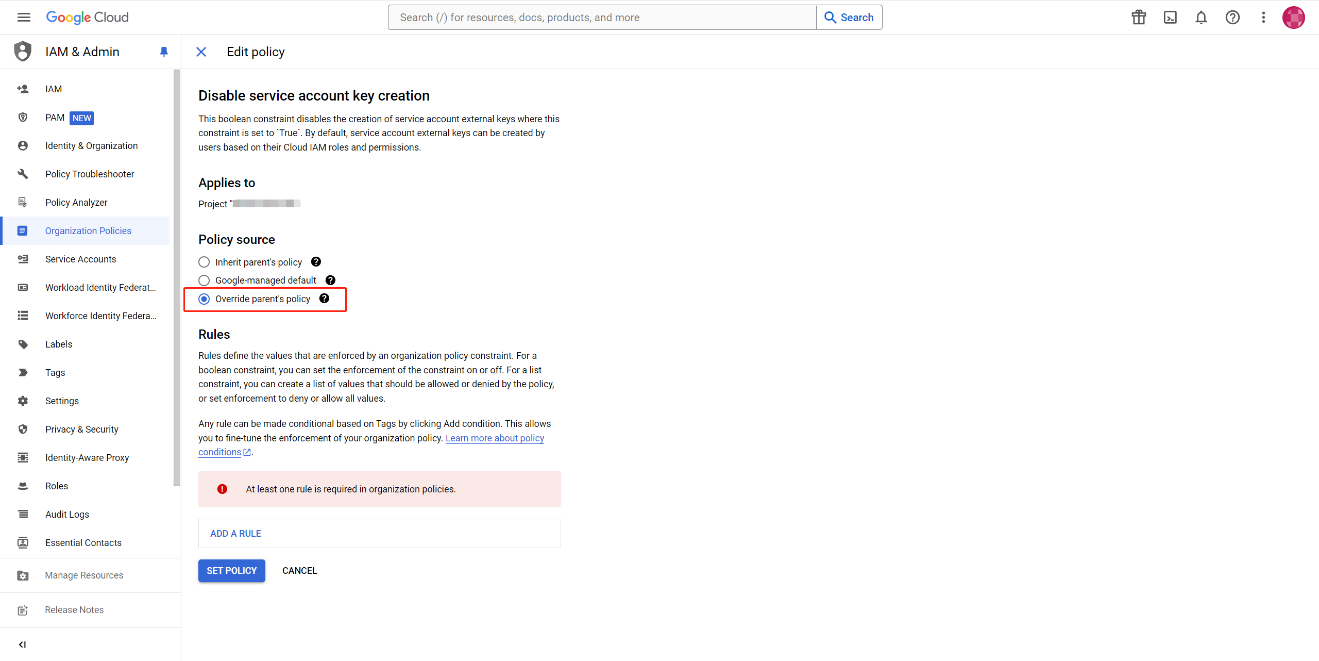
Click Manage policy.
-
親のポリシーをオーバーライドする を選択して、このプロジェクトの固有ポリシーを設定します。
-
Click Add a rule to add a new rule.

-
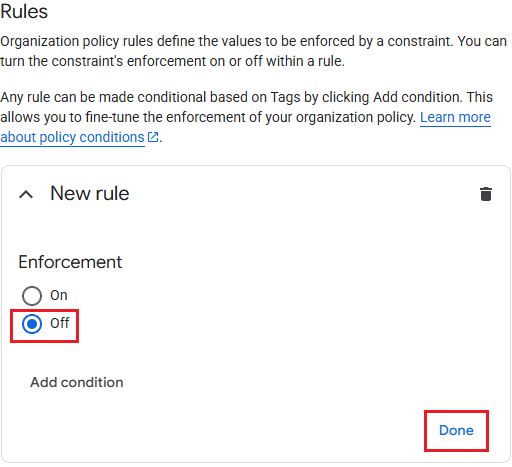
オフ を選択して、新しいルールの強制を無効化し、[完了] をクリックします。
-
Click Set policy.
-