Home > サービス アカウント プロファイルの管理 > Google Cloud サービス アカウント プロファイルの管理 > Google Cloud サービス アカウント プロファイルの作成
Export to PDFGoogle Cloud サービス アカウント プロファイルの作成
To create a Google Cloud service account profile, navigate to Management > Service account > Google Cloud service account, click Create under the Google Cloud service account tab, and then configure the following settings:
-
プロファイル名 – サービス アカウント プロファイルの名前を入力します。
-
サービスの選択 – ドロップダウン リストから目的のサービスを選択します。
-
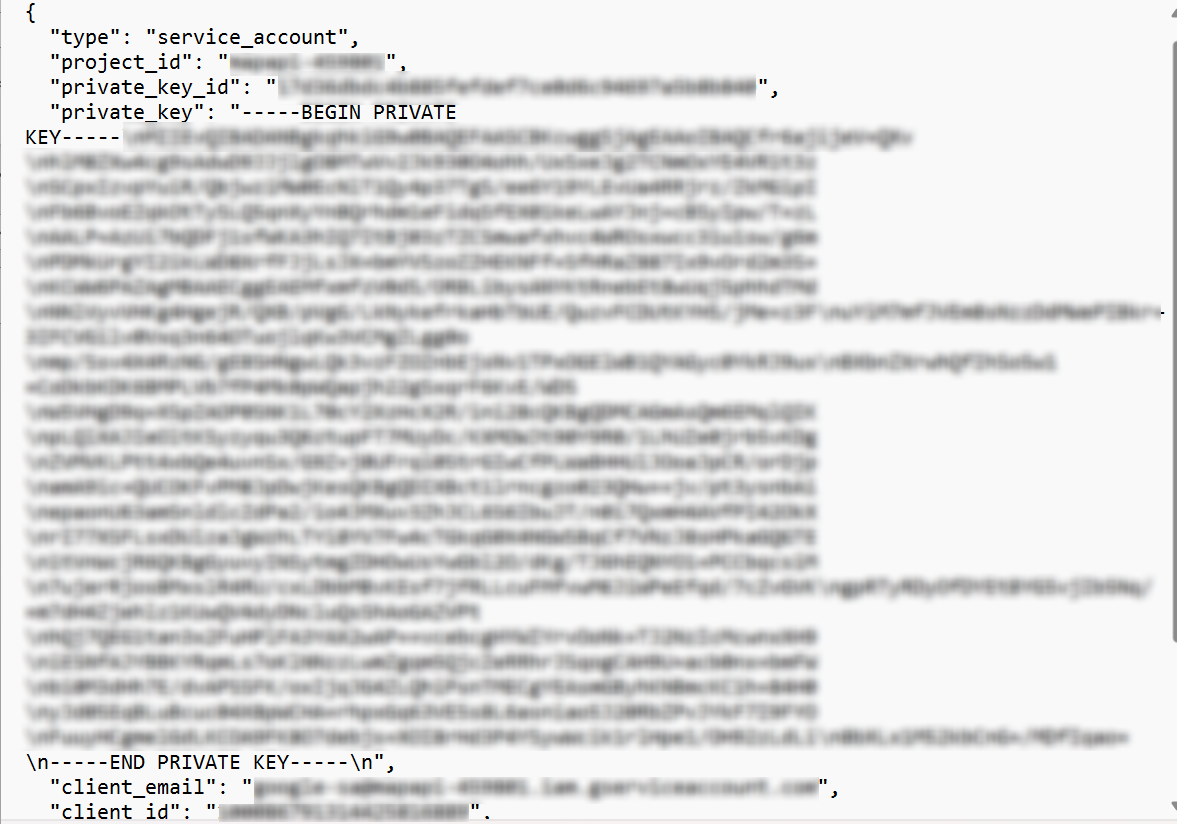
サービス アカウントのメール – サービス アカウントのキーを作成する際に Google Cloud プラットフォームからダウンロードされた JSON ファイルに含まれているクライアント メールを入力します。
-
秘密鍵 – サービス アカウントのキーを作成する際に Google Cloud プラットフォームからダウンロードされた JSON ファイルに含まれている秘密鍵を入力します。
-
プロジェクト ID – サービス アカウントのキーを作成する際に Google Cloud プラットフォームからダウンロードされた JSON ファイルに含まれているプロジェクト ID を入力します。****
*Note: For the Service account email, Private key, and Project ID values, refer to the instructions below to create the service account key and download the JSON file.
-
Go to .
-
左側ナビゲーションで [サービス アカウント] をクリックして、サービス アカウントが作成されたプロジェクトを選択します。

-
サービス アカウントをクリックして、鍵 タブをクリックします。
-
[キーを追加] をクリックして、ドロップダウン リストから 新しい鍵を作成 を選択します。

-
Select the JSON key type and click Create.
-
ダウンロードされたファイルを開いて、project_id、private_key、client_email の値を確認します。