Data Resiliency
This dashboard provides Microsoft 365 administrators with a centralized tool for monitoring data resilience. It tracks storage consumption, backup data, and associated costs, offering actionable insights to optimize storage usage and enhance data protection. By addressing the challenges of managing data across Microsoft 365 services, the dashboard empowers IT managers to improve data management efficiency and reduce expenses in a digital workspace.
Data Resiliency includes the following reports:
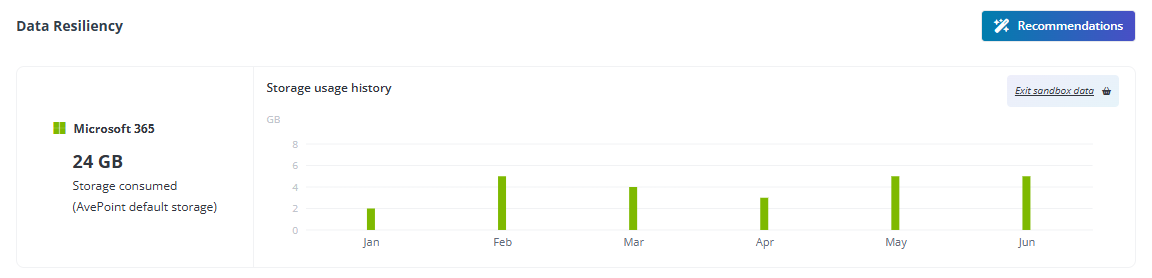
- The value of consumed storage and the **Storage usage history** bar chart.
- **Workspace overview** – Monitor the status of your organization’s protected workspaces.

To utilize the full functionalities of this report, you need a subscription to Cloud Backup for Microsoft 365.
Recommendations
Refer to the following recommendations and complete configurations to fulfill the utilization of the Data Resiliency command center.
- **Enable Backup Express** – Backup Express is tailored for large data volumes, leveraging Microsoft 365 backup storage to achieve recovery speeds of up to 3 Terabytes per hour. It offers rapid backups with multiple recovery points each hour and supports SharePoint Online, OneDrive, and Exchange Online, ensuring one year of retention within the Microsoft security boundary. You can click the link () to visit the website and learn more details.
- **Optimize backup frequency for low-impact data** – Prioritize backup resources for critical data by reducing backup frequency or excluding low-impact data. This approach minimizes storage consumption and enhances backup efficiency. You can click the link () to access Cloud Backup for Microsoft 365 and set up configurations.
