Home > Report Center > View Storage Consumption Report > AvePoint Cloud Backup Express
Download this articleAvePoint Cloud Backup Express
For AvePoint Cloud Backup Express subscriptions with multi-Geo enabled, the Storage consumption report is provided with a comprehensive overview of backup storage and usage.
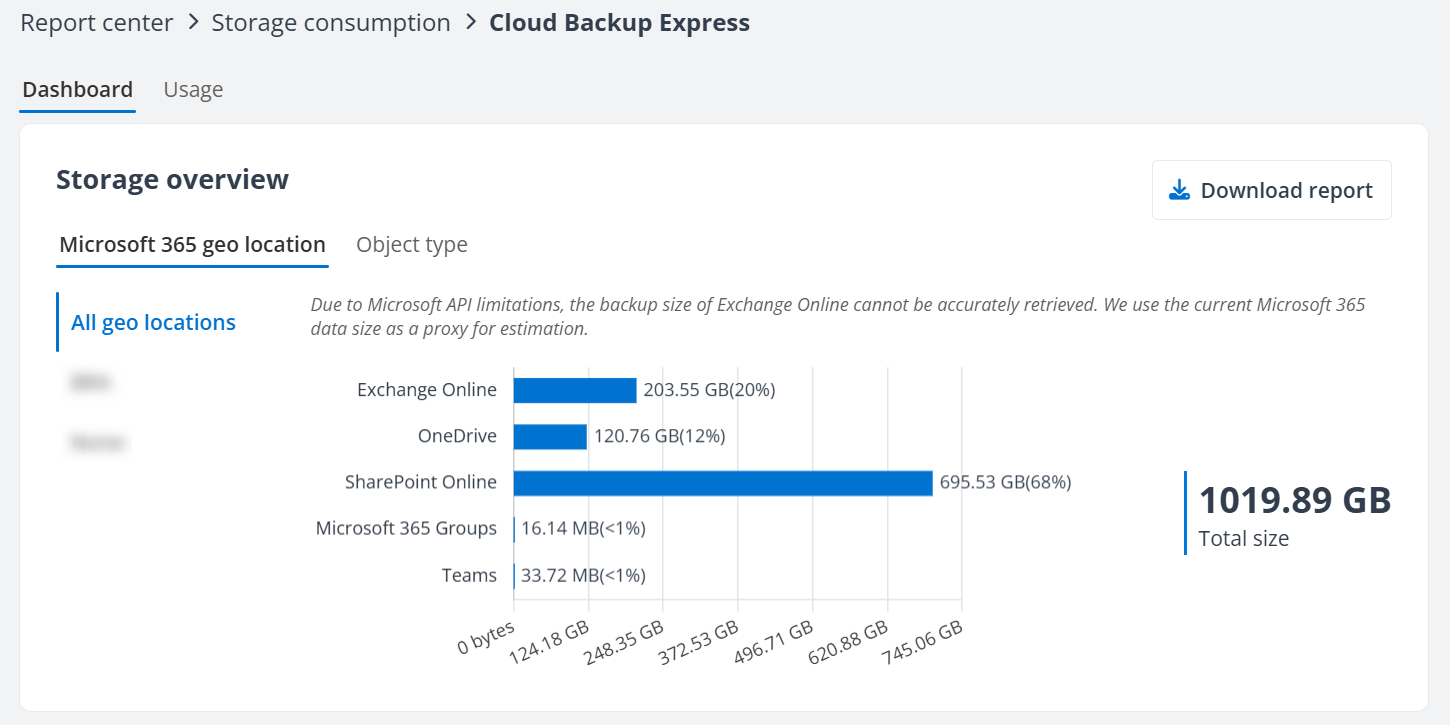
Within the Dashboard tab, you can view detailed storage consumption data by Microsoft 365 geo location and object type. To save a copy of the storage overview, click the Download report (  ) button in the upper-right corner and export the data as an XLSX file.
Usage Tab
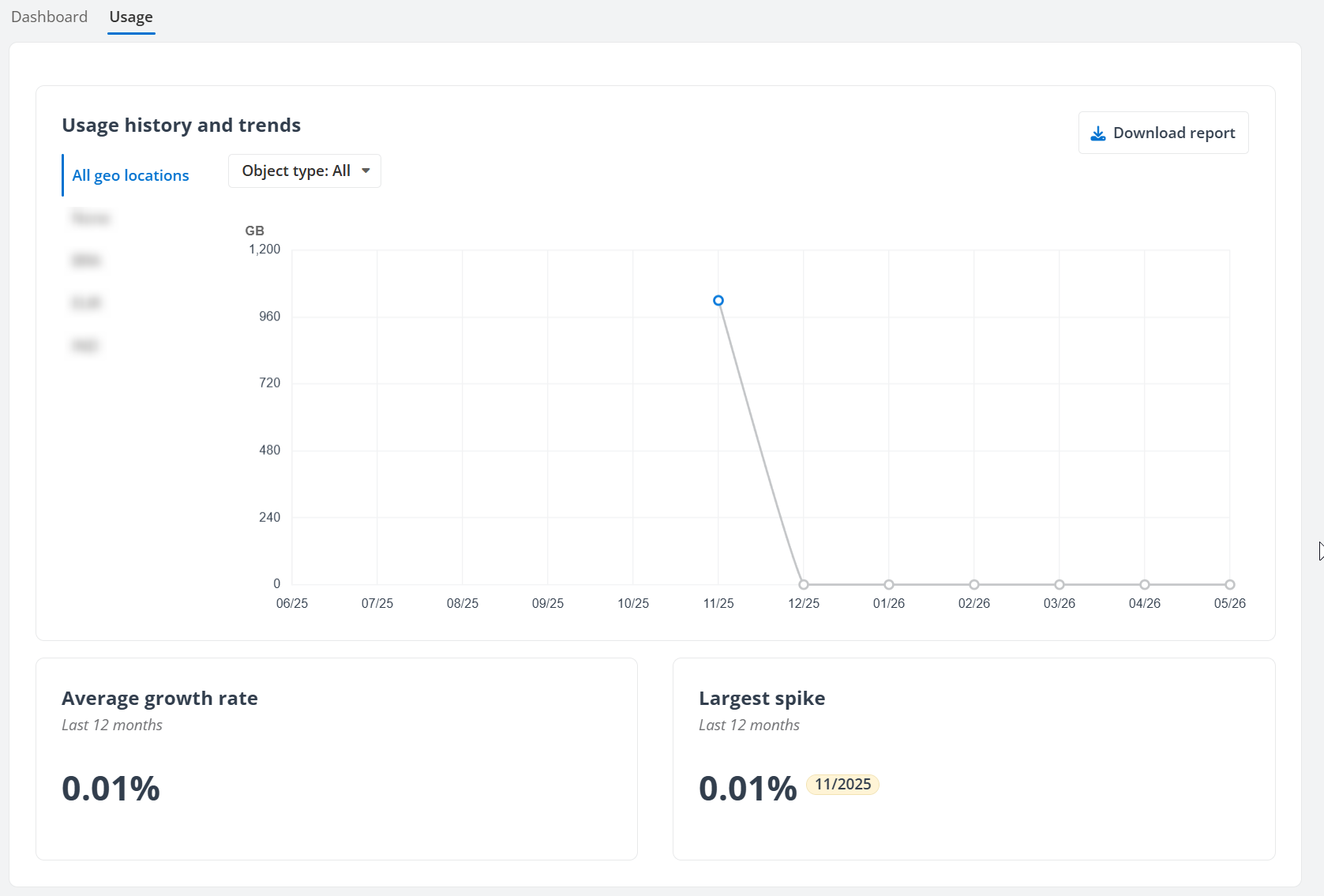
The Usage tab offers a historical view of storage usage history and trends. It enables you to analyze data across all Microsoft 365 geo locations or drill down to a specific location. Additionally, you can select to display usage trends for all object types or focus on a particular object type. The tab also presents the average growth rate over the past 12 months and highlights the largest spike in storage usage, providing valuable information for effective storage management and planning.
You can also click Download report to download the report to your computer for further analysis.