
Home > Monitor Subscription Consumption > AvePoint Cloud Backup Express
Download this articleAvePoint Cloud Backup Express
The subscription consumption report provides your subscription details and utilization, helping you understand how your subscription to AvePoint Cloud Backup Express is consumed.
With an enterprise subscription, if your subscription becomes out of policy:
-
Per-GB Subscription – New objects are no longer backed up. Existing objects continue to run incremental backups for 90 days before the backup job stops completely.
-
Per-User Subscription – New objects are no longer backed up, but existing objects continue to run incremental backups.
With a trial subscription, you can back up at most 5 objects for each Microsoft 365 service type and there is a total protected data size limit of 50 GB by default. The subscription consumption report displays in how many days your subscription will expire.
AvePoint Cloud Backup Express provides two primary subscription models: Per-GB Subscription and Per-User Subscription. For subscription details, refer to the following:
Per-GB Subscription
The Per-GB Subscription protects unlimited users with a fixed per-GB rate. The backup scope is measured weekly based on Microsoft 365 object data size. In the Subscription utilization section, you can get a glance at the capacity of your purchased subscription, and the percentage of the consumed subscription.
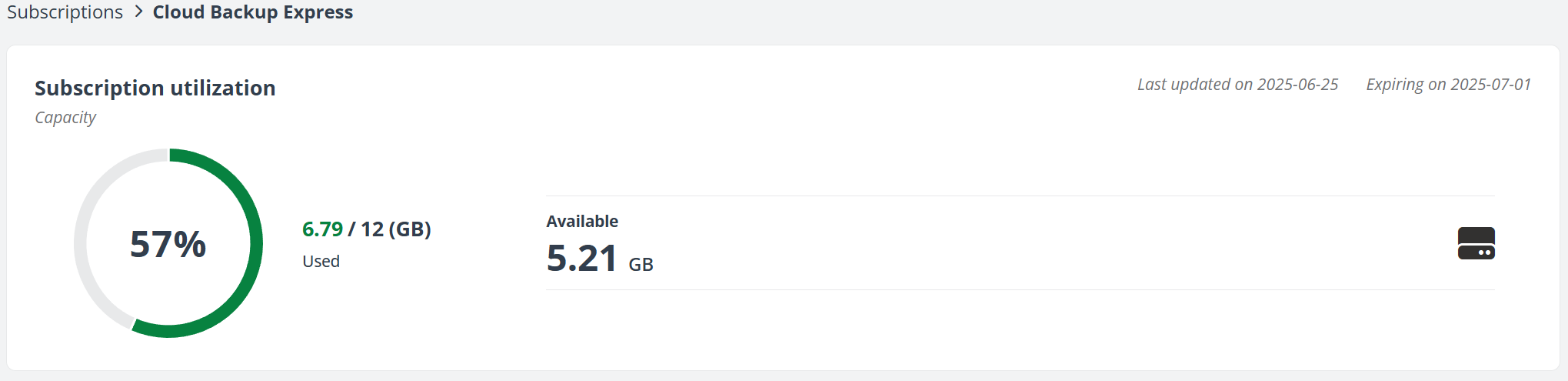
For Cloud Backup Express subscriptions with multi-Geo enabled:
-
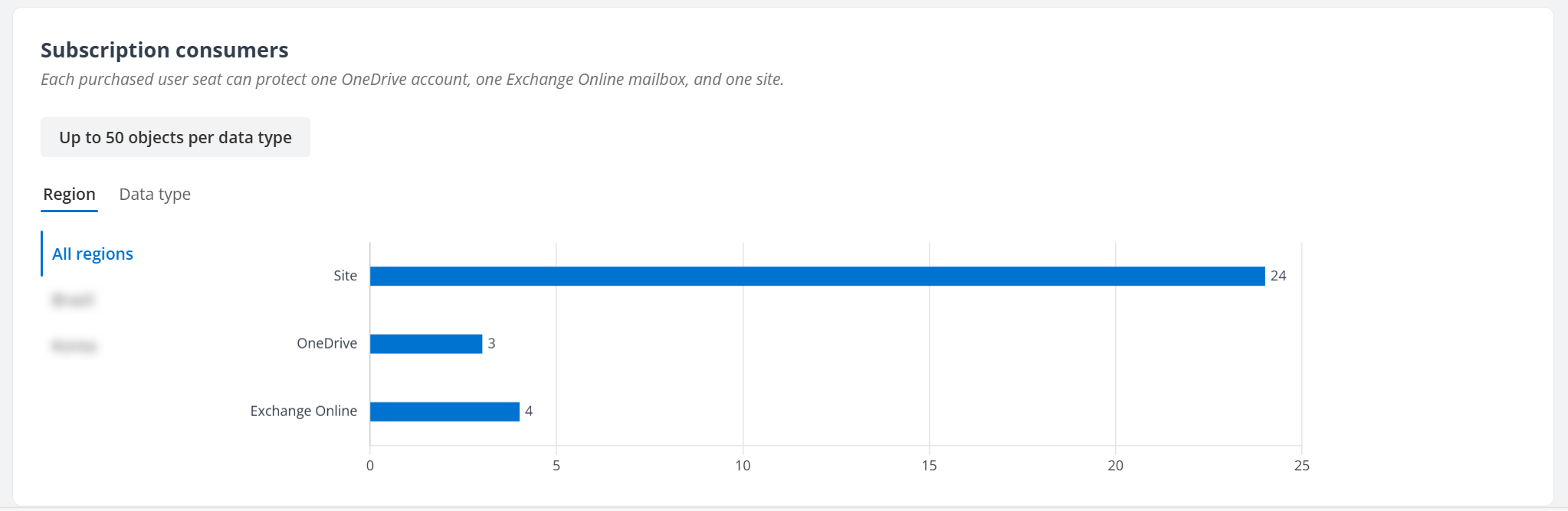
Sign in with the Central AOS Location – View the overall capacity of your purchased subscription and the percentage consumed. You can also view subscription consumers by region and data type.
-
Sign in with other regions – View subscription consumers by data type specific to the current region.
Per-User Subscription
Per-User Subscription protects unlimited content across your organization with a fixed per-user rate. Each purchased user seat can protect one OneDrive account, one Exchange Online mailbox, and one site (including SharePoint Online site, Teams site, and Microsoft 365 Group site).
In the Subscription utilization section, you can get a glance at the user seats of your purchased subscription, and the percentage of the consumed subscription. The Number of objects consumed section lists the subscription usage for OneDrive accounts, Exchange Online mailboxes, and sites.
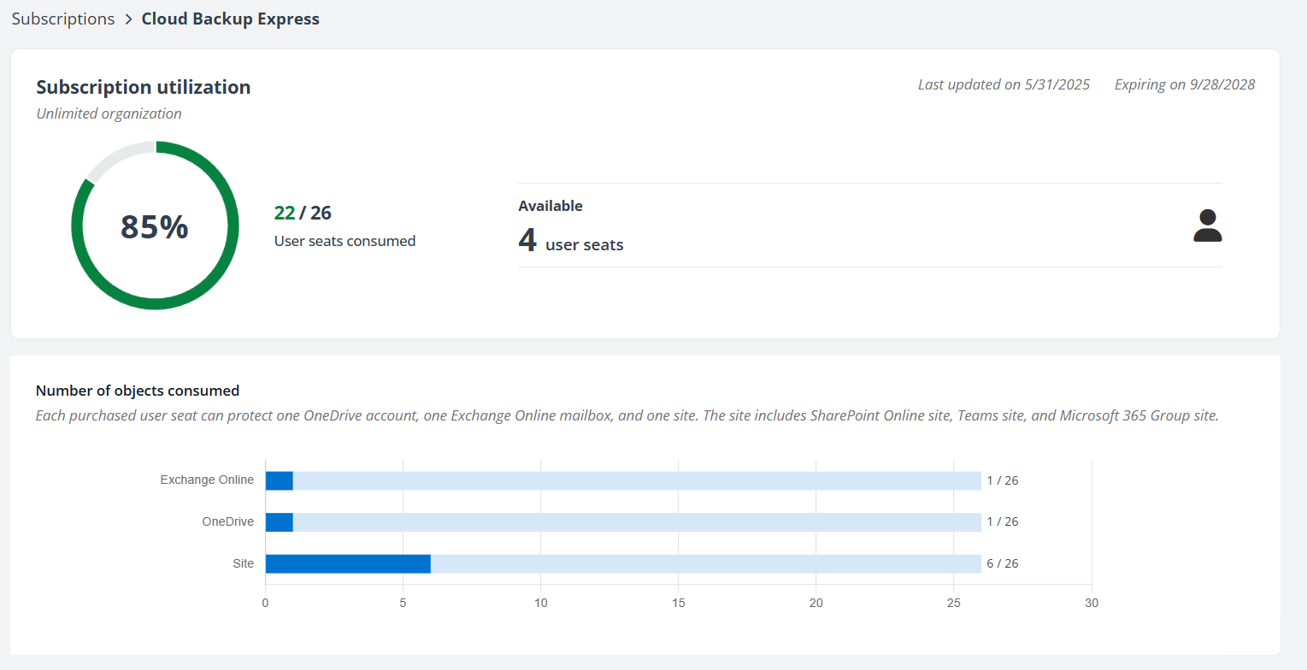
For AvePoint Cloud Backup Express subscriptions with multi-Geo enabled, you can view subscription consumers by Microsoft 365 geo location and data type.
Your subscription will be out-of-policy if:
-
The number of your Microsoft 365 assigned user seats exceeds the number of user seats you purchased for AvePoint Cloud Backup Express.
-
The number of protected OneDrive account, Exchange Online mailbox, or site (including SharePoint Online site, Teams site, and Microsoft 365 Group site) exceeds the number of user seats you purchased for AvePoint Cloud Backup Express.