Home > Monitor and Manage Your Backup > AvePoint Cloud Backup Express
Download this articleAvePoint Cloud Backup Express
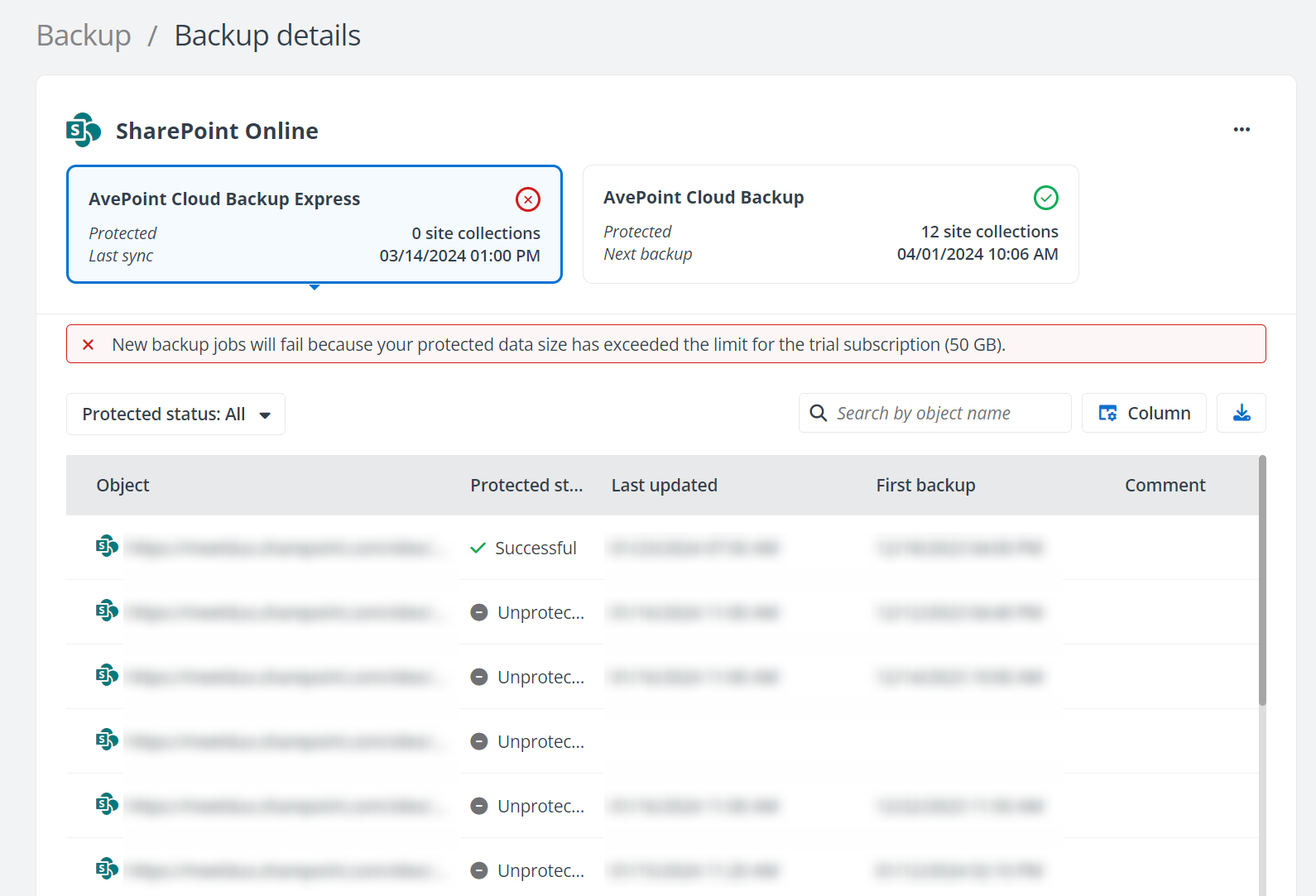
For services protected by AvePoint Cloud Backup Express, the Backup details page displays all protected objects and their last backup status, time to update the status and first backup time. The Warning (  ) icon appears when some objects encounter errors in the backup. The objects which are no longer protected in the backup scope will be marked as Unprotected.
You can filter the objects by Protected status or search for the desired objects by their names. To customize the columns shown here, click the Column button. You can also click the Download (  ) button to download a report for the backup details of all objects in this service protected by AvePoint Cloud Backup Express.