
Home > Stop a Backup in Progress
Download this articleStop a Backup in Progress
To stop a backup job in progress, follow the steps below:
-
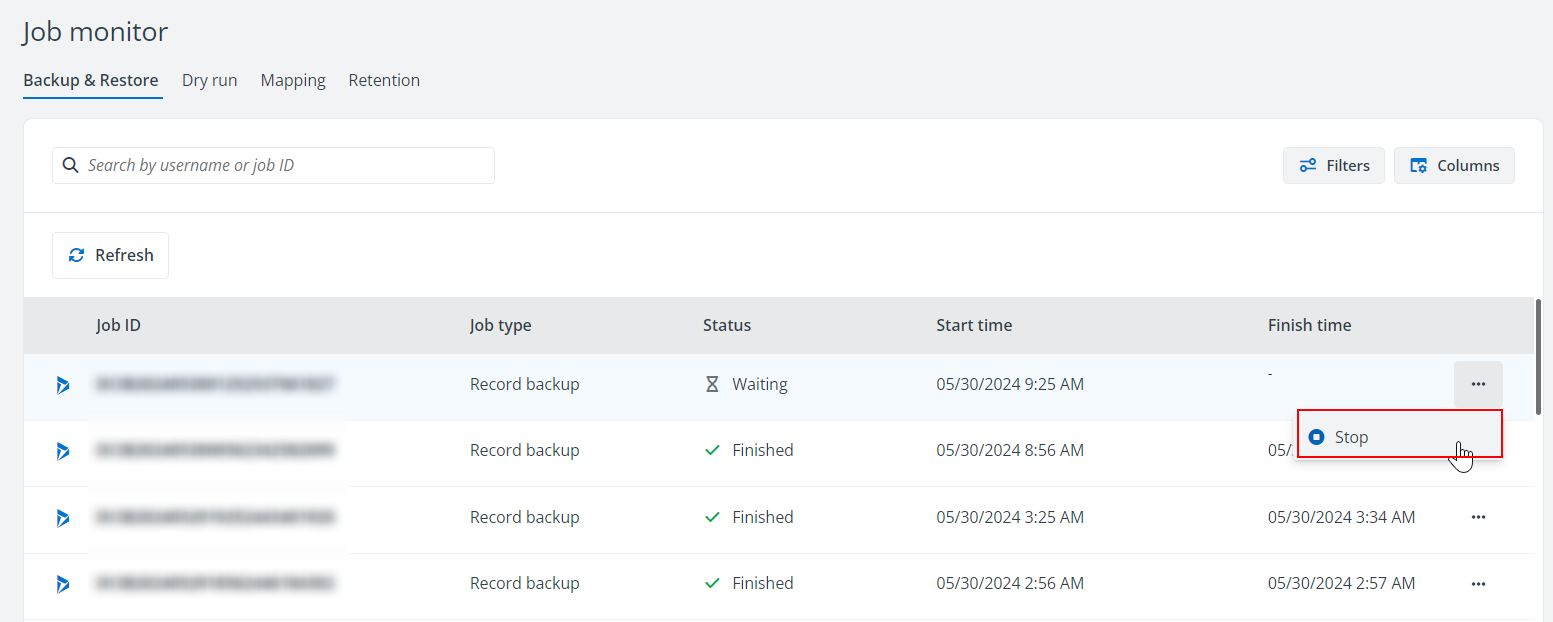
Go to the Job monitor > Backup & Restore tab.
-
Find the job that you want to stop, and click the Stop option from the More actions button.
-
Click OK on the confirmation window to stop the job. The backup job will be set to failed and you can download the job report for details. For details on downloading a job report, refer to Download a Job Report.
On this page