
Home > Manage Your Storage
Download this articleManage Your Storage
Cloud Backup for SaaS Applications supports use your own storage for application resilience. Navigate to Settings > Storage profiles, and all the storage profiles are displayed in the table.
If you are using your own storage, you can choose to use the following storage type: Microsoft Azure Blob Storage and Google Cloud Storage. In addition, if you may have set up the storage firewall to only allow trusted clients to access your storage, read the instructions in the Allow AvePoint Agent Servers to Access Your Storage Account section carefully and complete the settings as needed.
If you have updated your subscription from using default storage to your own storage, you must navigate to this page, click Change to my own storage link to configure the storage profiles connecting to your own storage. Otherwise, the backup will be interrupted.
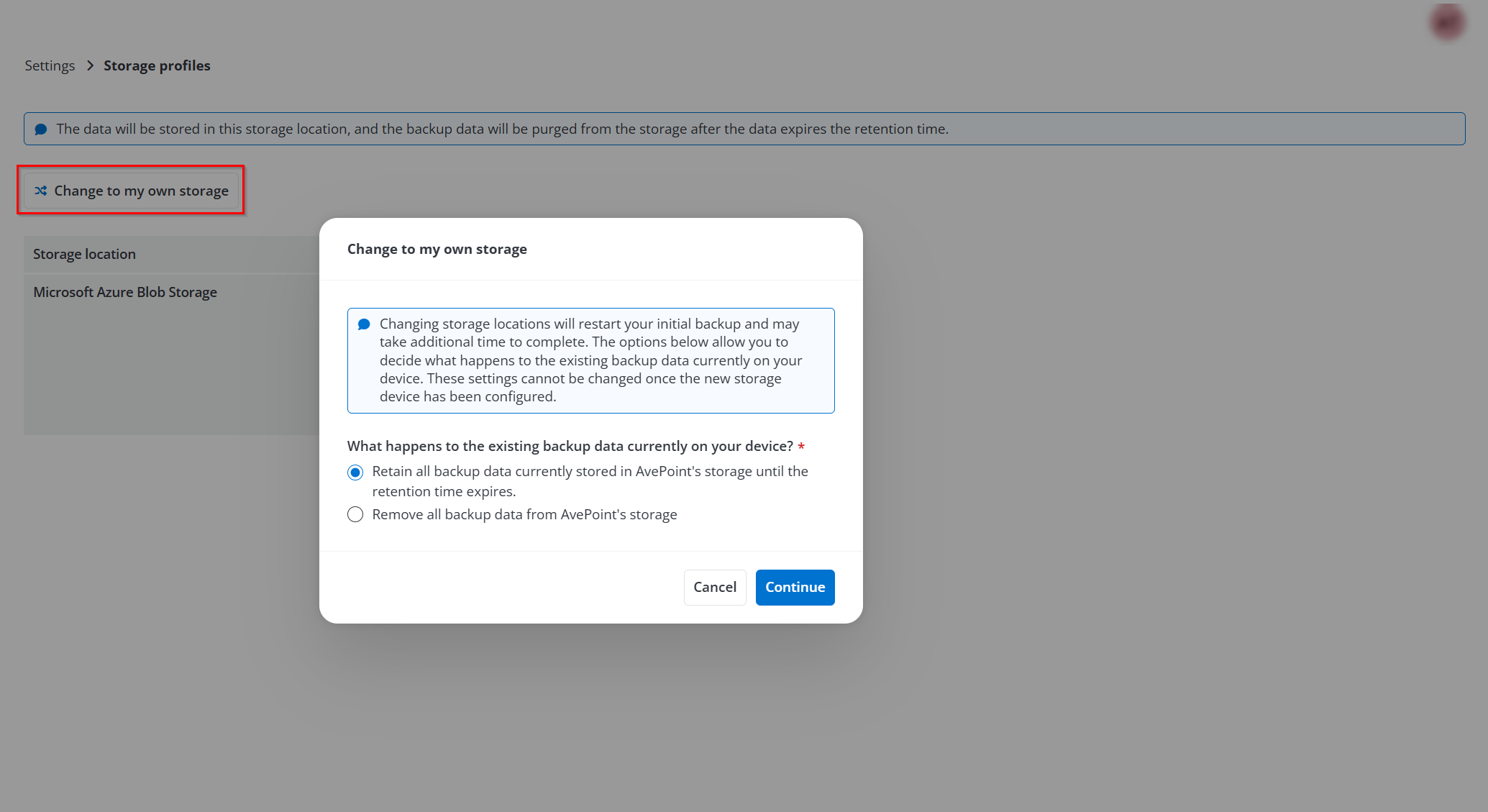
If you updated the subscription by using your own storage to default AvePoint storage, the backup service will force a full backup for the subsequent backup job in the schedule and automatically store the backup data to the default AvePoint storage. The legacy backup data stored on your own storage can still be used for restoring until it expires the retention period.
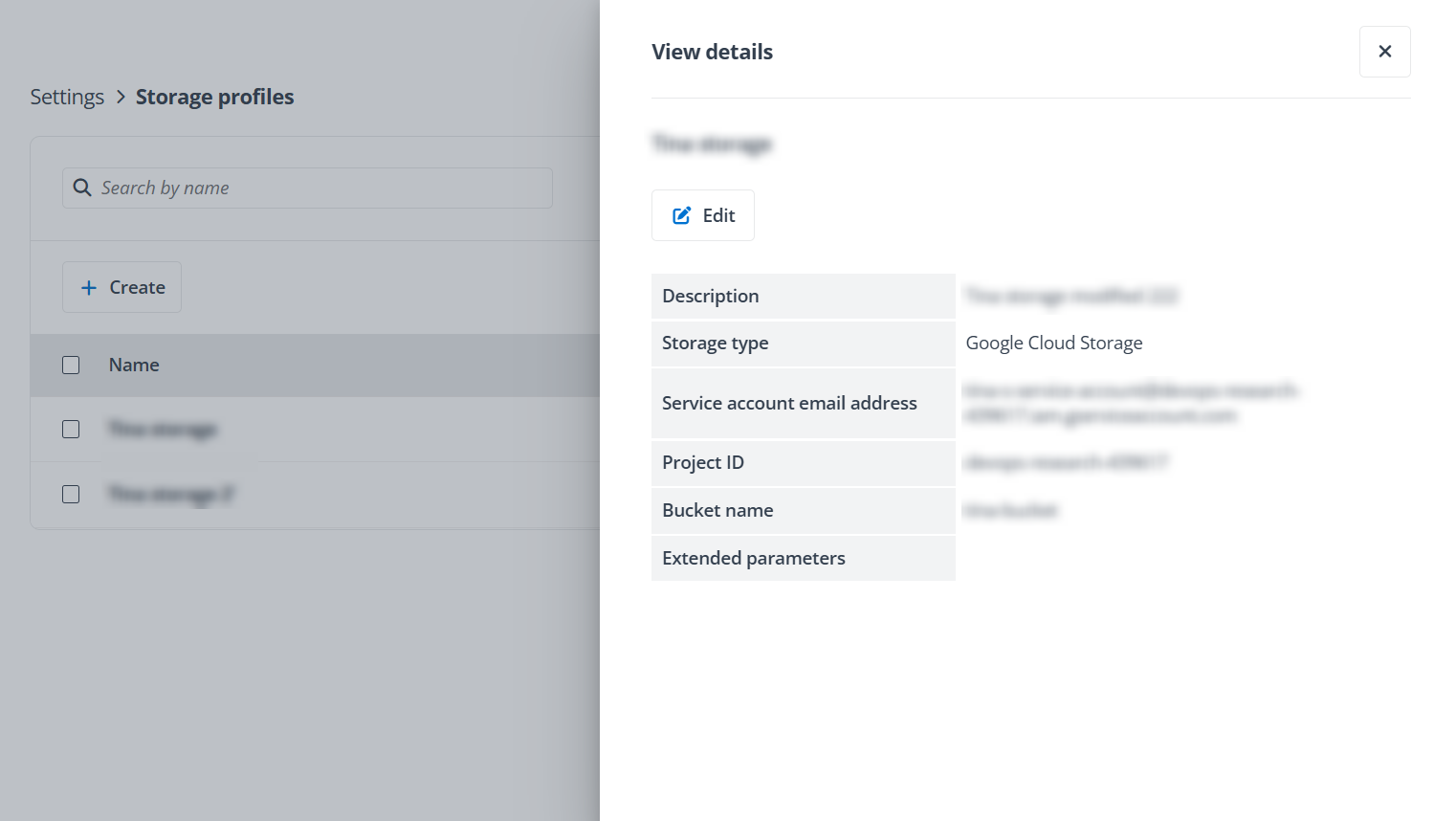
You can click the storage profile name to view the details of the storage location and click Edit to update the profile information. The storage information, apart from its path information, can be modified.
Follow the instructions below to create a storage profile:
-
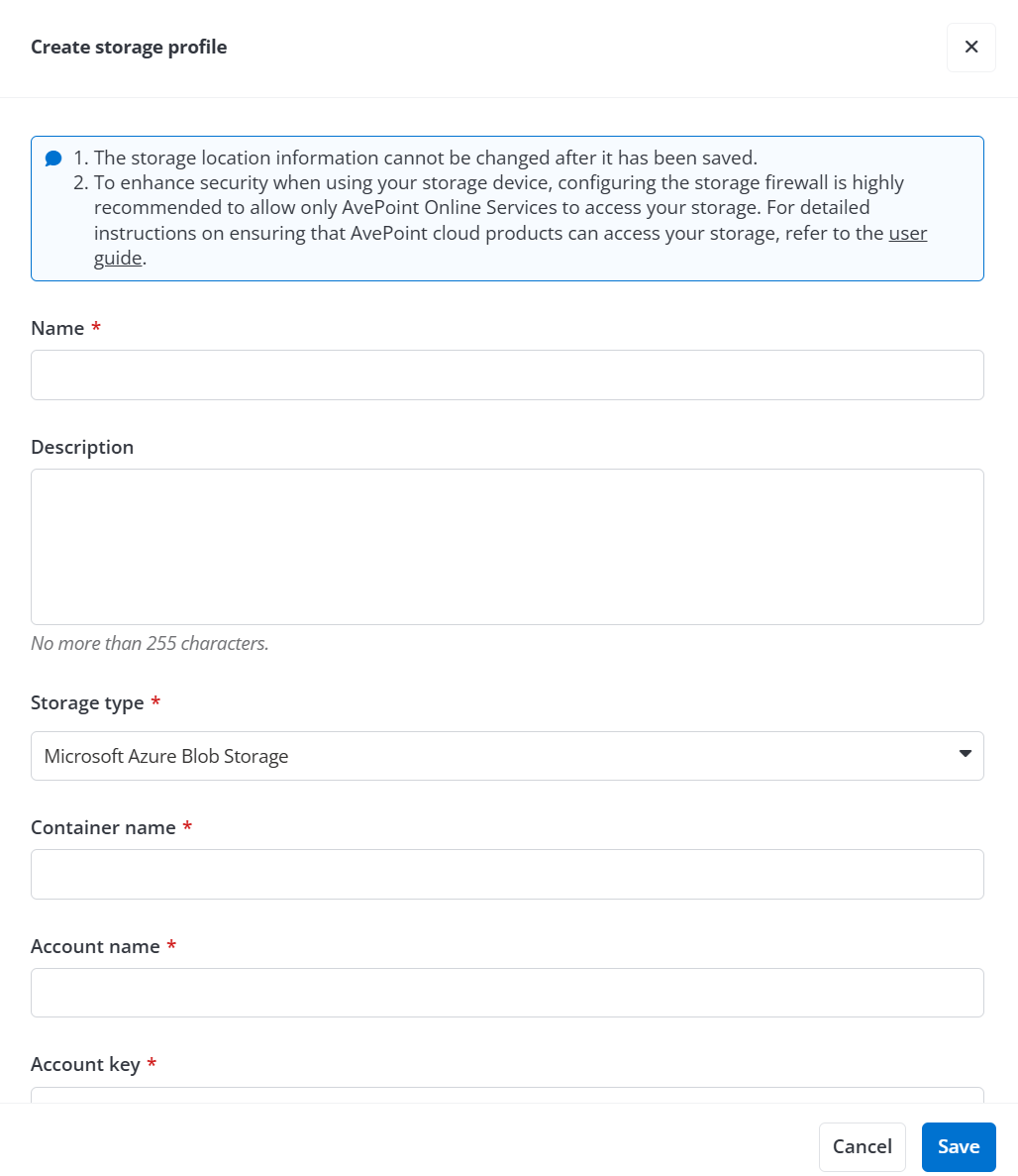
In the Storage profile page, click the Create button. The Create storage profile pane appears on the right.
-
Enter a profile name for the storage location that you want to connect to and provide an optional description.
-
In the Storage Type field, select a storage type from the list and then refer to the following sections for the storage configuration.