Home > Command Centers > Operational Efficiency
Download this articleOperational Efficiency
This dashboard integrates reports from various services, led by Cloud Governance and Policies for Microsoft 365. You can filter specific data types using the filter on the upper-right corner of the Operational Efficiency Command Center. Click Filter to select data types, and then click Apply. If your tenant does not have a subscription to a specific service, you can click Show sandbox data to view sample reports or click Contact sales to purchase a subscription.
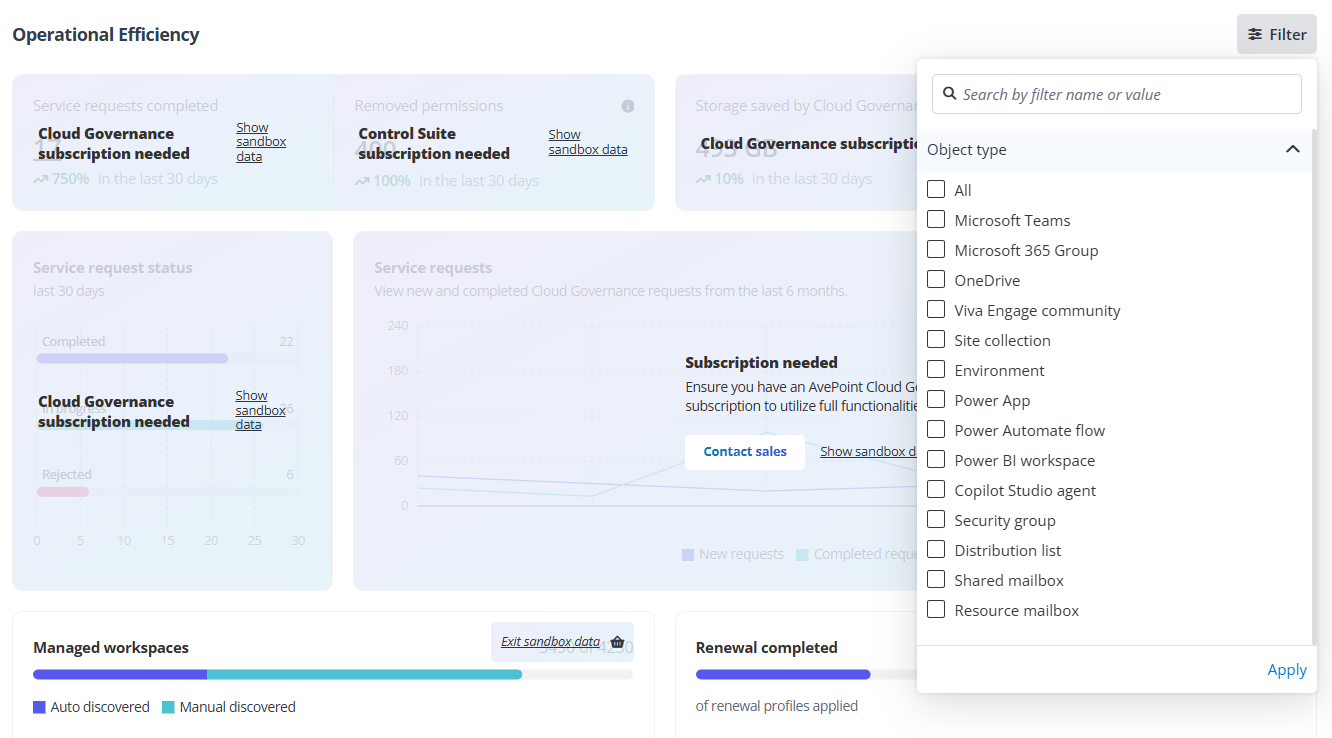
Refer to the following sections for details of each report.
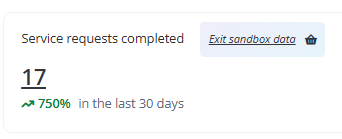
Service requests completed
Track the number of completed service requests over the past 30 days. To use this report, you need a subscription to Cloud Governance.
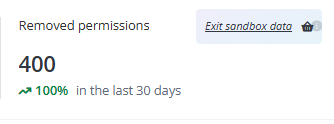
Removed permissions
Track the number of permissions removed over the past 30 days. To use this report, you need a subscription to any of the following services: Cloud Governance, Insights, Policies for Microsoft 365, EnPower, MyHub, and Cense.
Storage saved by Cloud Governance
Track the amount of storage saved by Cloud Governance (including archived and deleted storage) over the past 30 days. To use this report, you need a subscription to Cloud Governance.

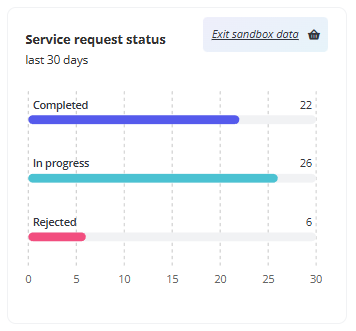
Service request status
Manage the statuses of Cloud Governance requests over the past 30 days. To use this report, you need a subscription to Cloud Governance.
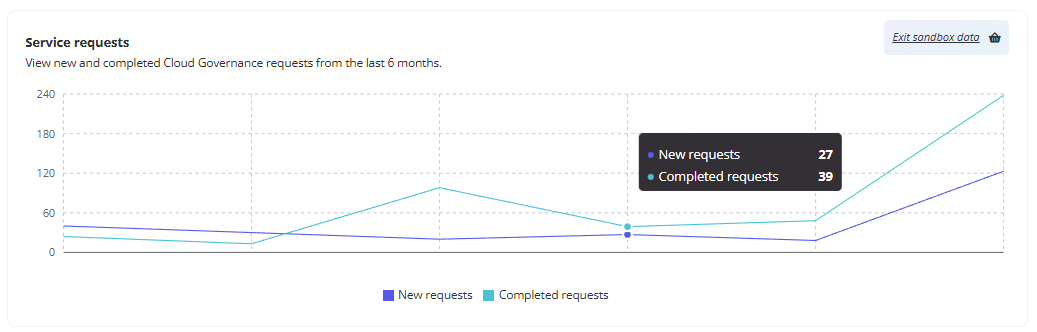
Service requests
View new and completed Cloud Governance requests from the last 6 months. To use this report, you need a subscription to Cloud Governance.
Managed workspaces
Track workspaces by how they were discovered, out of all managed. To use this report, you need a subscription to Cloud Governance.

Renewal completed
Calculate the number of completed renewal out of the renewal profiles applied. To use this report, you need a subscription to Cloud Governance.

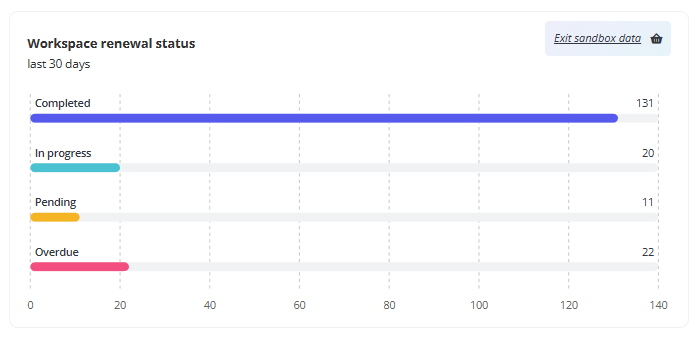
Workspace renewal status
Analyze the renewal statuses of managed workspaces over the past 30 days. To use this report, you need a subscription to Cloud Governance.
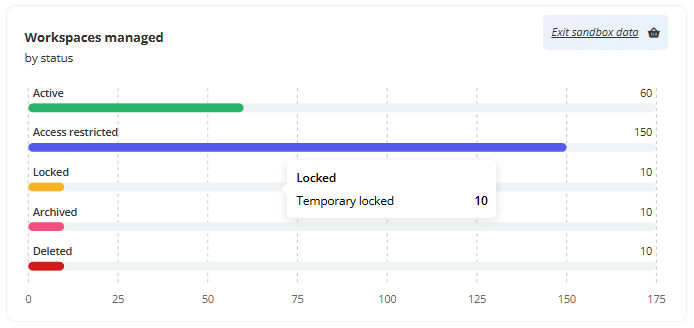
Workspaces managed
View the number of managed workspaces distributed across different statuses. To use this report, you need a subscription to Cloud Governance.
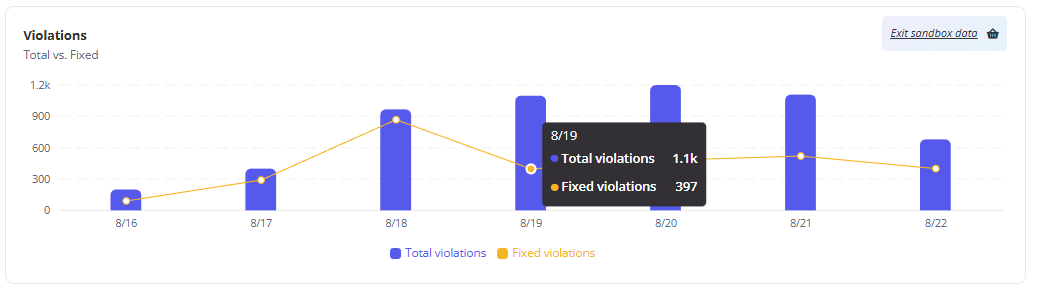
Violations
Monitor resolved versus total violations over the last 7 days. To use this report, you need a subscription to Policies for Microsoft 365.
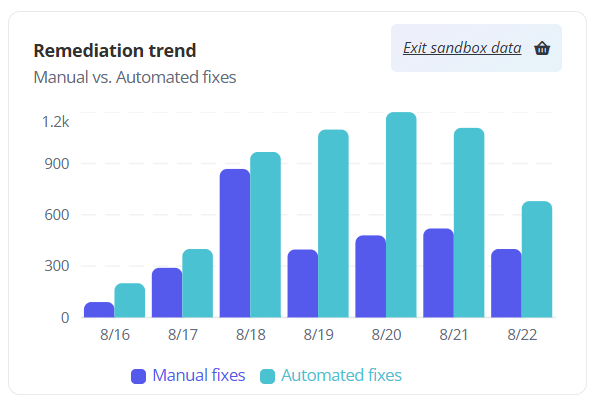
Remediation trend
Track the number of manually fixed versus automatically fixed violations. To use this report, you need a subscription to Policies for Microsoft 365.
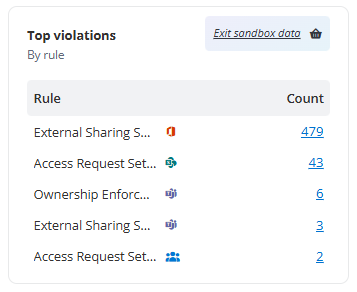
Top violations
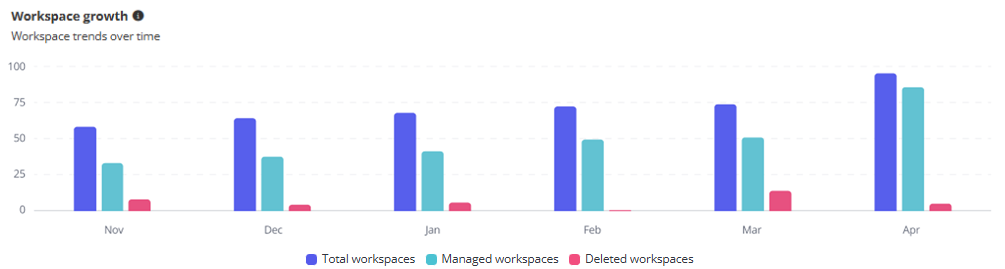
Track workspace growth over the past six months, including total, managed, and deleted workspaces. To use this report, you need a subscription to Policies for Microsoft 365.
Workspace growth
Track workspace growth over the past six months, including total, managed, and deleted workspaces. All tenant users in AOS can view data on this report.
Total workspaces are collected from AvePoint Online Services scan jobs, managed workspaces are collected from items scanned into AvePoint Online Service containers, and deleted workspaces are collected from Control Suite products (including Cloud Governance, Policies for Microsoft 365, EnPower, and MyHub).
The Workspace growth report will begin collecting data on total and managed workspaces starting from October. Additionally, it will start tracking deleted workspaces from December. Please note that no data will be available for this report prior to October 2025.