
Home > Command Centers > Data Resiliency
Download this articleData Resiliency
Data Resiliency is a comprehensive dashboard for monitoring and optimizing data resiliency across all cloud platforms that your tenant has connected.
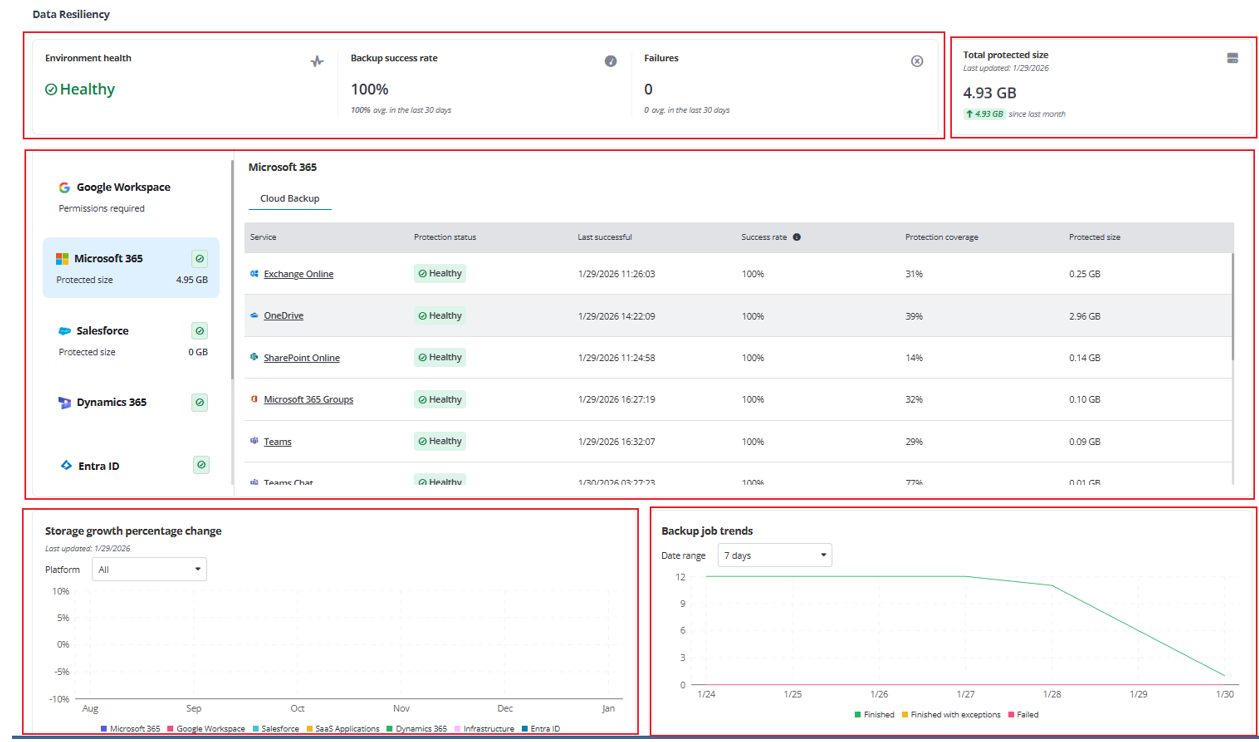
At the top of the dashboard, the following reports are displayed:
-
Environment health – Provide an overall health status across all protected environments, including the backup success rate and the number of failed backup jobs.
-
Healthy status indicates that all backup jobs have completed successfully.
-
Exceptions detected status signifies that at least one backup job completed with exceptions.
-
Failures detected status means that one or more backup jobs have failed.
-
-
Total protected size – Show the actual data size of all objects included in the backup scope.
In the center of the dashboard, the summary cards and information tables are provided for all protected services. You can do the following:
-
Choose a protected platform from the left pane and view detailed information in the table on the right.
Note the following:
-
If your Cloud Backup for Microsoft 365 enterprise subscription has multi-geo capabilities, you can select a geo location from the list on the upper-right corner of the details table.
-
Organizations using Cloud Backup for SaaS Applications but haven’t covered all applications can click Explore additional applications at the bottom of the details table.
-
-
If your tenant doesn’t cover all backup services, click Explore additional products at the bottom of the left pane.
Then, the Explore available services window appears. You can explore cloud platforms and services under the Platforms tab, and explore additional applications under the Applications tab.
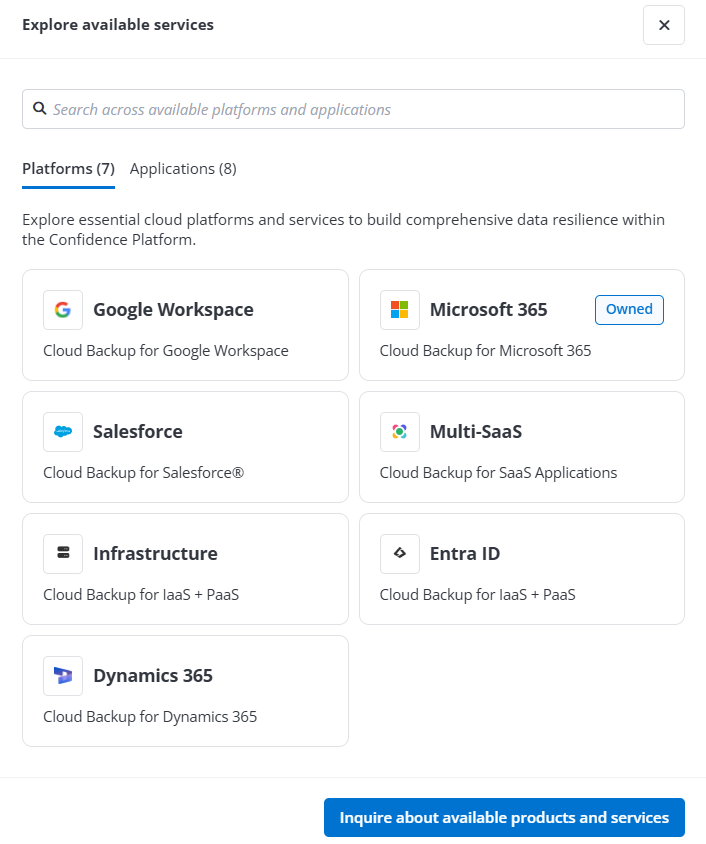
If you want to learn more, click the Inquire about available products and services link to contact AvePoint representative.
At the bottom of the dashboard, the following charts are displayed:
-
Storage growth percentage change – Show the percentage change in storage size by platform over the last 6 months.
-
Backup job trends – Show trends in backup job status across all platforms within a specific time range.