Home > Administration Reports: Configuration Reports > Advanced Report Data Types
Download this articleAdvanced Report Data Types
Sharing Outside Your Company
Want to generate a report to see whether a site collection has restricted any domains from external sharing and view the domains that are allowed or blocked for external sharing?
In the Please configure report setting area, click General Settings and select the Sharing Outside Your Company option.
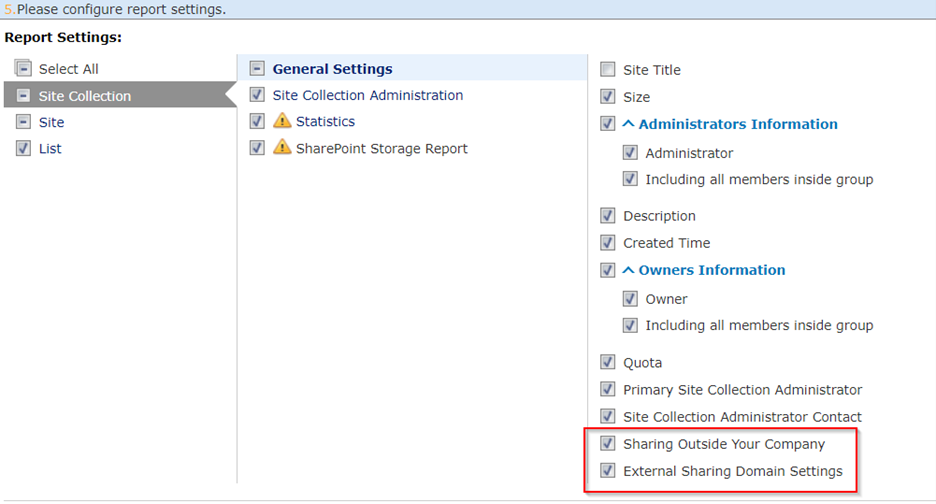
Reporting on Sharing Outside Your Company is only available on the site collection level, and this information will be displayed on the Summary sheet of the Configuration Reports.
List or Library Templates
You can use Configuration Report to report on the templates that the lists or libraries use in your report scope.
Hidden lists and libraries and the following lists and libraries cannot be reported on templates at List level reporting: Reviewed Items, Related Links, Site Pages, Site Assets, Preservation Hold Library, and Solution Gallery.
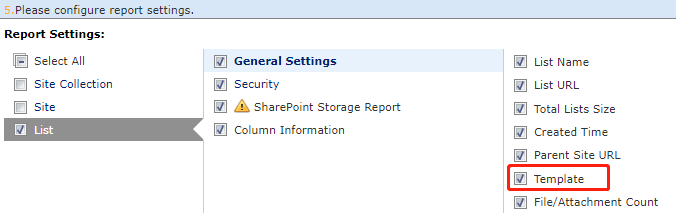
To run Configuration Reports to report on the list/library templates, go to Report Settings, select List to configure the list-level report settings, and then select the Template option.
List or Library Columns
Configuration Report can now include all the column information for lists and libraries.
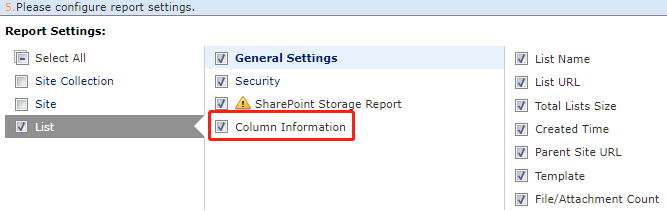
When you generate Administration Reports, you can select Column Information from the List report settings to show the list or library column information. The summary report will display all the column information in an independent sheet; the detailed report will show the column information in the corresponding list.
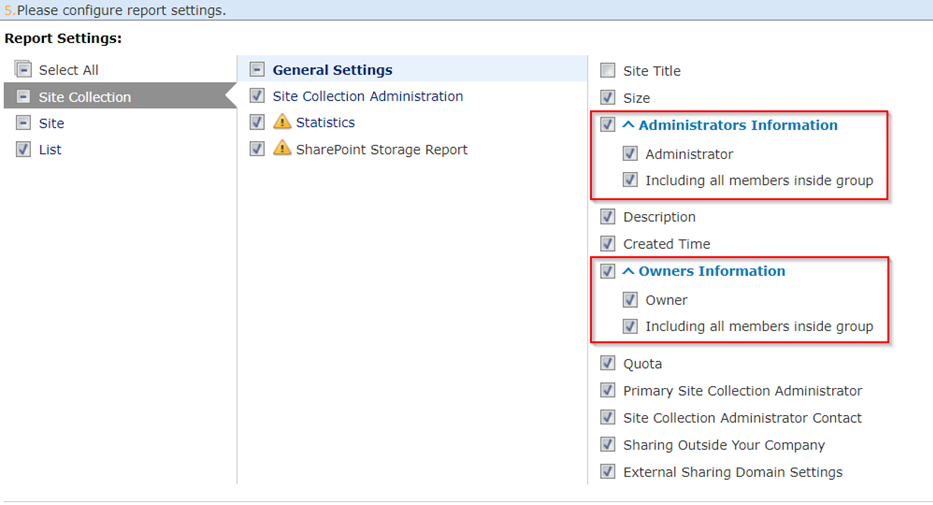
Include Group Members
You can choose to include the members inside the Administrators group and Owners group for Configuration Reports to show the exact users with permissions to the site collections and sites.
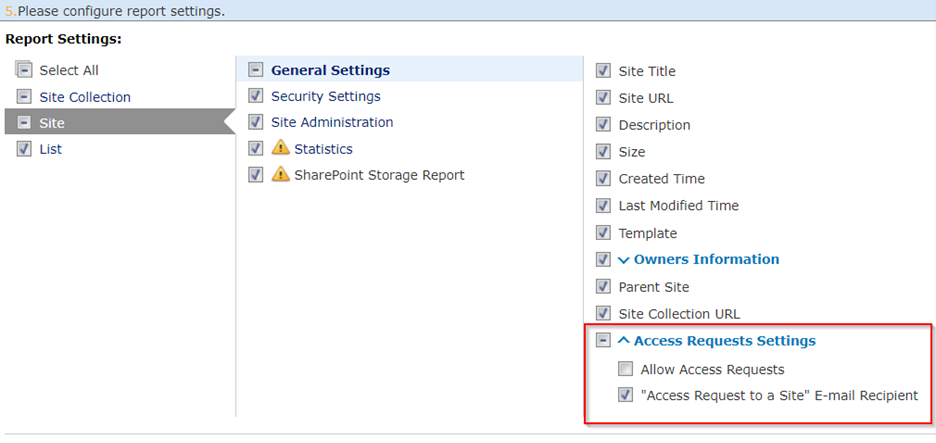
Access Request E-mail Recipients
You can run Configuration Reports to report on whether the sites in your report scope allow access requests and the access request e-mail recipients.
Include the Hidden Lists and Document Libraries in the Configuration Report
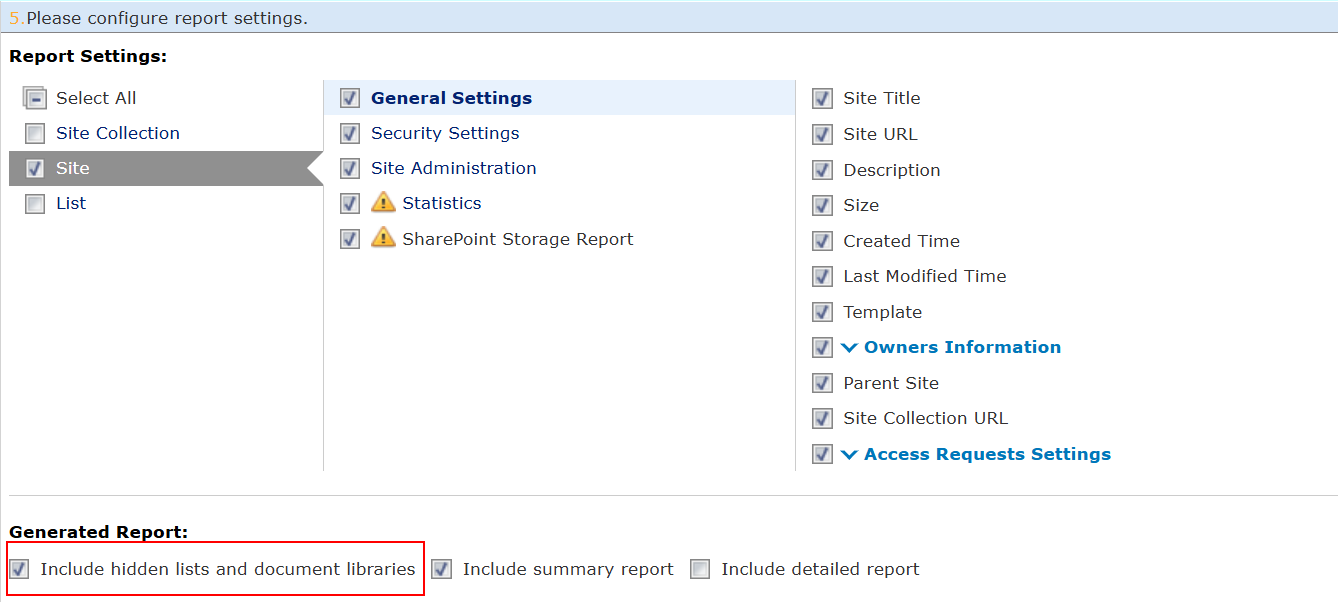
When configuring the report settings for Site Collection level and Site level, you can choose whether to include the hidden lists and document libraries in the generated report, which provides greater flexibility.
Include the Details in the Configuration Report
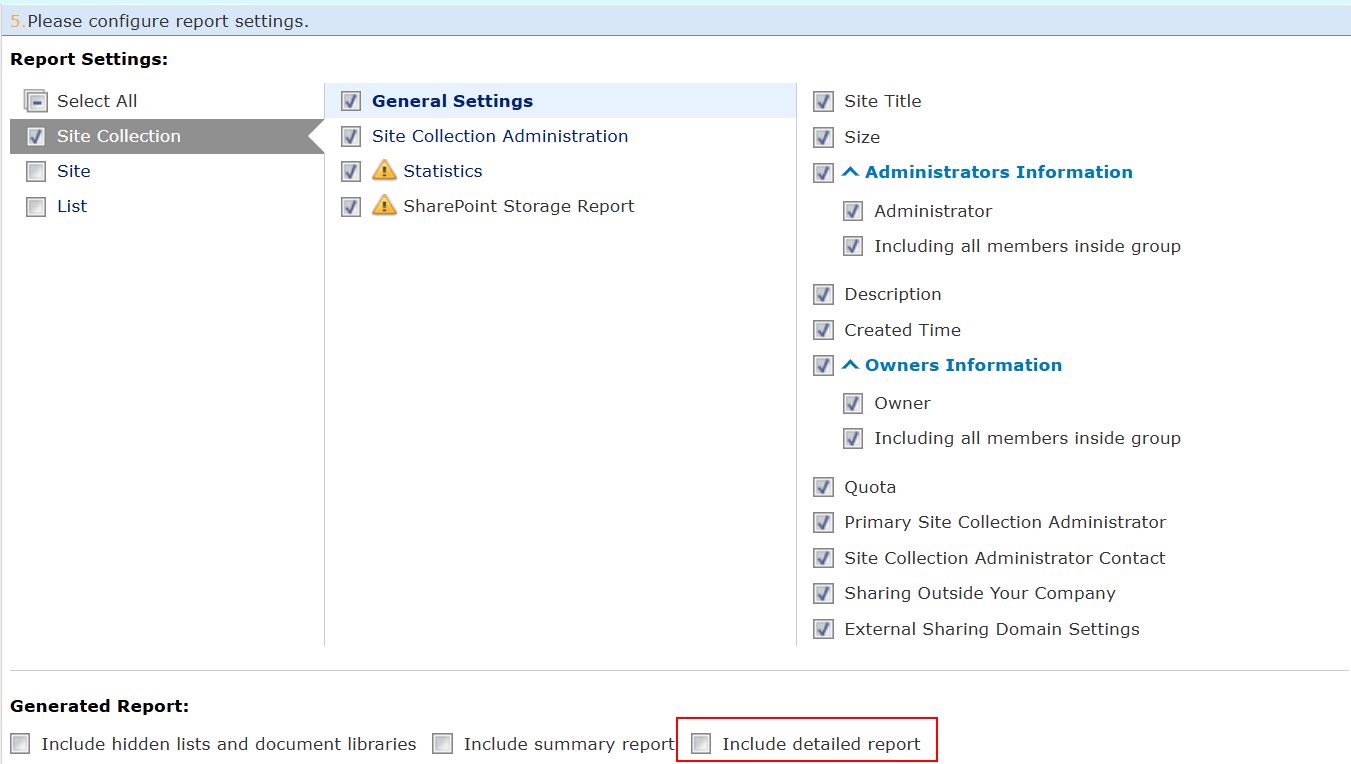
When configuring the basic settings of a configuration report, you can select the Include detailed report checkbox to include the details in the configuration report. Including the details may affect the performance of generating the report. If you want to exclude the details to improve the performance of generating the report, deselect the checkbox.