
Home > Monitoring
Download this articleMonitoring
Auditor and System events modules are provided to track user activities and system events in DMS Online.
Auditor
Auditor tracks all user activities in DMS Online. Navigate to Monitoring > Auditor to view the activities of all users in DMS Online.
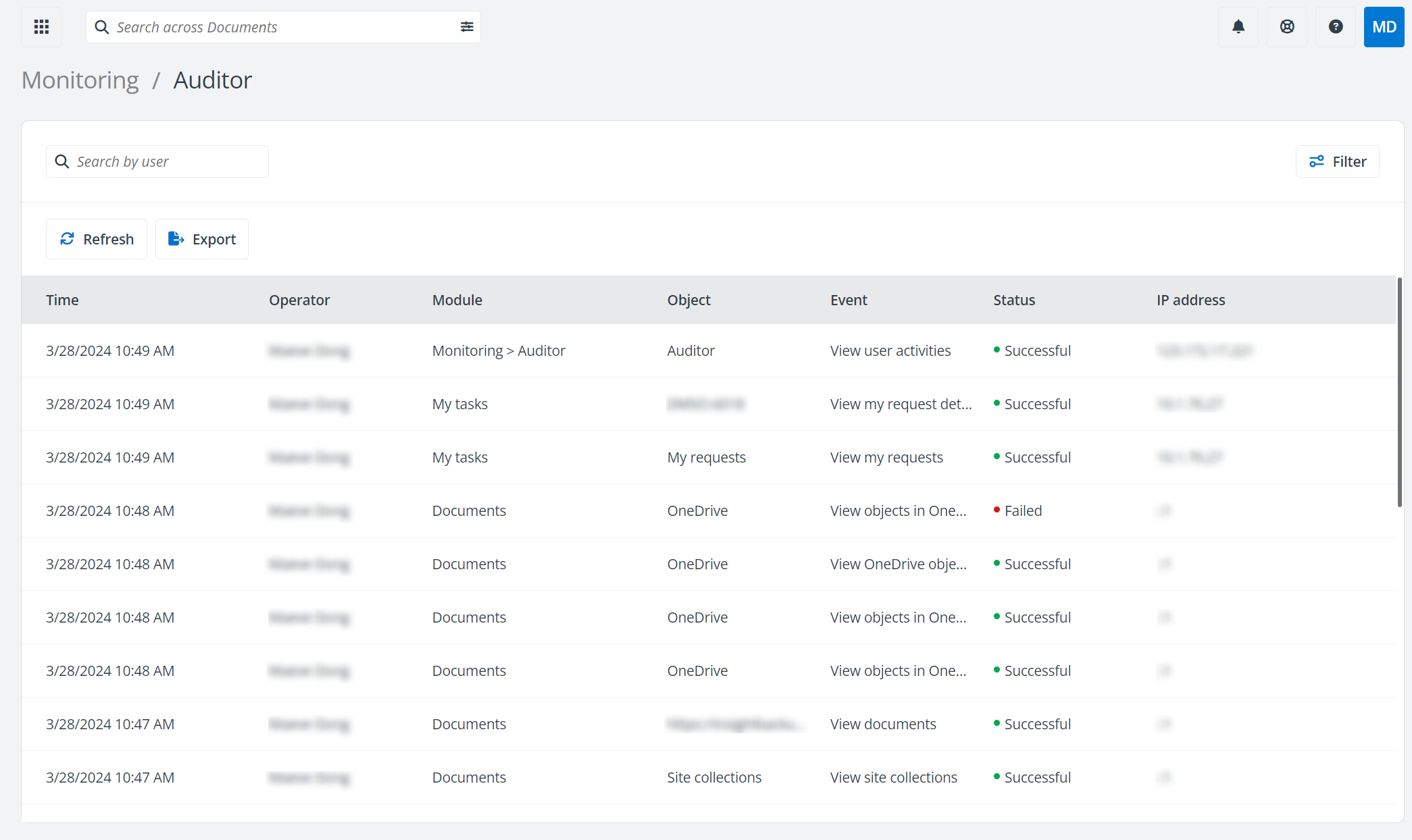
Click Filter and the Filter window appears. You can select to use the Time, Module, and/or Status filters, and click Apply to display the activities that meet the filter conditions. You can also click Clear all to clear all filter conditions you configured.
Enter the keyword of a user’s name in the search box above the table to search for the user activities related to the keyword.
Click Refresh above the table to refresh the user activities listed in the table.
Click Export to export the currently filtered user activities to an Excel file. You can also call the /dmso/audits/export API to export user activities automatically. For details about the API, refer to AvePoint Graph API.
System Events
The System events page lists the system events of DMS Online in the table. Navigate to Monitoring > System events to view the system events of DMS Online.
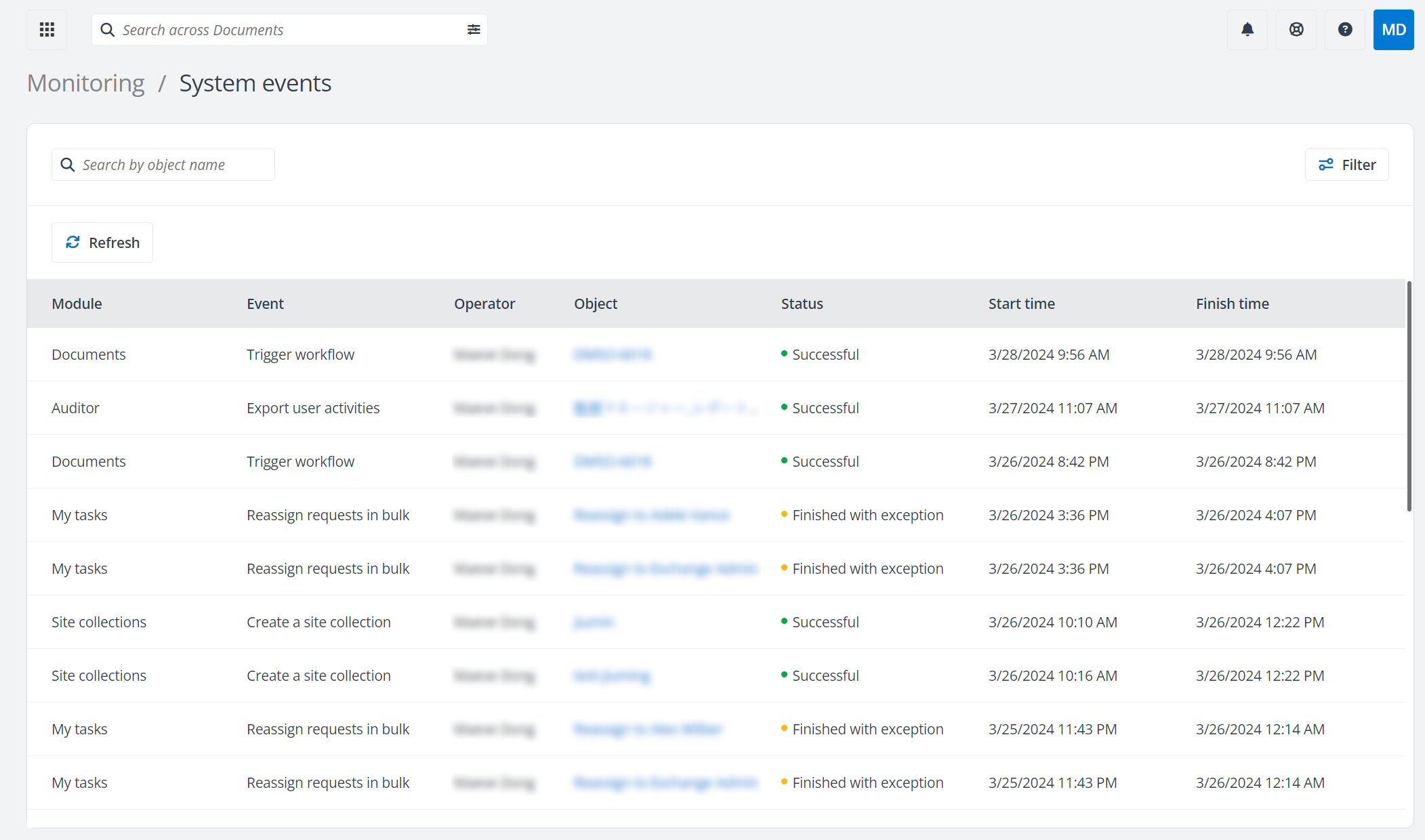
You can click Filter and the Filter panel appears. You can select to use the Operator, Module, Event, and/or Status filters, and click Apply to only display the activities that meet the conditions you configured. You can also click Clear all to clear all filter conditions you configured.
Enter the keyword of an object in the search box above the table to search for the system events related to the keyword.
Click Refresh above the table to refresh user activities listed in the table.
Click the link in the Details column of a system event to view event details.