
Home > About AvePoint Cloud Backup for Salesforce®
Download this articleAbout AvePoint Cloud Backup for Salesforce®
AvePoint Cloud Backup for Salesforce® provides a comprehensive backup, archive, and restore solution for Salesforce. Our cloud-hosted solution allows for a quick restore of Salesforce records, including all attachments and preservation of relationships between data. It also provides an easy fix for securing your Salesforce content with automatic daily backups, on-demand backups, and comprehensive restores.
AvePoint Cloud Backup for Salesforce® backs up, archives, and restores metadata with Salesforce metadata API, record data with SOAP API, and record files with REST API. Any backup, archive, restore, and sandbox seeding processes that includes more than 2,000 records are good candidates for Bulk API 2.0 to successfully prepare, execute, and manage an asynchronous workflow using the Bulk framework. Additionally, using Bulk API can help conserve SOAP API resources. For details, refer to Bulk API and Bulk API 2.0 Limits and Allocations. For Salesforce archive, the hard deletion feature also requires the Bulk API. To enable this feature, contact the AvePoint support team.
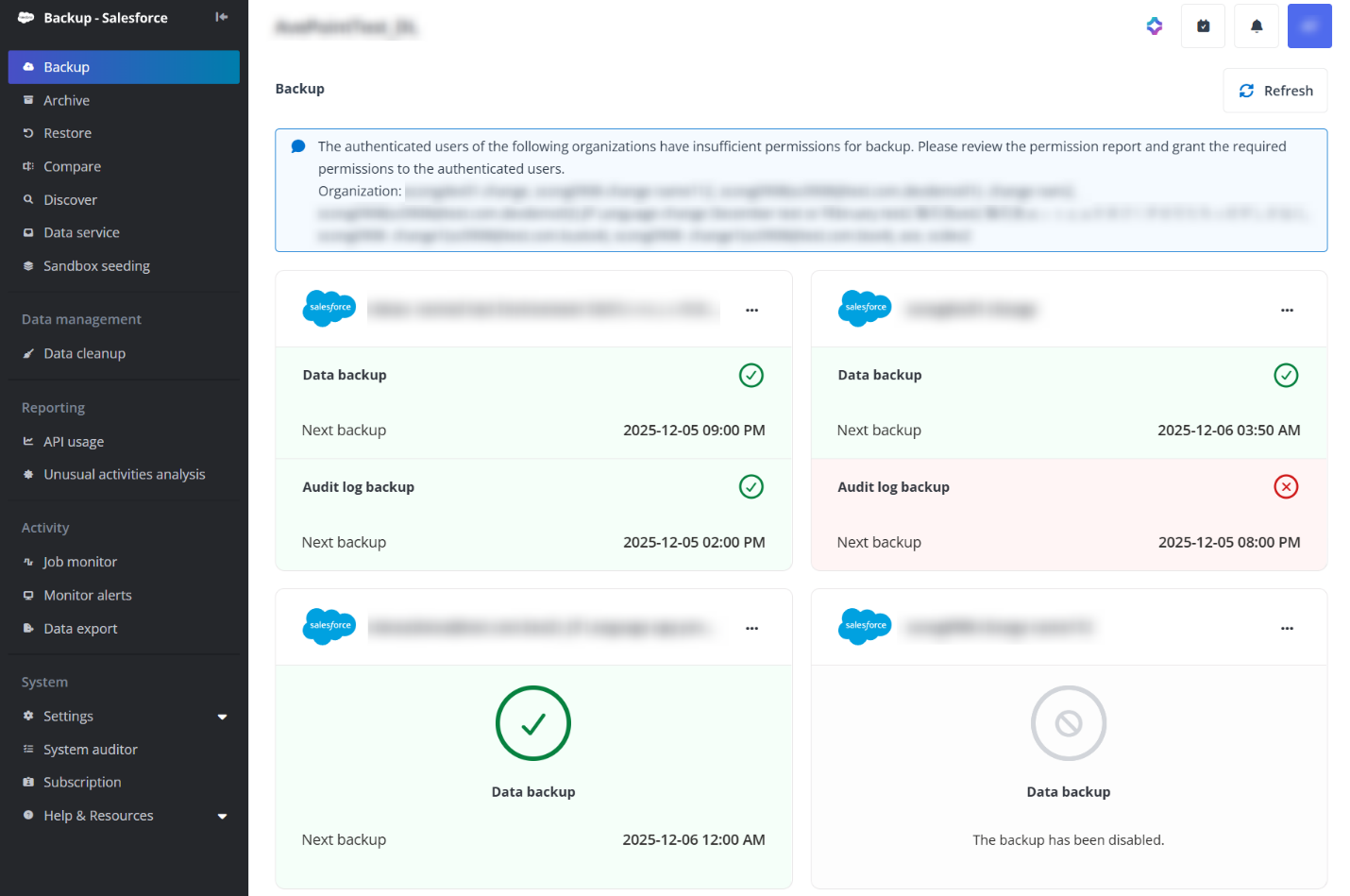
The Help & Resources list in the left navigation contains the user guide and release notes links to help you catch up with what’s new, directs you to the AvePoint Online Services interface to submit feedback or invite support for assistance, and directs you to the AvePoint website.
For any product-related questions, you can easily get assistance from our chatbot. Just click the Ask Ava icon at the upper-right corner of the page to start a conversation with Ava (AvePoint’s Virtual Assistant). For the answers provided by the chatbot, you can click the thumbs up or thumbs down icons to give your feedback.
Add-on features
To enable any of these add-ons, please contact your sales representative:
- Data service
- Continuous data protection
Unlock features in backend
The following premium features are available for AvePoint Cloud Backup for Salesforce®. To enable the features, contact the AvePoint support team:
- Audit log backup
- Custom database for data service
- Successful and skipped records in restore job report – By default, only records with exceptions are included in the detailed job report for restore jobs. If you need to view successful and skipped records, please contact AvePoint support for assistance.
Supported and Unsupported Object Types
For information about the objects that can be backed up and restored by AvePoint Cloud Backup for Salesforce®, refer to Appendix B - Supported and Unsupported Objects for Backup and Restore. For information about the objects that can be archived and restored, refer to Appendix C - Supported and Unsupported Objects for Archive and Restore.
Supported Browsers
The following table provides the browsers and their versions that support the AvePoint Cloud Backup for Salesforce® service:
| Browser | Version |
|---|---|
| Google Chrome | The latest version. |
| Mozilla Firefox | The latest version. |
| Safari (Mac OS X) | The latest version. |
| Microsoft Edge* | The latest version. |
| Microsoft Edge based on Chromium | The latest version. |
Supported Languages
AvePoint Cloud Backup for Salesforce® supports the following languages: English, Japanese, German, and French.
The display language of AvePoint Cloud Backup for Salesforce® depends on the display language of your browser. If the default language of your browser is not one of the supported languages, the display language will be English.
Supported Salesforce Environments
AvePoint Cloud Backup for Salesforce® supports the following Salesforce environments:
-
Salesforce Commercial
-
Salesforce Government Cloud
-
Salesforce Government Cloud Plus
We recommend you reach out to your AvePoint representative to determine which AvePoint Online Services instance is the best fit for your Salesforce environment.
Integration with Microsoft Azure Event Hubs
If you want to build an integration between a hub in Microsoft Azure Event Hubs and the audit records from Cloud Backup for Salesforce®, refer to the instructions in the AvePoint Online Services user guide.
Supported Salesforce Solutions and Applications
AvePoint Cloud Backup for Salesforce® supports the backup and restore for the following Salesforce solutions in the Salesforce ecosystem:
-
B2B Commerce
-
Consumer Goods Cloud
-
Sales Cloud
-
Service Cloud
-
Marketing CRM Classic
AvePoint Cloud Backup for Salesforce® supports the backup and restore for the following Salesforce application in the Salesforce ecosystem:
-
CPQ
NOTEThe configurations of CPQ are not supported.
Subscription Information
Subscription expiration notification emails will be sent to service administrators 10 days before the expiration, 1 day before the expiration, and on the exact expiration date. It will remind service administrators that the account is going to expire, and your data will be maintained for 30 days after the expiration time. You can choose to purchase or renew your subscription to preserve your data and contact AvePoint support for a copy of the data.
If you want to know which license types in your Salesforce environment will be charged, complete the following steps:
-
Navigate to the Developer Console of Salesforce.
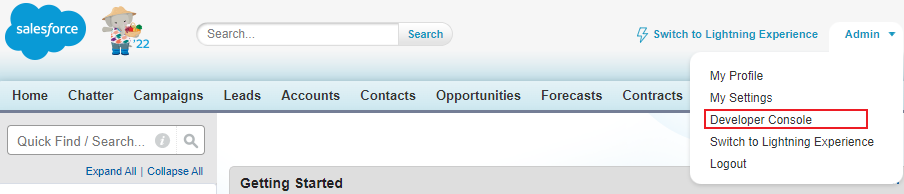
The Salesforce Classic experience.

The Salesforce Lightning experience.
-
In the Query Editor tab, execute the following query in the tab:
The license types that will be charged are displayed in the query result.
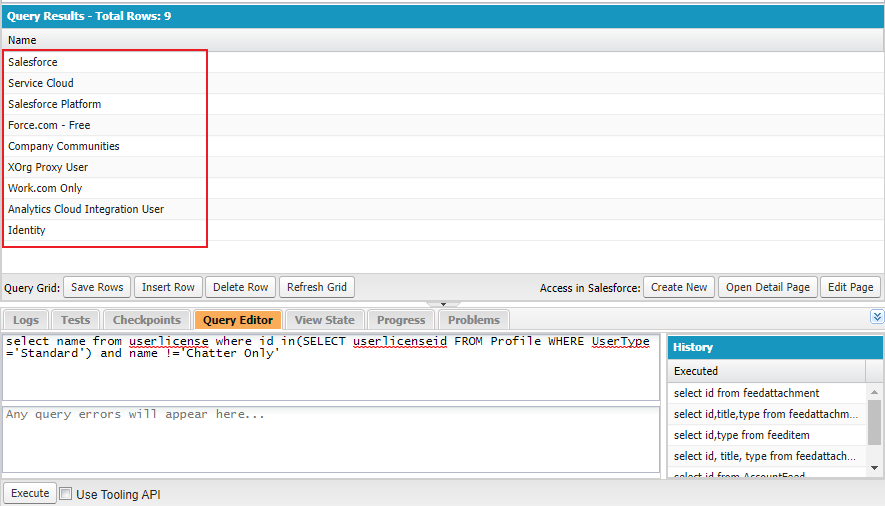
AvePoint Cloud Backup for Salesforce® counts licenses from active Salesforce standard users. If you want to know the number of users in your Salesforce environment that will be charged, complete the following steps:
-
Navigate to the Query Editor tab in the Developer Console of Salesforce.
-
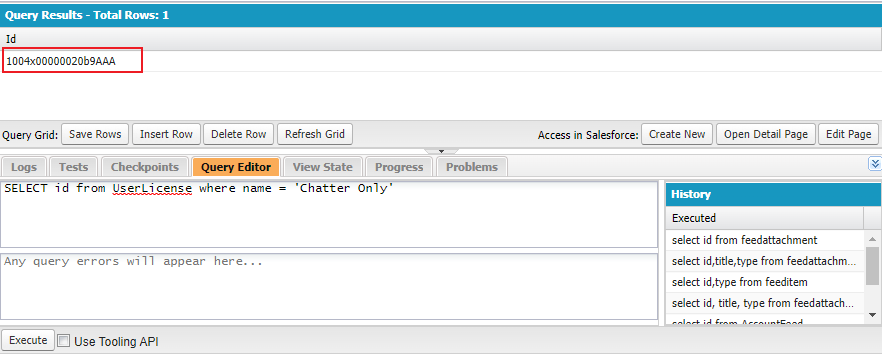
Execute the following query in the tab:
-
If your organization has the Chatter Only license, The ID of the Chatter Only license is displayed in the query result. Copy this ID.
-
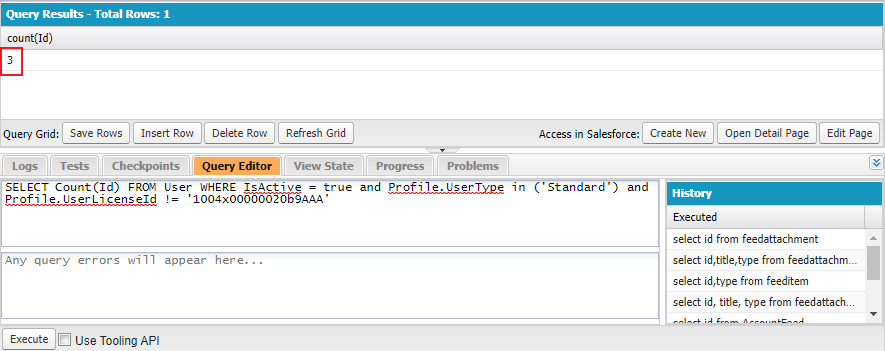
If your organization has the Chatter Only license, execute the following query in the tab. Replace ChatterOnlyId with the ID you copied above. The number of users that will be charged is displayed in the query result.
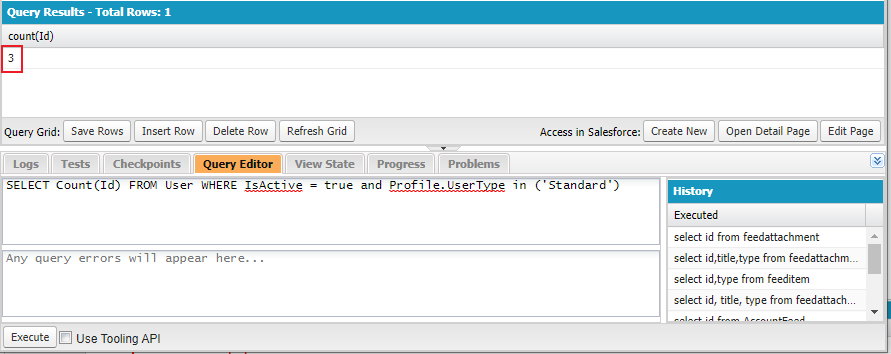
If your organization does not have the Chatter Only license and there is no query result in step 3 above, execute the following query in the tab. The number of users that will be charged is displayed in the query result.
Data Encryption Methods
Data encryption can be divided into two scenarios: data transmission (data in transit) encryption and data storage (data at rest) encryption.
For data transmission encryption, Cloud Backup for Salesforce® is deployed on the Microsoft Azure framework to make outbound Salesforce API calls and internal communications over HTTPS/TLS encrypted channels. Certificate-based authentication is used for internal communications.
For data storage encryption, Cloud Backup for Salesforce® encrypts all the Salesforce data obtained by calling Salesforce APIs with AES 256 using keys unique to each tenant (either default keys or BYOK). The encryption happens before the data is transmitted to storage.
When transmitting the encrypted data to storage, the data transmission encryption will leverage their own data transmission encryption algorithm or protocols applied of the target storage’s available protocols.
AvePoint Cloud Backup for Salesforce® App
The AvePoint Cloud Backup for Salesforce® app enables you to directly restore record and field data in Salesforce from the backup data that is backed up through AvePoint Cloud Backup for Salesforce®. To use the AvePoint Cloud Backup for Salesforce® app to restore record or field data in Salesforce, refer to Salesforce End User Recenter App User Guide.
FAQs
How can I configure job notifications?
Go to Settings > Notification. Create or edit the notification profile to configure the users/groups that will receive notifications for different job types and statuses.
Can I get notified when there are unusual changes in Salesforce data?
Yes. AvePoint Cloud Backup for Salesforce® provides the Monitor alerts feature to help you monitor the data changes between backups. Administrators can configure the data alert rules. For example, when there are 100 deleted records in the backup job compared with the last backup, email alerts will be sent. Refer to Monitor Alerts for details.
Can I run more than one scheduled incremental backup per day?
Yes. You can run four scheduled incremental backup jobs at most within 24 hours, and you can configure the number of jobs and the start time of the first backup job in the backup settings of an organization. The rest of the jobs will automatically run based on your settings.
What types of record relationships can be backed up and restored?
AvePoint Cloud Backup for Salesforce® supports the backup and restoration of Lookup Relationships, Hierarchical Relationships, Master-Detail Relationships, Many-to-Many Relationships, and Circular Relationships.
Can attachments be restored?
Yes. The attachments can be restored together with records. You can also select to restore the Attachment object in the restore jobs.
Is Salesforce Lightning platform supported?
Yes. AvePoint Cloud Backup for Salesforce® supports the backup and restore of the data in the Salesforce Lightning platform.
Is Salesforce Financial Services Cloud platform supported?
Yes. AvePoint Cloud Backup for Salesforce® supports the backup and restore of the data in the Salesforce Financial Services Cloud platform. For detailed supported and unsupported objects, refer to Supported and Unsupported Salesforce Financial Services Cloud Objects.
What about the support status of third-party apps?
There will be three types of data after a third-party app is installed:
-
Installed package – This data cannot be backed up or restored by AvePoint Cloud Backup for Salesforce®.
-
Configurations (settings/metadata) – This data cannot be backed up or restored by AvePoint Cloud Backup for Salesforce®.
-
Custom objects – Some of the apps allow users to create objects in Salesforce, and users can create records under the objects. AvePoint Cloud Backup for Salesforce® can back up and restore these custom objects generated by third-party apps.