
Home > Template Gallery > Deploy Web Parts to SharePoint Sites
Download this articleDeploy Web Parts to SharePoint Sites
You can deploy web parts without a template to your SharePoint sites. Then, you can add AvePoint Portal Manager supported web parts to pages within the SharePoint sites.
-
If you have already deployed a template to your SharePoint site, all AvePoint Portal Manager web parts will be available on the site. Therefore, there is no need to deploy web parts separately to the site.
-
If you have already deployed web parts to your SharePoint site, you can still deploy the desired template to your site, if needed.
Refer to the following steps to deploy web parts without a template to your SharePoint sites:
-
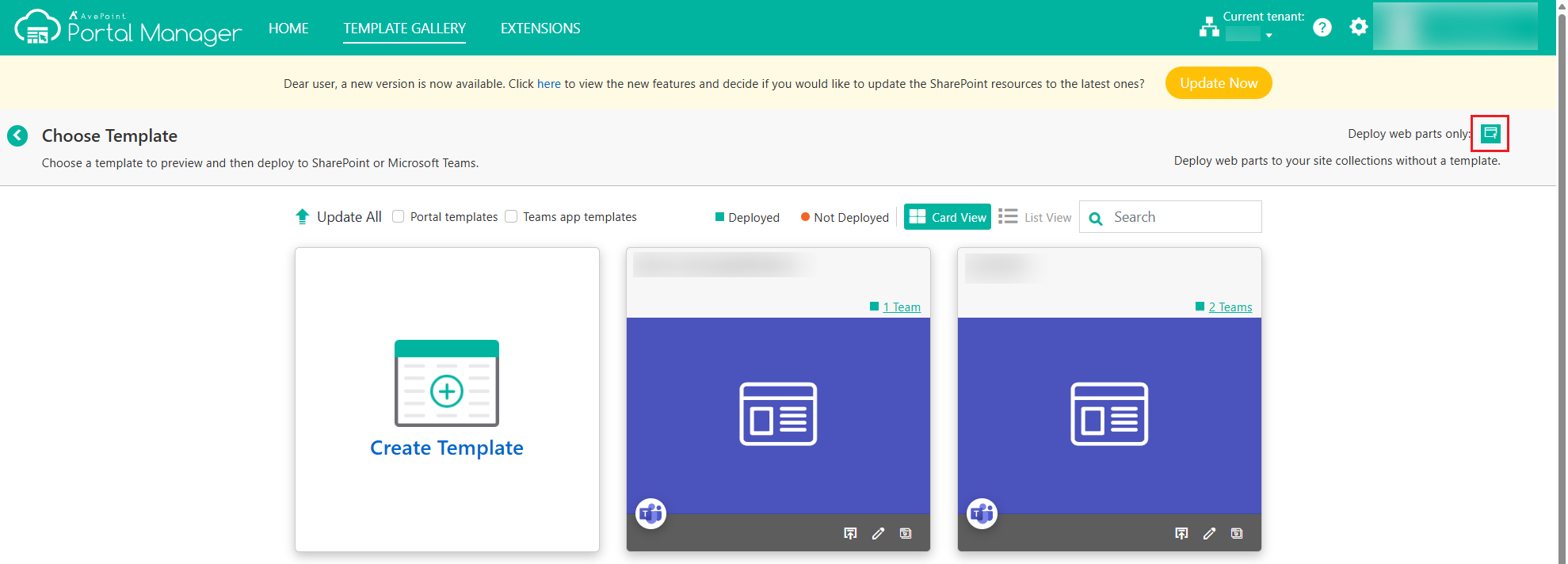
Click the Deploy button at the upper-right corner of the TEMPLATE GALLERY page.
-
Under the Not Deployed tab, select the site collections to which you want to deploy web parts, and then click Deploy. The deployment starts for each selected site collection.
You can also click Web Part Catalog to view all AvePoint Portal Manager supported web parts.
-
Under the Deploying tab, you can find the site collections to which web parts are currently being deployed. The progress bar shows how much of the deployment is completed. If the deployment fails, click View Details to view the reason for the failure and then click Retry to redeploy the web parts.
-
Under the Deployed tab, you can view the site collections where web parts have been deployed. Click the site collection URL to navigate to the SharePoint site collection to add AvePoint Portal Manager web parts to pages directly in SharePoint. For more information on adding web parts to pages, refer to Add Web Parts.
Undeploy Web Parts
-
To undeploy web parts without a template from your SharePoint sites, follow the steps below:
-
Log in to the SharePoint site where the web parts are deployed.
-
On the site homepage, click Site contents in the left navigation.
-
Click Return to classic SharePoint in the lower-left corner of the page.
-
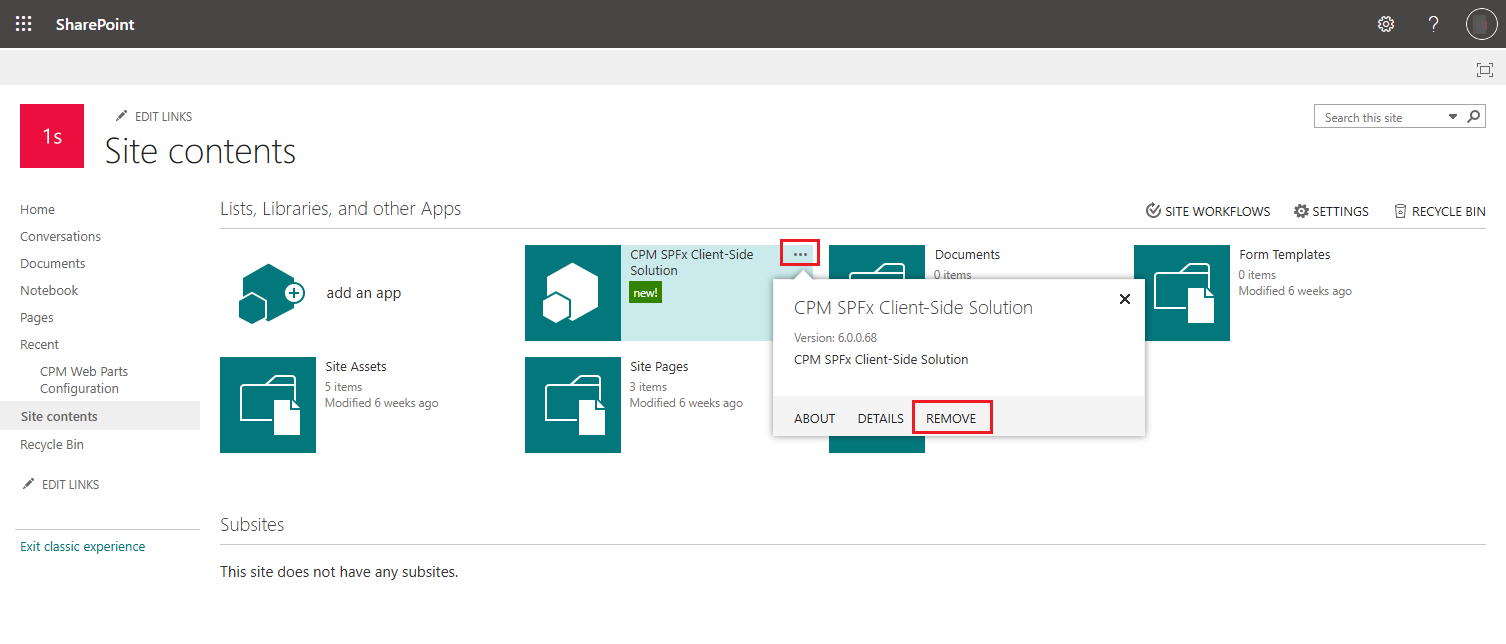
On the classic Site contents page, click the action button of the CPM SPFx Client-Side Solution app, and click REMOVE.
-
In the confirmation window, click OK.
NOTEManual uninstallation will not be reflected in AvePoint Portal Manager. As a result, the deployment status will still show as Deployed, and web parts cannot be redeployed to the site. We plan to support this special case in AvePoint Portal Manager in future releases.