
Home > Use MyHub for Microsoft 365 > Use the New MyHub > Guest users
Download this articleGuest users
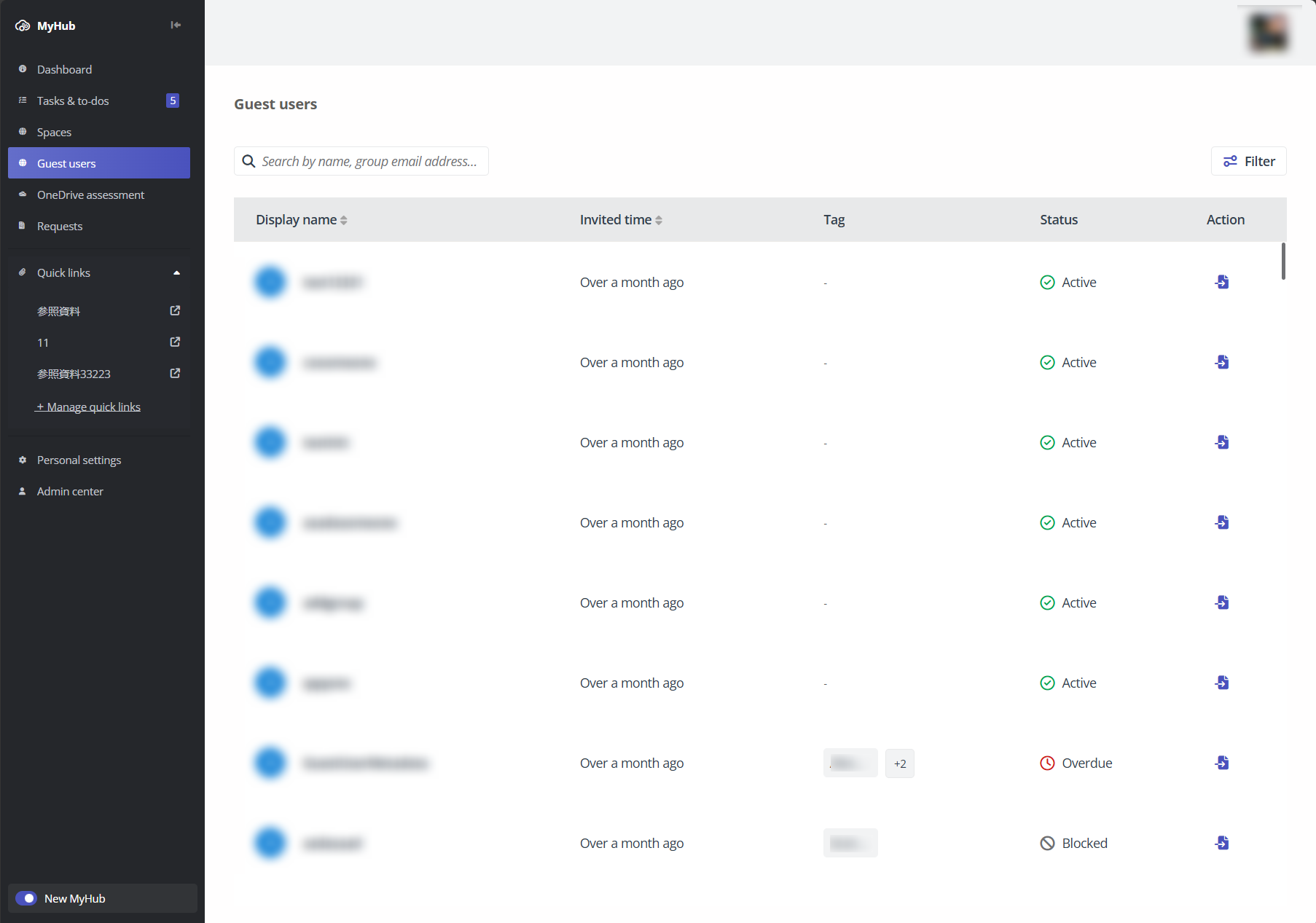
The Guest users report lists all guest users that you have access. You can view the guest users’ display name, invited time, tags, and status on the table. To start a request for a specific guest user, click the start request button under the Action column.
NOTE
This report is only available if you have an available subscription for Cloud Governance.
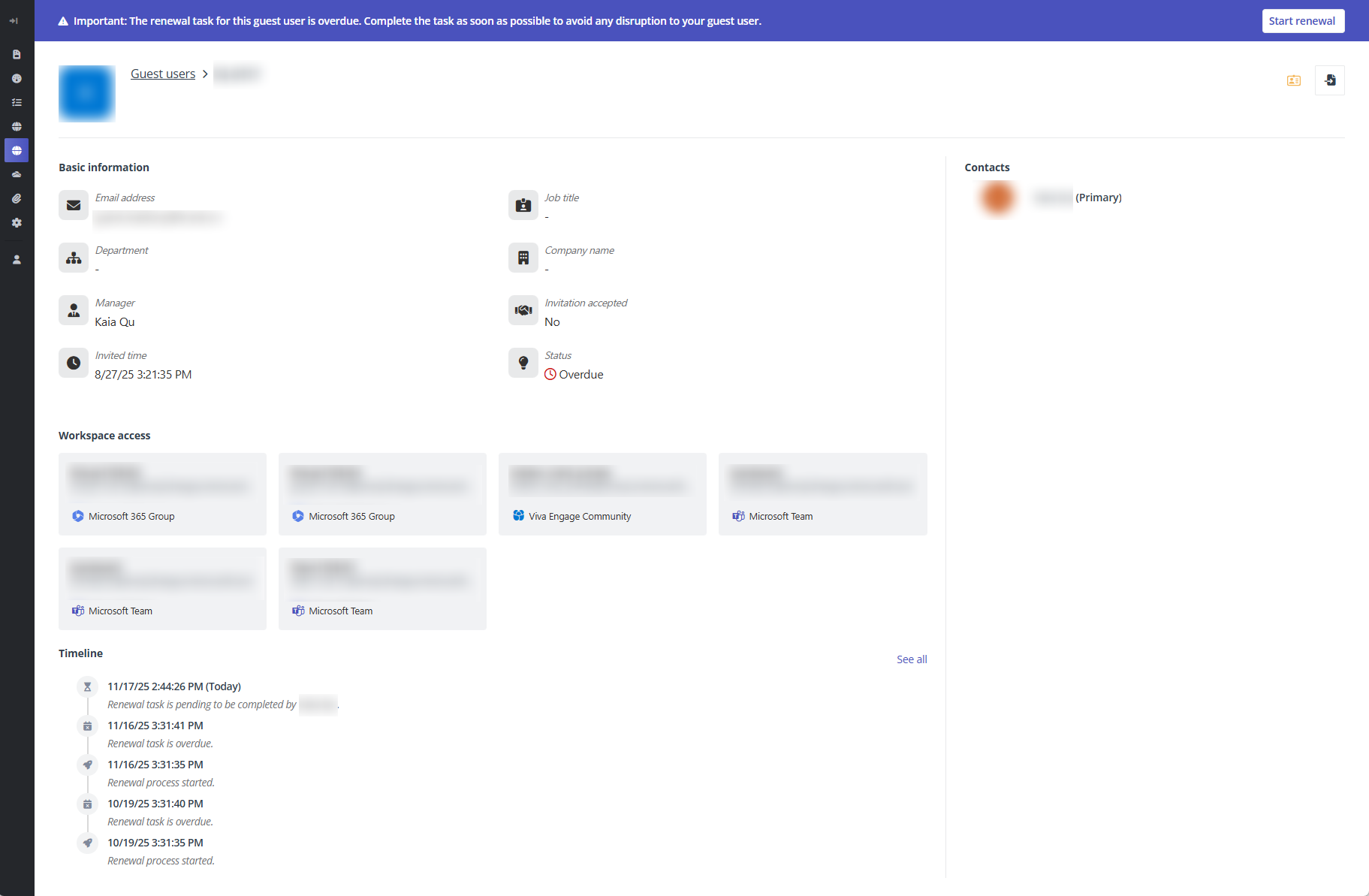
To view more details of a guest user, click the display name link to view the user’s basic information, workspace access, timeline, and contacts on the guest user detail page.
On this page