
Home > Use MyHub for Google
Download this articleUse MyHub for Google
MyHub for Google gives business users a single, easy-to-use portal to manage tasks and service requests from the Confidence Platform for Google, offering language‑adaptive display, access through AvePoint Online Services or direct Google sign‑in, and streamlined handling of governance tasks such as approvals, violation fixes, and lifecycle actions, all designed to keep daily operations organized and efficient.
Tasks and To-dos
The Tasks and to-dos page provides a centralized view of all your tasks from various modules in the Confidence Platform for Google, including:
-
Renew shared drive
-
Fix shared drive violation
-
Fix user drive violation
-
Fix user violation
-
Fix Group violation
-
Fix Gmail violation
-
Review record for disposal
The tasks are sorted by due date in ascending order. For each task, you can view the task summary, task type, due date, and available actions for the task. For task details, click the task summary.
To process a task, you can click the action buttons next to the task to perform actions directly, or click its task summary to view details and begin working.
To quickly find a specific task, you can search by its summary using the search box in the upper-left corner. Alternatively, you can filter the list by task type, due date, or status by clicking the Filters button in the upper-right corner and selecting your criteria.
Service Requests
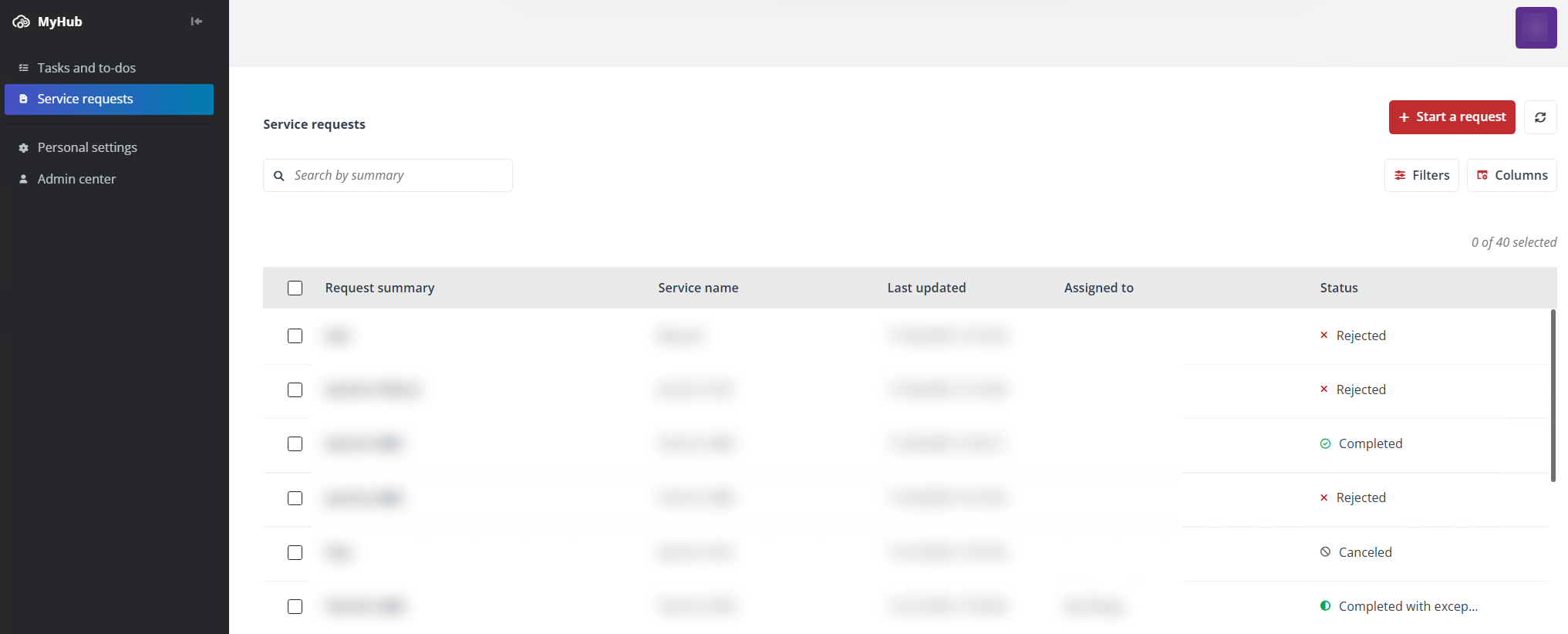
On the Service requests page, requests submitted based on the services in the Confidence Platform for Google are listed. You can view the request summary, service name, last updated time, assignee, and status for each request. For request details and approval history, click the request summary.
To cancel a request, you can click Cancel request in More actions next to the request, or click its request summary to view details and click the Cancel request button.
To start a new request, click Start a request in the upper-right corner. Then, you can select a service to start the request process. The following services are available:
-
Google User Provisioning
-
Shared Drive Provisioning
-
User Lifecycle Management
Personal Settings
Click Personal settings on the navigation menu to access the Personal settings page. On the page, you can configure your preferred theme and language based on your preferences. When you finish, click Save.