
Home > About MyHub > MyHub for Microsoft 365 > Integration with Copilot for Microsoft 365
Download this articleIntegration with Copilot for Microsoft 365
MyHub offers integration with Copilot for Microsoft 365, enabling you to leverage Copilot for Microsoft 365 to find relevant information about your MyHub workspaces, tasks, and service requests.
To use this function, ensure that you have an available subscription for Copilot for Microsoft 365.
To enable the integration, complete the following steps:
-
Sign in to Microsoft Teams with your Microsoft 365 credentials and click Chat in the left navigation > Copilot.
-
If you cannot find MyHub under Agents, add MyHub as an agent first using the following steps:
-
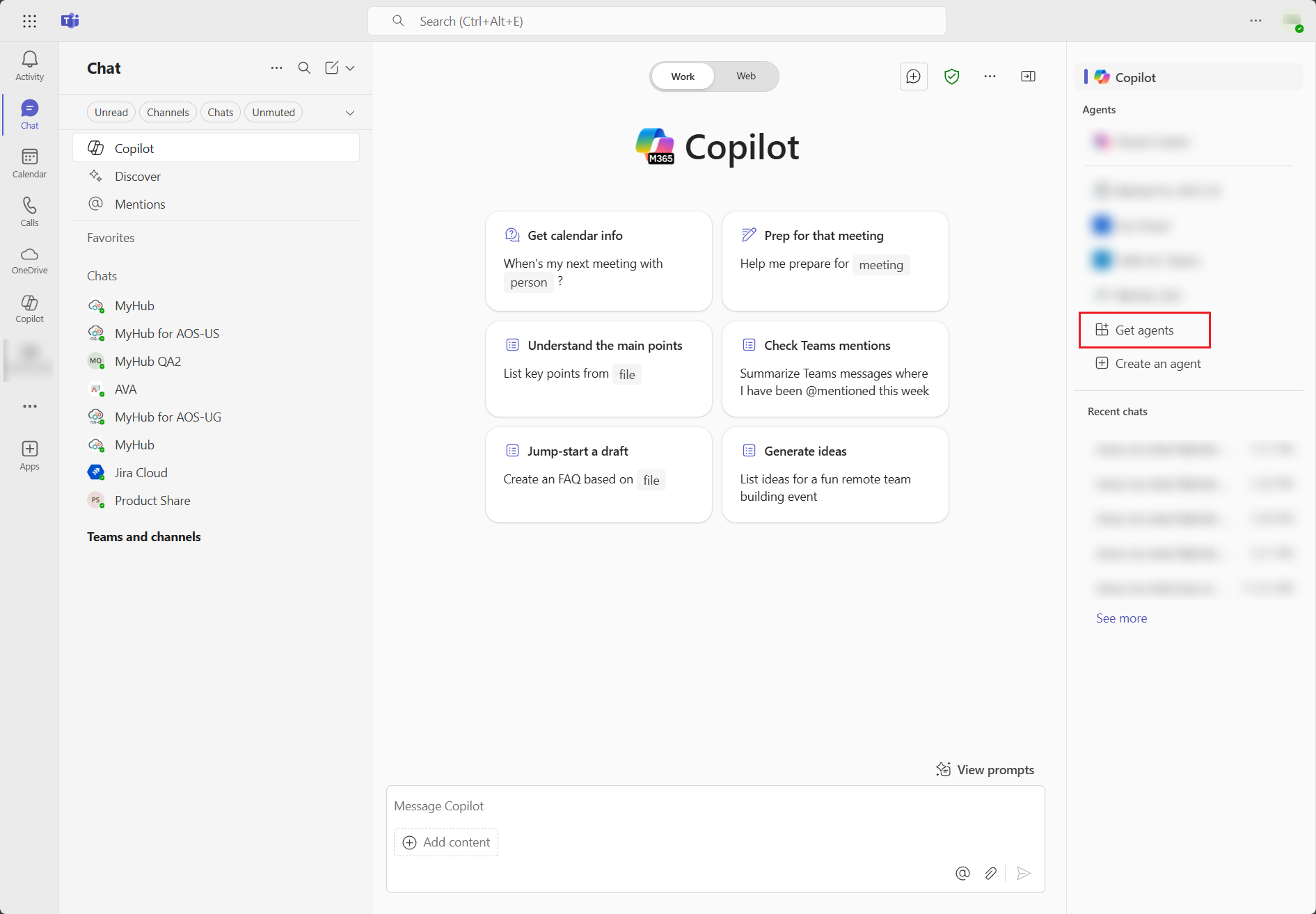
Click Get agents in the right pane.
-
Search for MyHub using the search box in the left pane. In the search results, click Add in the MyHub app card, and then click Add in the MyHub information window to install MyHub.
-
The MyHub app is added, and it will appear in the Copilot agent list.
-
-
You can use one of the following methods to chat with MyHub:
-
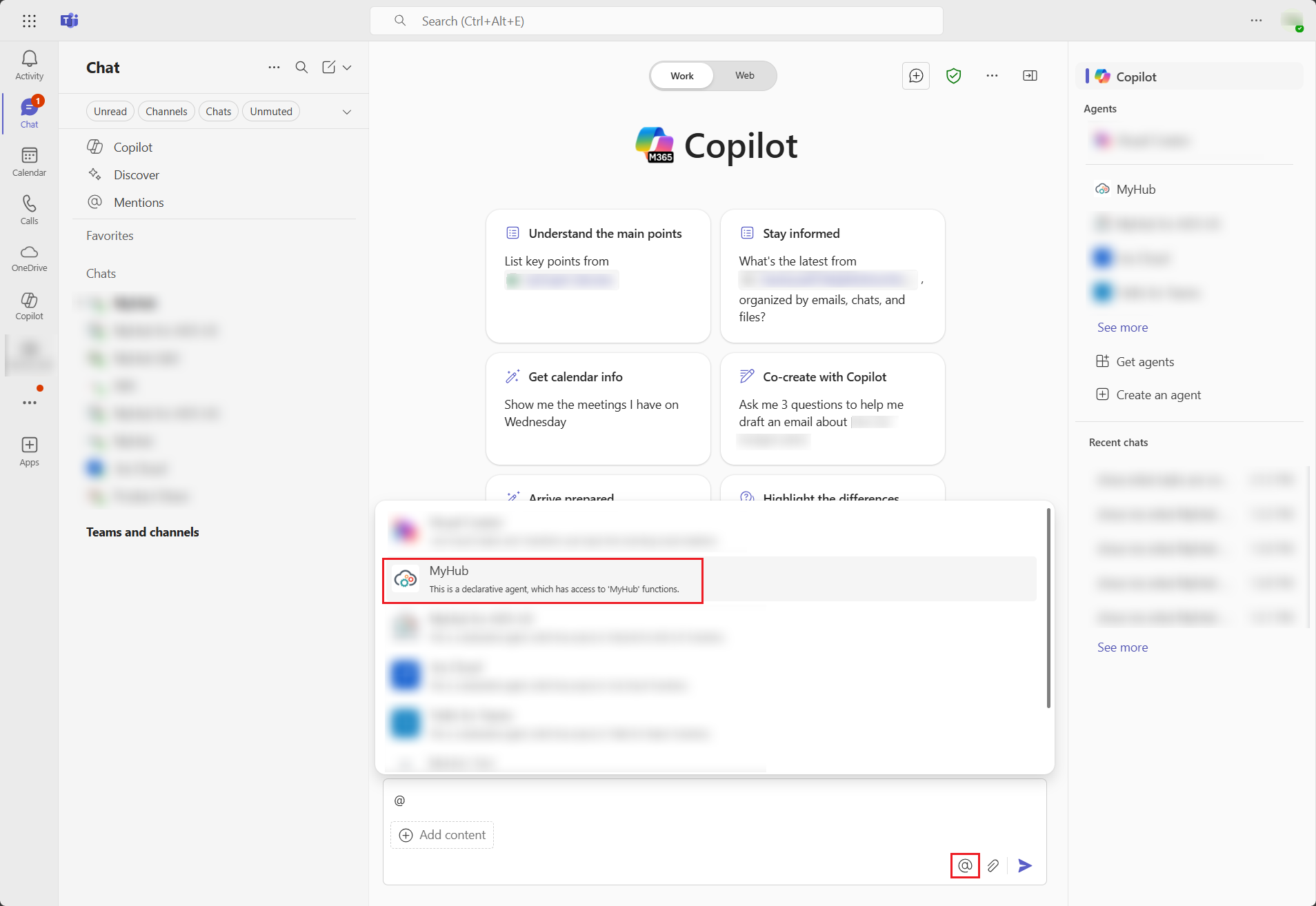
In Copilot Chat, click the Chat with an agent button in the chat box and select MyHub.
-
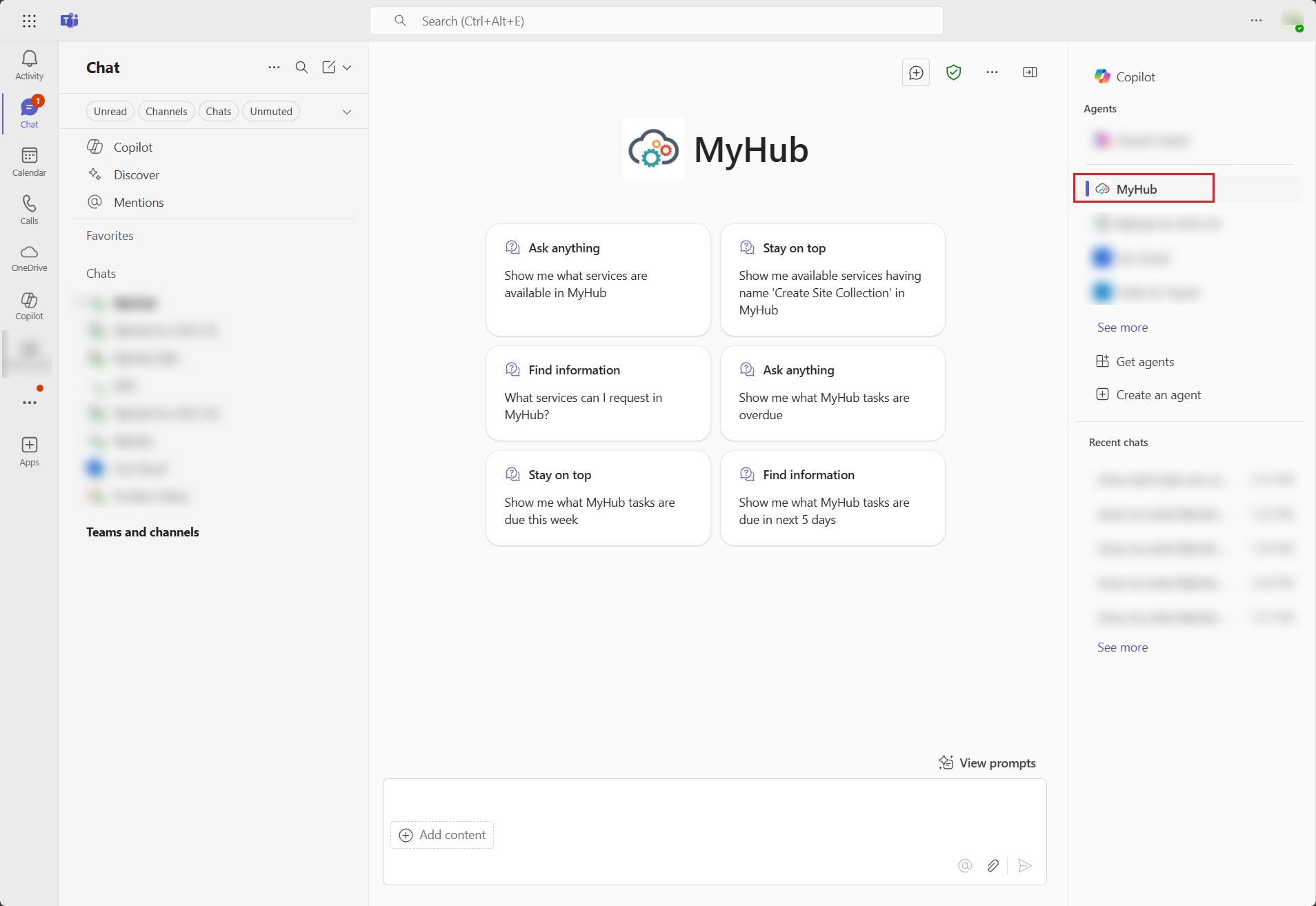
Click MyHub under Agents to chat with MyHub.
-
-
Send your prompt in the chat box for MyHub tasks, workspaces, requests, and more.
-
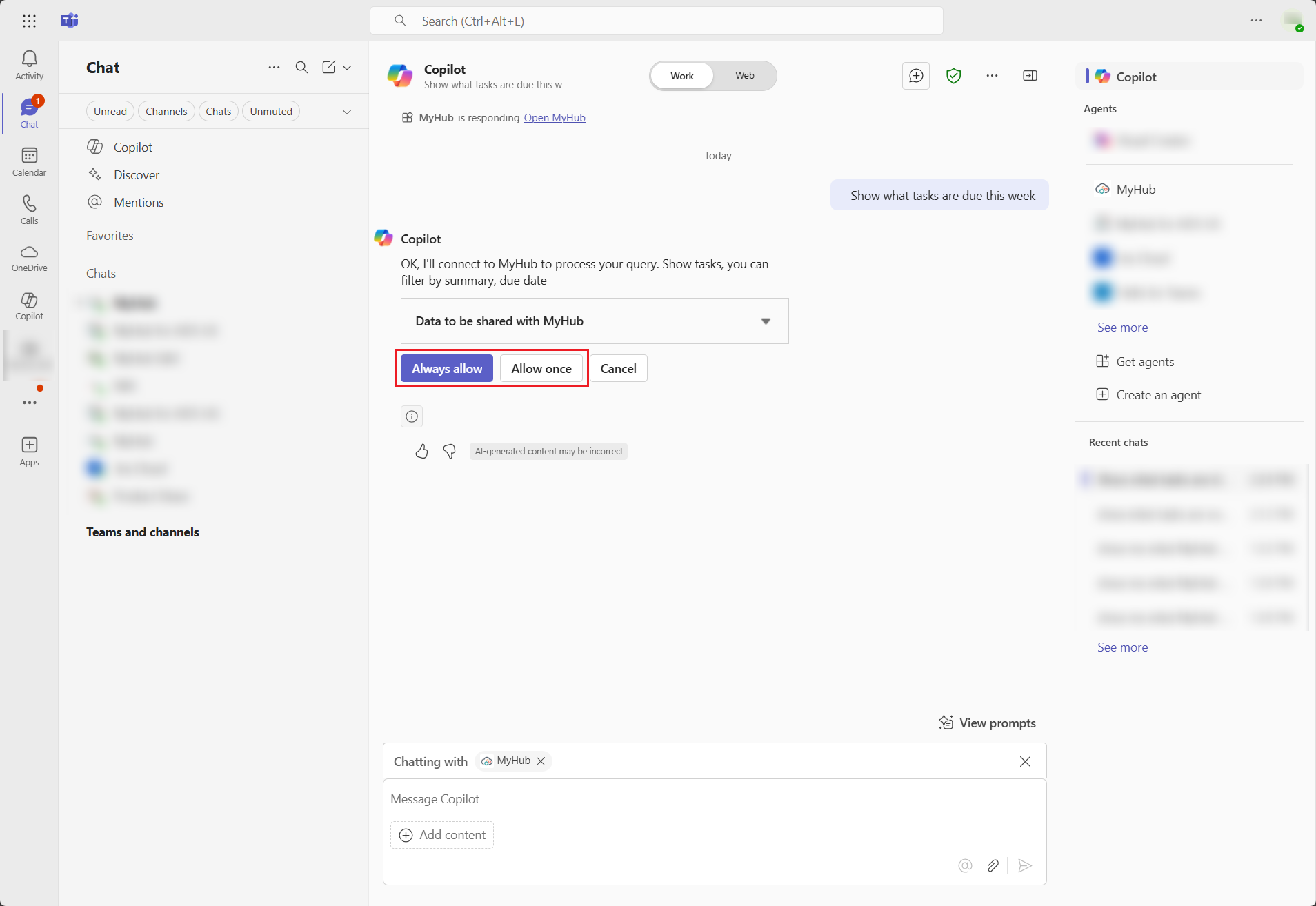
To process your query, select Always allow or Allow once to connect to MyHub.
-
The Copilot reply is generated.
-
To facilitate your exploration of MyHub functionalities in Copilot for Microsoft 365, we offer a series of sample prompts for initial guidance:
-
Task-related:
-
Show me what MyHub tasks are overdue.
-
Show me what MyHub tasks are due this week.
-
Show me what MyHub tasks are due in the next 5 days.
-
-
Workspace- related:
-
Show me my MyHub workspaces.
-
Show me my MyHub workspaces whose type is Microsoft Team.
-
Show me my MyHub workspaces whose name contains “Product”.
-
-
Request-related:
-
Show me what services are available in MyHub.
-
Show me available services whose name contains “Create Site Collection”.
-
What services can I request in MyHub?
-
-