
Home > Use MyBiz Admin Center > System Auditor
Download this articleSystem Auditor
System auditor allows you to monitor activities of users and administrators. Click System auditor to view the user activities.
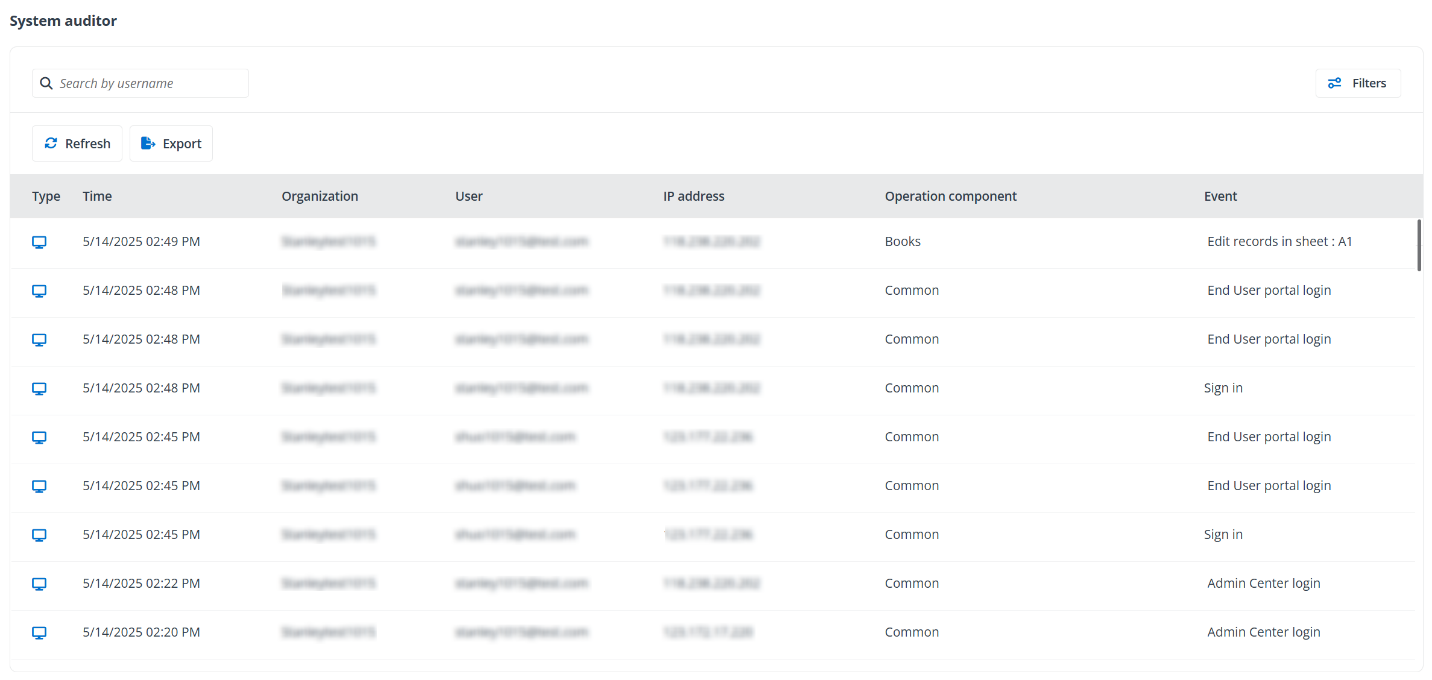
You can perform the following actions on the System auditor page.
-
Export – Click Export to export all administrator activities within the selected data range to an Excel file.
-
Refresh – Click Refresh to refresh the administrator activities listed in the table.
-
Filter – Click Filters to filter administrator activities by Organization, Operation component, or Data range.
-
Search – Search administrator activities by entering the keyword of the username in the search box.
-
View setting updates – For records with bold time, you can click the time to view the update details.
On this page