Home > View Subscription Information
Download this articleView Subscription Information
To view the subscription information, click Subscription on the left navigation. The Subscription section provides reports under the Dashboard and Usage tabs.
The subscription information is only visible for an enterprise subscription of Cloud Backup for Google Workspace.
Under the Dashboard tab, you can view the information on the following panes:
-
Subscription utilization shows the basic information of your subscription, the subscription expiration date, and the number and percentage of the following:
-
Purchased, assigned, and available user seats
-
Purchased, consumed, and available objects
NOTEThe object-based subscription type is only for the Google Classroom module.
-
-
Top subscription consumers shows the ranking of the major consumers (Google Workspace editions) of your subscription.
NOTEIf a subscription type cannot be detected due to API limitations, the placeholder will be Unknown subscription type.
-
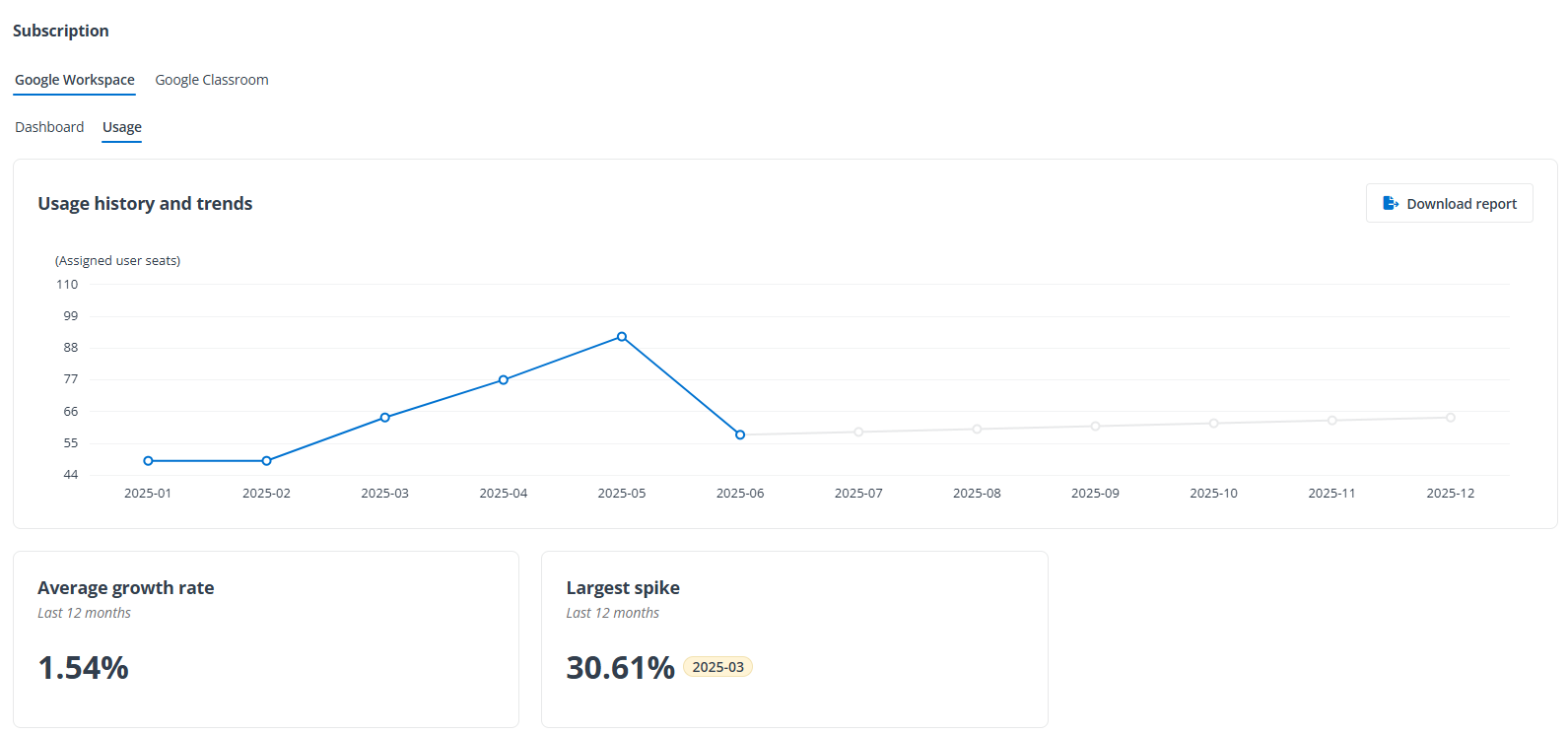
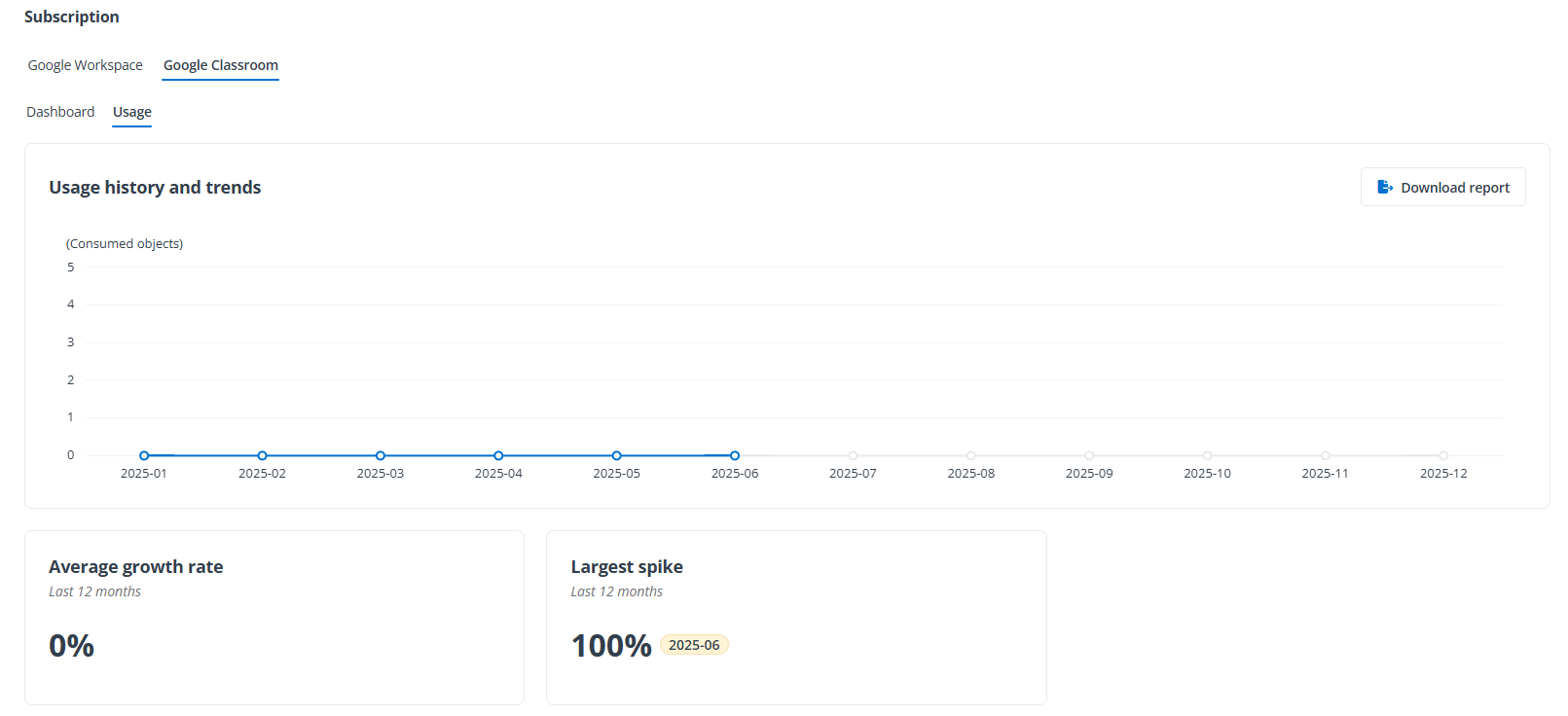
Usage history displays a line chart reflecting the history of assigned user seats or consumed objects. To view additional information on usage history, click the View more details button to navigate to the Usage tab.
Under the Usage tab, the Usage history and trends pane displays a line chart reflecting the history and trends of assigned user seats or consumed objects, and you can hover the mouse over a point on the line chart to view the details. To download a copy of the usage report, click Download report. The Average growth rate and Largest spike panes are also under the Usage tab.