
Home > View Dashboard
Download this articleView Dashboard
To glance at the protected scope, backup points, and subscription information in your Cloud Backup for Google Workspace, click Dashboard on the left navigation pane. The Dashboard page appears.
On the Dashboard page, you can perform the following:
-
To view the protected scope and backup points of a service, click the service tab at the top of the page. Refer to the following scenarios to perform your actions:
-
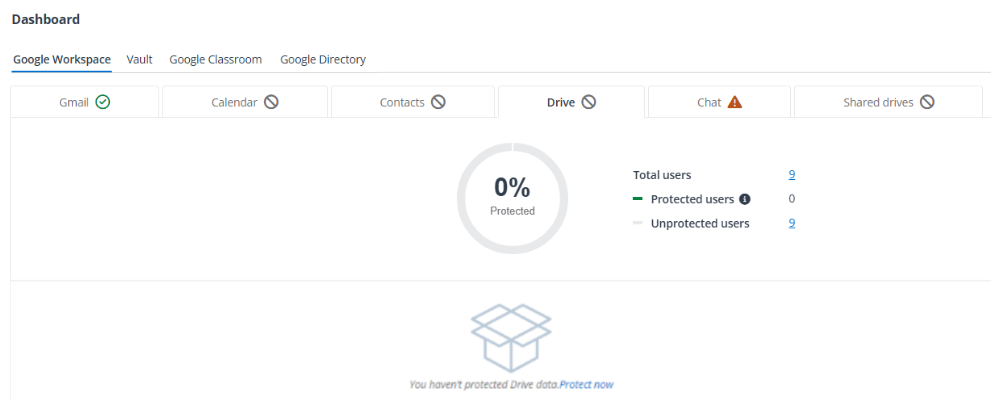
If a service hasn’t been protected, you can click Protect now and configure the protection scope for the service by referring to Configure Protected Scope.
-
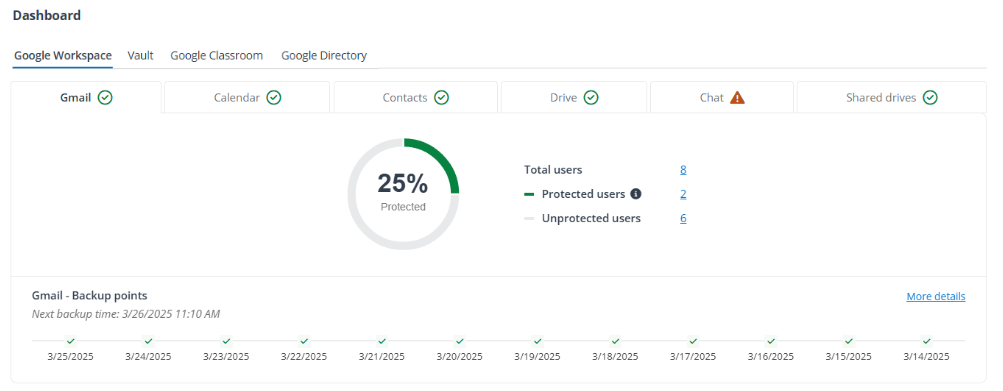
If a service already has been protected, you can do the following:
-
To configure the protected scope of the service, click the number of protected/unprotected/total objects and refer to Configure Protected Scope.
-
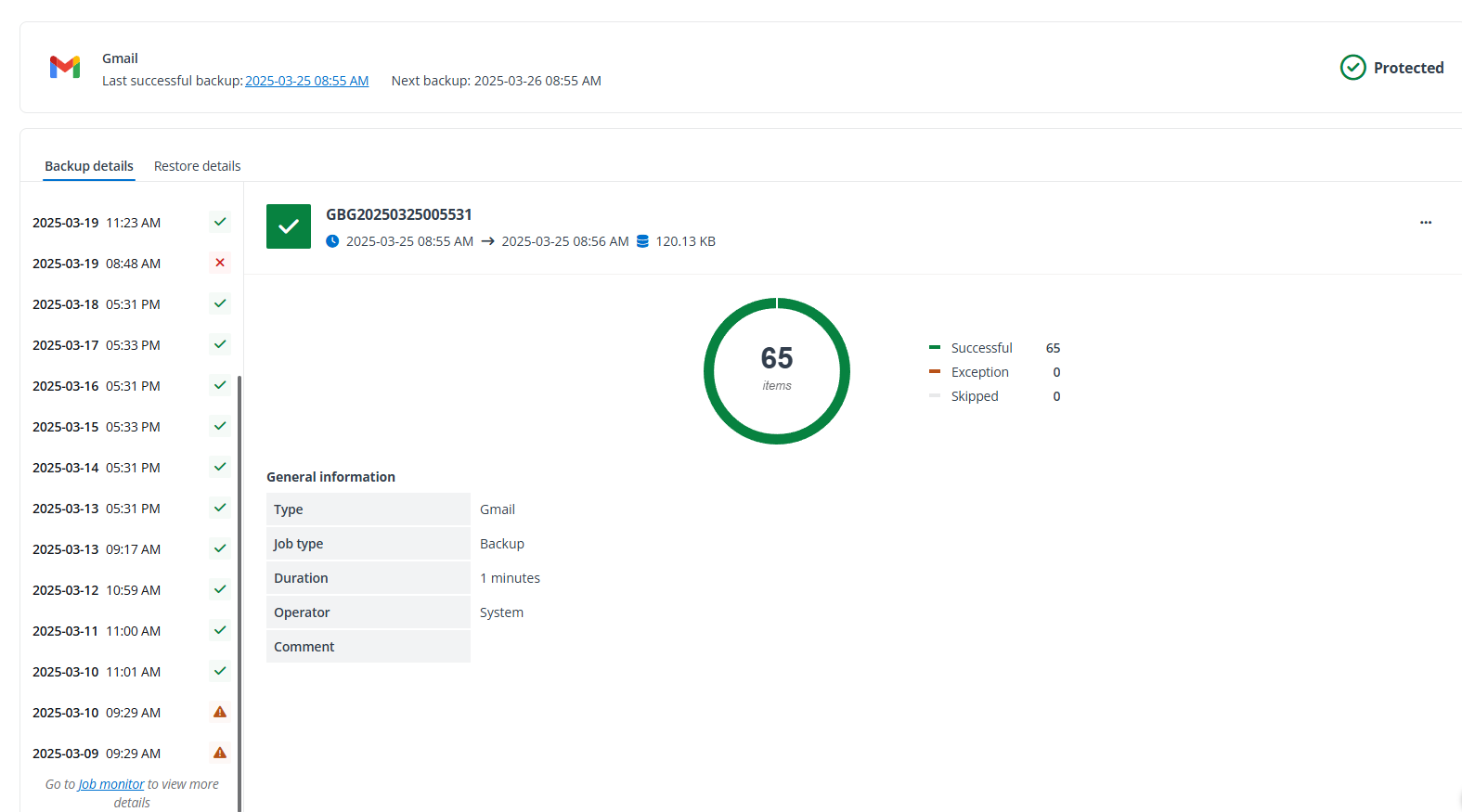
To view details of backup points, click More details. The details page appears. You can click the Backup details or Restore details tab to view details of backup or restore jobs. To view additional job details and download job reports, navigate to Job monitor and refer to Monitor Jobs and Download Job Reports.
-
-
-
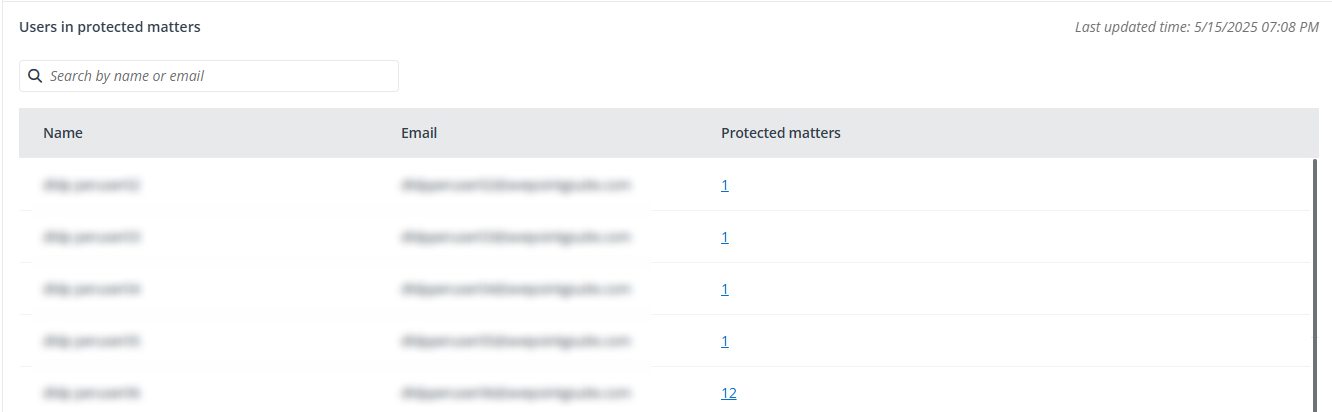
Under the Vault tab, you can use the Users in protected matters section to check which users’ data has been backed up in the protected matters. Clicking the number in the Protected matters column will open the panel with these matters’ details.
-
The Subscription information section shows the following basic information about your subscription:

-
The number of resources that your organization has purchased, the number of resources that your organization has assigned/consumed, and the number of available resources.
-
The date when your subscription will expire.
To view additional subscription information, click the View more details button to navigate to the Subscription page. For more information, see View Subscription Information.
-
Functional Buttons/Icons in this Guide
-
Expand

-
More actions

-
Restore queue

-
Remove

-
View more details

-
Reminder

-
My tasks

-
Modify conditions

-
Sync

-
Download

-
Copy

-
Calendar

-
Notification center
