
Home > Integrations > ConnectWise Integration > Configure a ConnectWise Connection
この記事をダウンロードConfigure a ConnectWise Connection
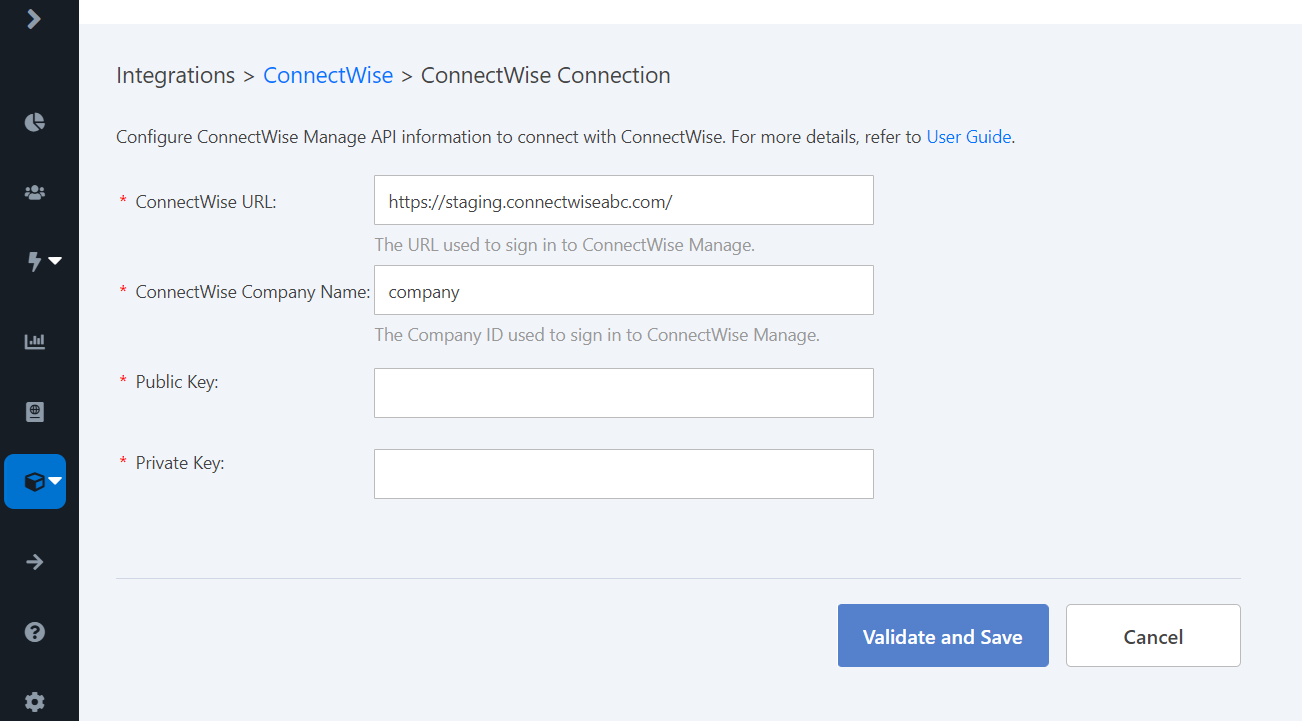
In Elements, navigate to Integrations > ConnectWise. On the ConnectWise page, click ConnectWise connection. Configure the following information.
-
ConnectWise URL – Enter the URL used to sign in to ConnectWise Manage.
-
ConnectWise company name – Enter the Company ID used to sign in to ConnectWise Manage.
-
Public key – Enter the Public API key that you have set up in ConnectWise Manage for an integration.
-
Private key – Enter the Private API key that you have set up in ConnectWise Manage for an integration.
Click Validate and save.
このページの内容