
Home > Azure Security Management > View Overview Statistics of a Tenant
この記事をダウンロードView Overview Statistics of a Tenant
Click a tenant name on the Azure security management page to access the Cloud posture overview page to help you quickly assess the security, compliance, and protection status of your Azure resources. There are two tabs on the page: Security insights and Backup & restore.
You can click Export as PDF to export the security insights report or backup & restore report.
Security Insights
The Security Insights page provides a high level summary of security posture risks across Azure resources and it is available when the tenant has the CSPM subscription.
On this page you can find the following information:
-
Pending issues – Displays the number of currently open risk issues that require attention. You can click the number link on the tile to go to the risk insights page to view all pending issues. The number of pending issues that has changed over the last 7 days is also displayed.
-
Fixed issues – Displays number of risk issues that have been resolved over the last 7 days. You can click the number link on the tile to go to the risk insights page to view the fixed issues.
-
Dismissed issues – Displays the number of issues that were dismissed over the last 7 days.
-
Issue Insights – This section breaks down pending risk issues by severity levels (Critical, High risk, Medium risk, Low risk) and visualizes how risks evolve over time. You can click the number of a severity tile to go to the risk insights page to view the specific issues.
The line chart visualizes changes in issue counts over time by severity level.
-
Top 5 vulnerabilities – This section highlights the most critical software vulnerabilities currently detected in the environment, listing vulnerability IDs and CVSS score for each vulnerability.
-
Top 5 issues – This section highlights the risks that affect the largest number of resources across the environment. You can click the number link to go to the risk insights page to view the specific issues.
Backup & restore
The Backup & restore page provides a comprehensive view of backup and restore operations across Azure resources and it is available when the tenant has the Backup and restore subscription.
This page is organized into multiple sections:
-
Backup status – Displays the number of backup jobs grouped by status, such as Successful, Failed, and Finished with exception. Click the number link to go to the Inventory page to view the resource details. The last 5 backup jobs for resources are also listed in the section.
-
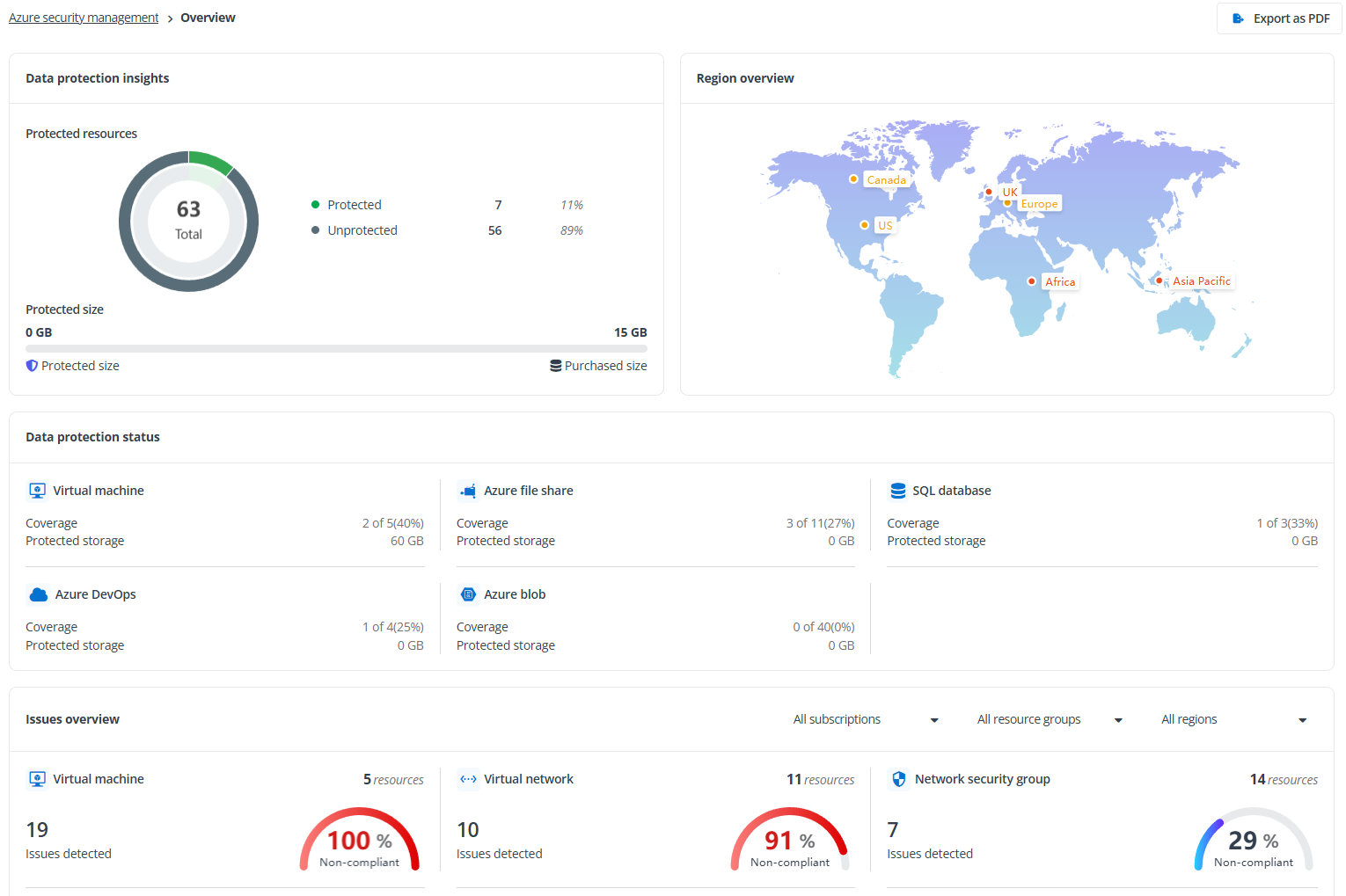
Region overview – Visualizes backup information across regions. You can hover your mouse over a region to view the numbers of resources, protected resources and protected proportions in different regions.
-
Data protection status – Displays the protection status for all supported resource types. The Protected resources section displays the coverage of resources protected by backup and the consumed storage for each type. The Storage used in last 7 weeks chart shows the storage consumption trends by backup in last 7 weeks.
-
Restore status – Displays the numbers of restore jobs by status and last 5 restore jobs.
-
Restore analysis – Provides aggregated insights into restore activity over the last 30 days, including restore count, average duration, and overall success rate.