
FAQ
What If Your Tenant Has Blocked Apps That Don’t Use Modern Authentication?
If your tenant has the security policy to block access from unmanaged devices, your tenant will block access from apps that don’t use modern authentication, because some third-party apps and previous versions of Office that don’t use modern authentication cannot enforce device-based restrictions.
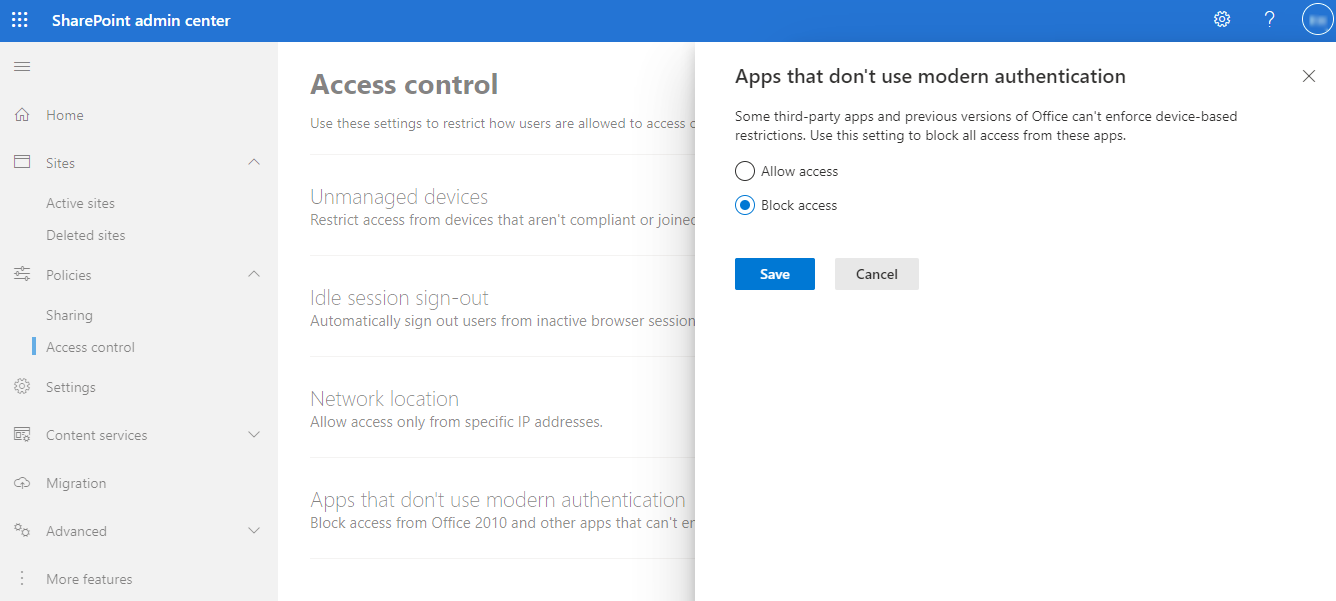
When your tenant uses the service account authentication method to scan objects in AvePoint Online Services Auto Discovery, by default, Classic DocAve Backup uses basic authentication to run jobs. If your tenant has blocked access from apps that don’t use modern authentication, Classic DocAve Backup jobs using a service account will use modern authentication for data protection. When this occurs, the data and functionality support status of modern authentication for the service account will be the same as app profile authentication. You can refer to the App Profile Support Status column in Appendix A - SharePoint Online Data Types and Appendix B - Supported and Unsupported Functionalities for the details.
If you block access from apps that don’t use modern authentication after the Auto Discovery scan job has finished, the modern authentication will not take effect immediately. AvePoint Online Services has a one-hour cache for the authentication method. You can use Classic DocAve Backup one hour later.
What If Your SharePoint Domain Name Has been Changed?
It is now possible to change the SharePoint domain name for your organization in Microsoft 365 as introduced in this Microsoft article: Change your SharePoint domain name. This change will affect SharePoint sites, Microsoft 365 Group team sites, and OneDrive for Business.
If your Auto Discovery scan profile has no schedule configured and the scan job is manually run, you will need to manually run a new scan job after your SharePoint domain name is changed. The new scan job will obtain the new URLs of SharePoint sites, Microsoft 365 Group team sites, and OneDrive for Business, and then synchronize the new URLs to Classic DocAve Backup. The synchronization time varies with the data size. It can take five minutes or up to one hour to finish the synchronization.
If your Auto Discovery scan profile uses a domain name in the scan rule for Microsoft 365 Groups to scan the corresponding group team sites, you will need to update the domain name in the scan rule.
The domain change will affect your configurations and data in Classic DocAve Backup. Refer to the sections below for the details.
Reassign standard users’ permissions to objects in Account Manager
In Control Panel > Account Manager, plans/profiles are assigned to standard users so they can manage the corresponding plans/profiles, including all objects or specific objects in the plans/profiles. After the new URLs of SharePoint sites, Microsoft 365 Group team sites, and OneDrive for Business are synchronized to Classic DocAve Backup, you need to reassign standard users’ permissions to the objects.
Reselect the objects in your plans/profiles
Your previously configured plans/profiles contain SharePoint sites/Microsoft 365 Group team sites/OneDrive for Business or the objects within the sites. After the new URLs of the objects are synchronized to Classic DocAve Backup, you need to edit the plans/profiles, refresh the data tree, and then reselect the objects.
After saving changes to the plans/profiles, you can manually run new jobs. If the plans/profiles have the schedule configured, the updates will take effect in the next scheduled job.