Home > Apply a Template
Download this articleApply a Template
After completing all configurations for Microsoft settings, Policies, and Insights in the target tenant, you can apply a template to apply the settings of the source customer tenant to the target customer tenant.
-
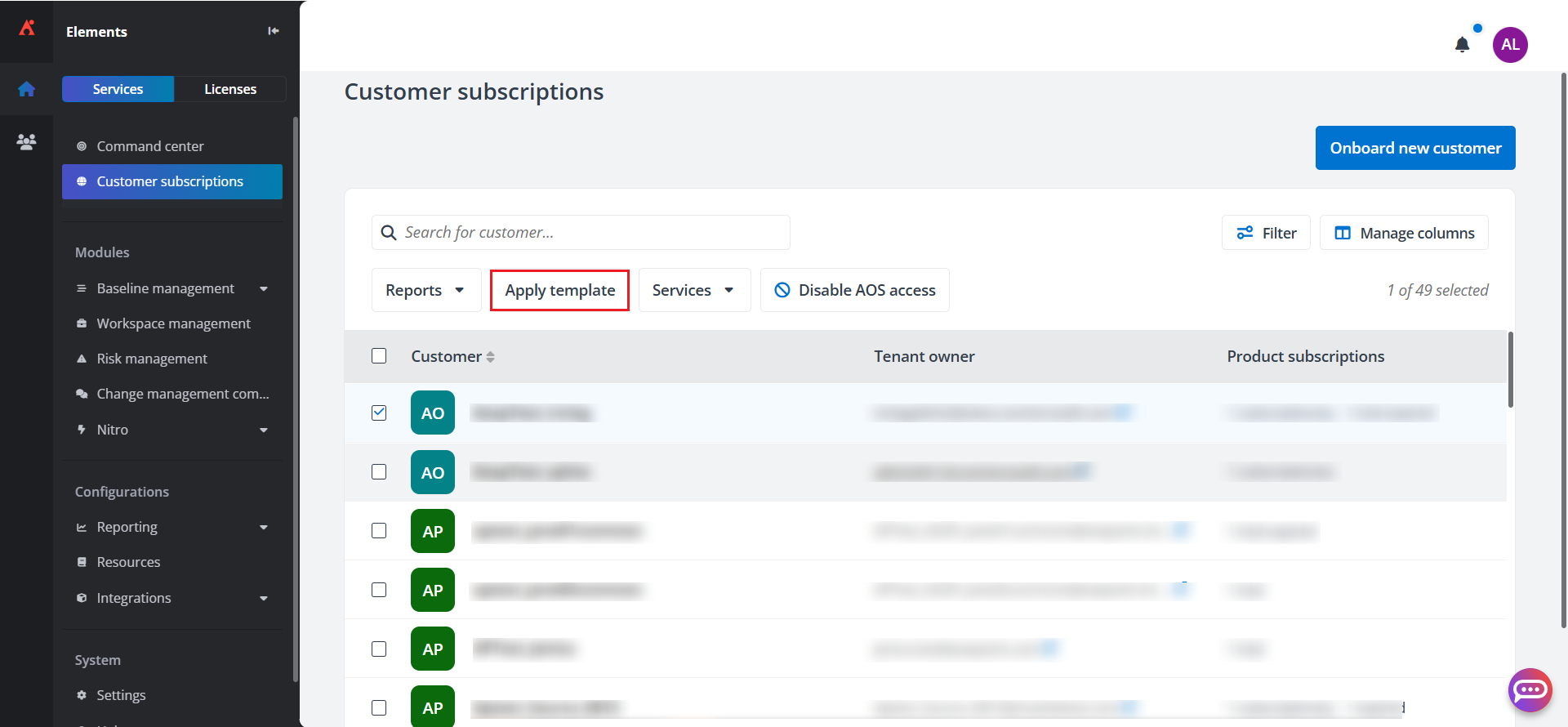
Navigate to Customer subscriptions, select your target customer tenant, and click Apply template.
-
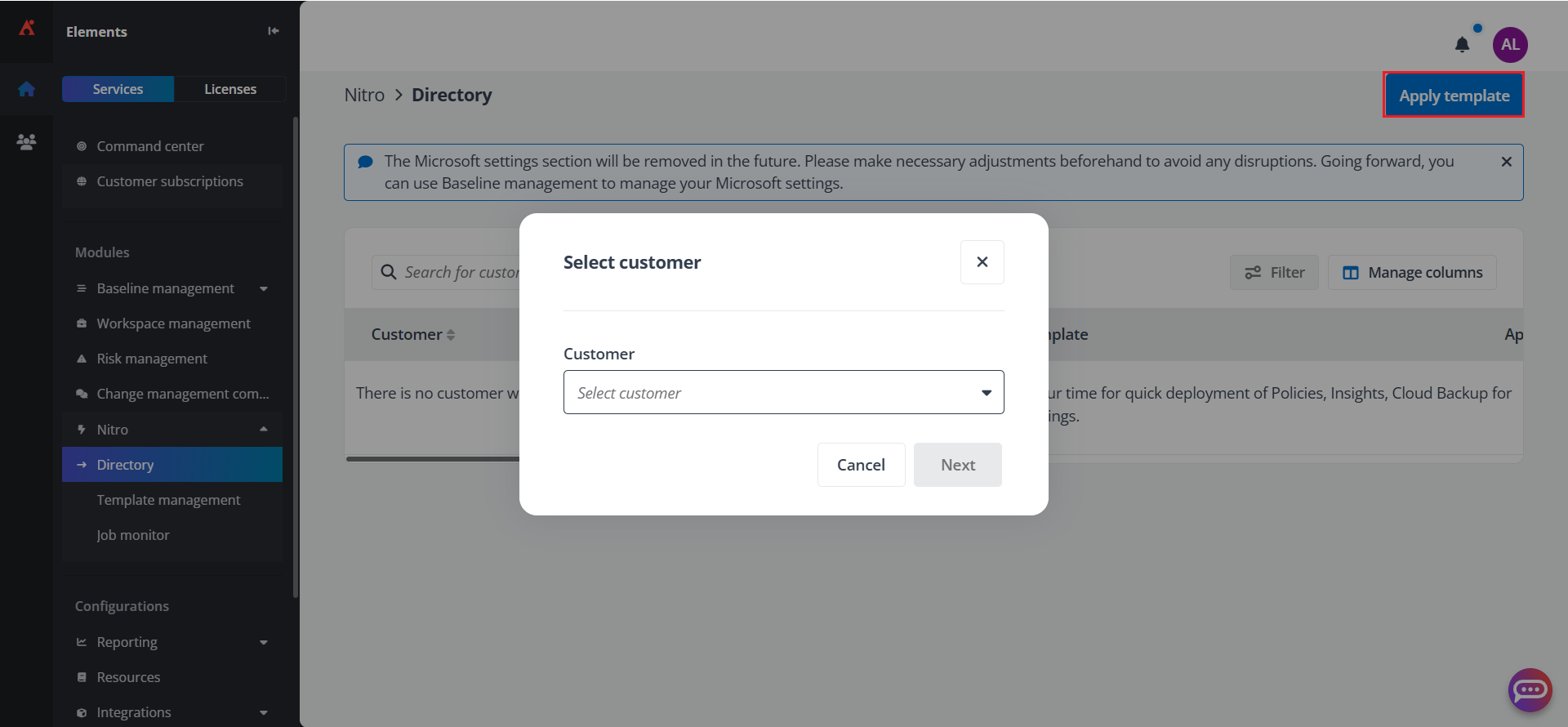
You can also navigate to Nitro > Directory page, and click Apply template in the upper-right corner. The Select customer window appears. Select a customer from the drop-down list, and click Next.
-
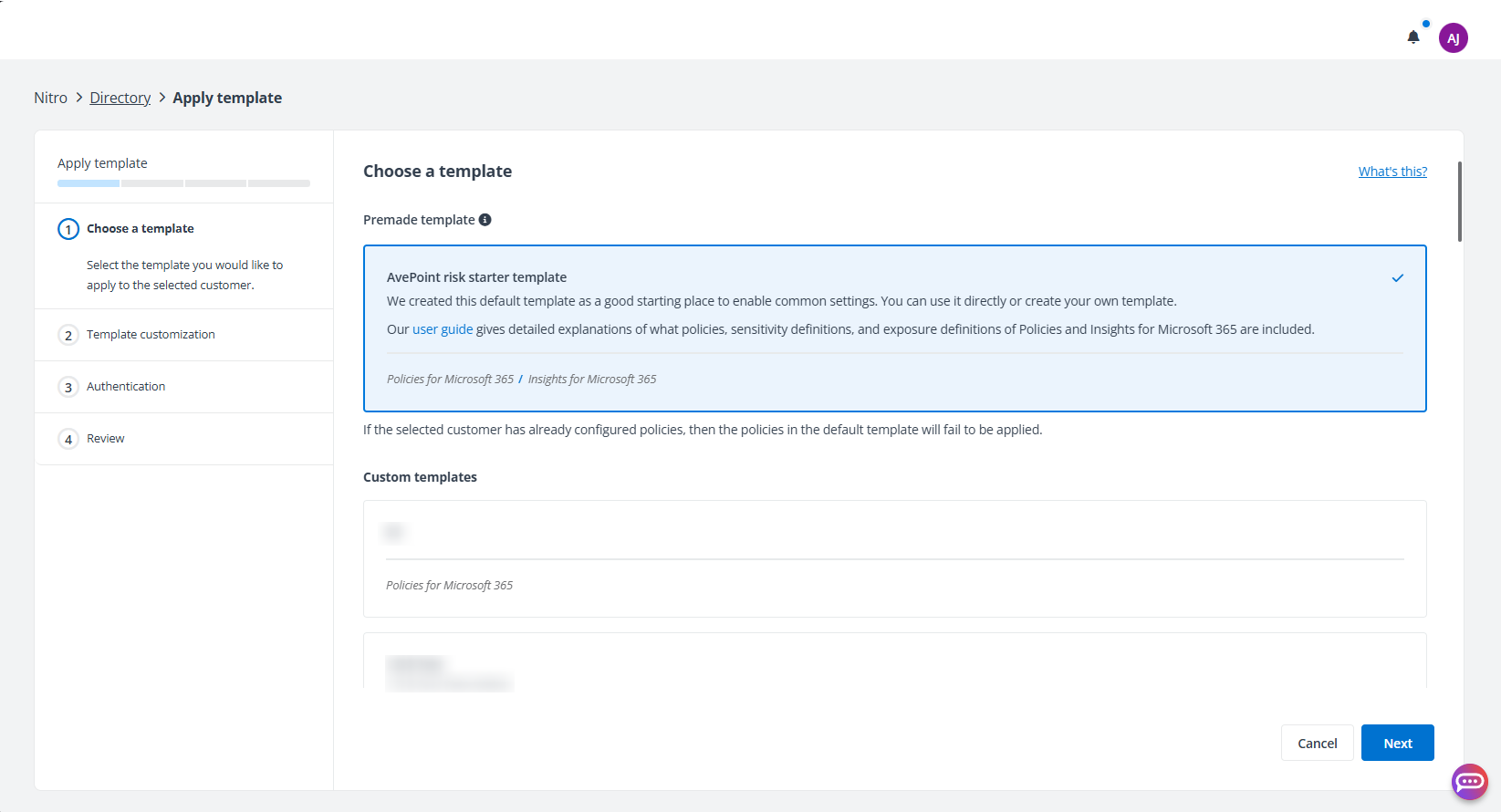
Select the template you want to apply to the target customer tenant and click Next.
-
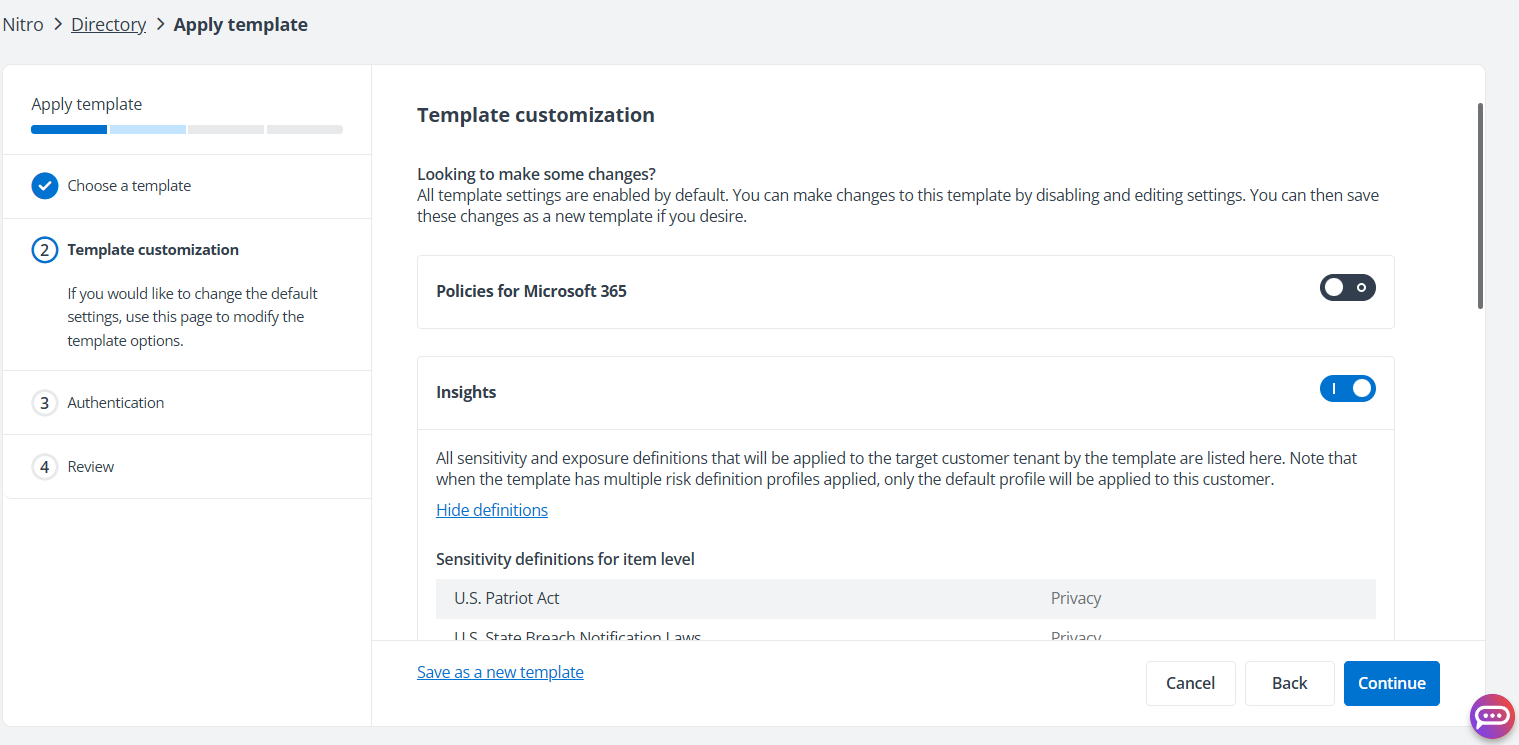
Customize the template by disabling or editing the settings. You can also save the settings as a new template.
-
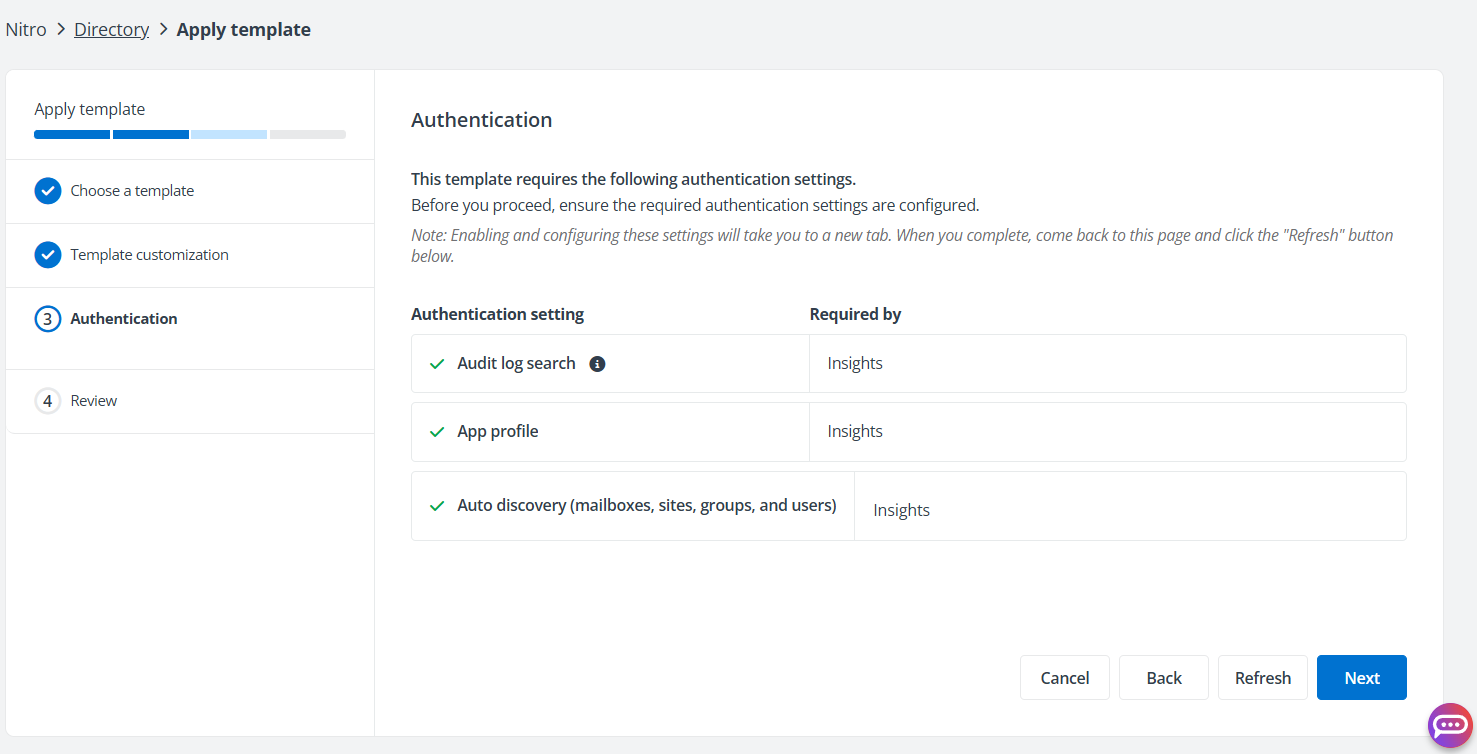
Check and configure the settings and click Next. Then, review the customer and template details, and click Apply.