
December 2022
The December update is packed with user experience improvements, data exploration enhancements, and a streamlined slick user interface that is easier to read for everyone.
-
Wildcard Parameters – Power BI Workspace:
-
This new feature provides exceptional filtering abilities at a report level. By configuring the parameters in the settings located in the Power BI workspace you can specify URL names that you would like the report to filter by and also if those names are to be applied as a filter in wildcard format. Which will display all URLS that contain the specified name.
-
For instructions on how to configure the settings for this new feature please refer to this how to article Setting URL Name as a Wild Card Parameter in tyGraph for SharePoint.
-
-
AA Accessibility Theme:
-
Fonts and colors have been adjusted to be in line to meet the standards set for AA accessibility by the WCAG.
-
This makes our reports a lot easier to read for everyone and creates a clearer crisp presentation of information.
-
-
Field Parameter – General Definition:
Field parameters allow users to dynamically change the measures or dimensions being analyzed within a report. This is a new feature in Power BI and can be enabled in the File / Options / Preview Features menu. This powerful new feature has been added to four tabs within this report: Page Audience, External Activity, Site Detail, and File Type Activity tabs. And contains the user attributes from the user table, this user data is loaded from your organization's Azure active directory, for more detailed information about user attributes please see User Attribute Selections.
-
Site Sensitivity Label Included in The Following Existing Visualizations:
-
Report Tab: Site Collection Summary. Visual: Engaged Site Collection Activity
-
Report Tab: Content Navigator. Visual: Category
-
Report Tab: Page/File Detail. Visual: Top File Activity matrix. And added a label to the drill through page File/Page Detail
-
Report Tab: Inactive Content. Visual: Primary Table
-
Report Tab: External Activity. Visual: External Usage by Site.
-
-
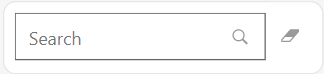
Search Field
Generic search field text box that allows for filtering by one keyword. This will filter all visualizations on the current page by the word entered and is now present on every report page.
-
Content Overview Page:
-
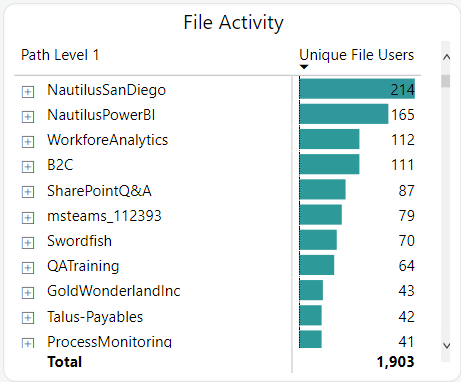
This new visual has been added – SharePoint site file activity hierarchy by unique file users' totals
-
A matrix style visualization that allows one to sort SharePoint sites by the most unique file users and using the plus symbols for each site drill down into the underlying file and site hierarchies that exist.
-
-
Page Audience Page:
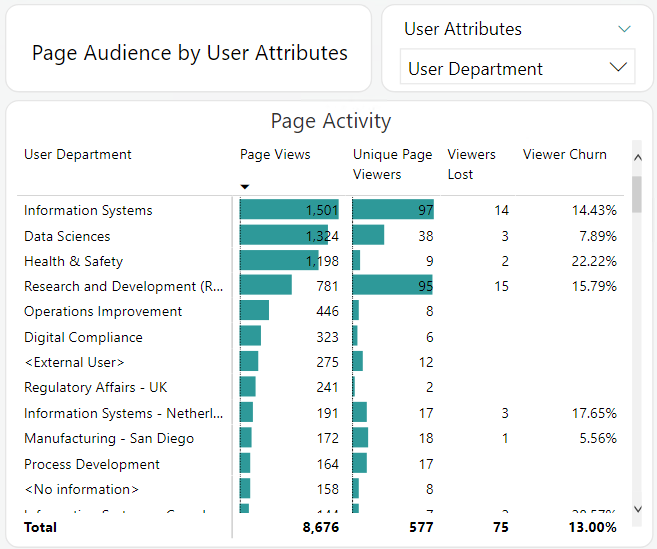
A dynamic matrix that is configurable by using the User Attributes slicer which alters what rows display totals for the given columns regarding SharePoint page views and the change in users viewing those pages. This utilizes the new Power Bi feature 'Field Parameters' which contains user attributes, for detailed information about user attributes please read this article User Attribute Selections.
- Site Detail Page:
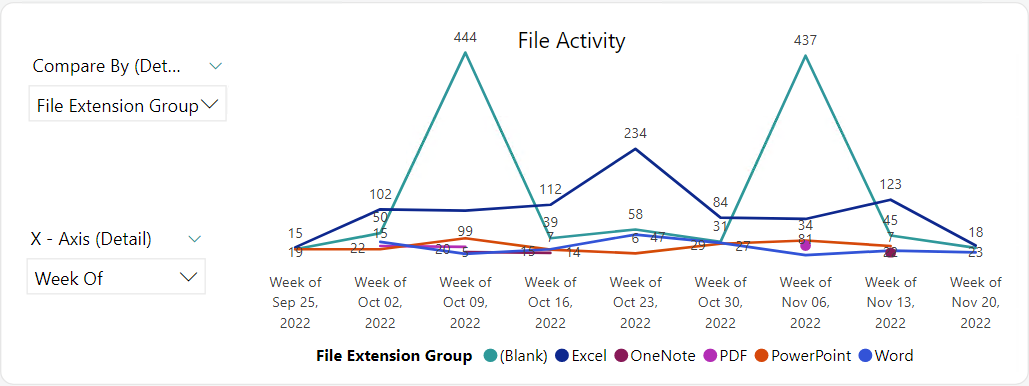
File Activity Line Chart was added to this page.
This line chart utilizes the new power bi feature - field parameters, and you can now filter external users file activity by numerous different types of file attributes and by a dynamic date X-Axis. See the "Compare By" and "X-Axis" slicers.
- External Activity Page:
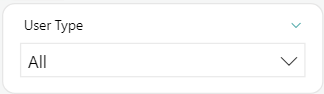
A slicer configured with different 'User Types' was added to the header of this report.
This drop-down slicer allows for filtering of all visualizations on the external activity page by User Types that have been populated in each entity's respective Azure tenants. See Microsoft articles for user type definitions.
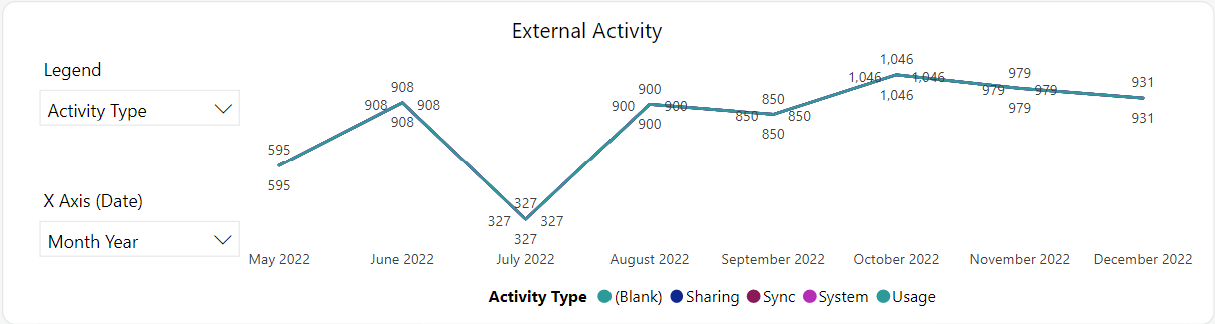
- External Activity Line Chart incorporating the new field parameter data slicer.
A new line chart that can be filtered using the "Legend" and "X Axis" slicers, allowing for dynamic date and activity comparisons. Showcasing external activity by SharePoint site types.
-
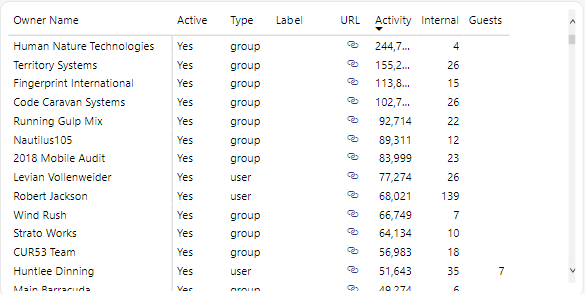
New site owner Matrix
-
This matrix has been added to the External Activity report tab.
-
It displays information on Site Owner with the related active status, type, site sensitivity label, activity count and user counts.
-
-
File Type Activity Page:
-
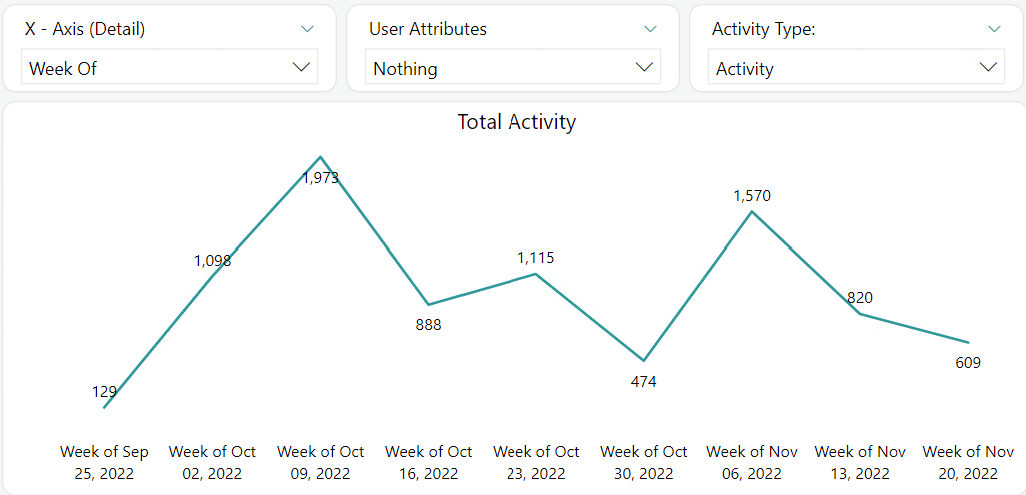
Total Activity Dynamic Line Chart.
-
A modified line chart that can be configured by using the following slicers: User Attributes, X-Axis which manipulates the dates, and finally the Activity Type slicer.
-
-
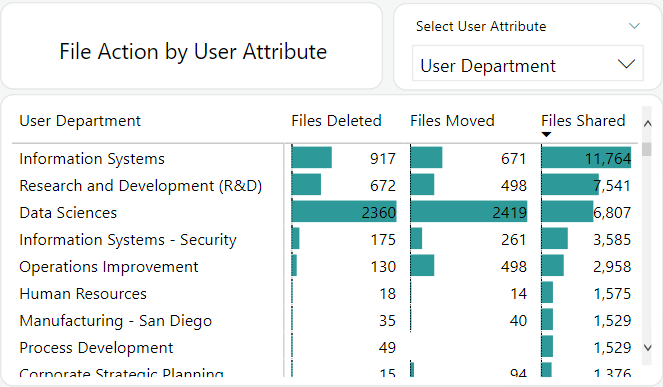
File Action by User Attribute Matrix Filtered by User Attribute Slicer:
- This matrix has been added to the File Type Activity tab along with the User Attribute slicer which utilizes the new Power BI feature "Field Parameters". This a powerful new feature enables dynamic filtering and comparisons of many different attributes (fields) within the below matrix allowing for exceptional data exploration.
-
New Data as of Calculation
Enhanced the 'Data As Of' indicator to base it on the latest file activity date, vs. the summary (Usage Report) date. In some cases, the harvest cycle spans a few days and the latest file/page activity gets harvested at the beginning of the cycle. By the time everything is processed and refreshed into the reports, the detail level data for the last few days may not have made it.